> ## Documentation Index
> Fetch the complete documentation index at: https://learn.nexudus.com/llms.txt
> Use this file to discover all available pages before exploring further.
# Doordeck
> Connect Doordeck mobile door access to Nexudus, so customers open doors based on their passes, bookings, desks and offices.
## Overview
**Doordeck** is mobile, cloud-based door access. The integration gives customers access to Doordeck doors based on what they have in Nexudus — their passes, resource bookings, and assigned desks and offices.
The integration costs **£50 a month per location** (shown in your currency). You need a Doordeck account with your doors installed — contact Doordeck to set one up — and your passes, resources, desks and offices set up in Nexudus.
## Setting up Doordeck
Follow Doordeck's guide to authenticating your users to create an app. Use your default members portal URL as the **Auth Domain** — it's case-sensitive. Generate a JSON web key with **RSA** as the **Key Type** and **RS256** as the **Algorithm**, including both the private and public key pairs, and copy it.
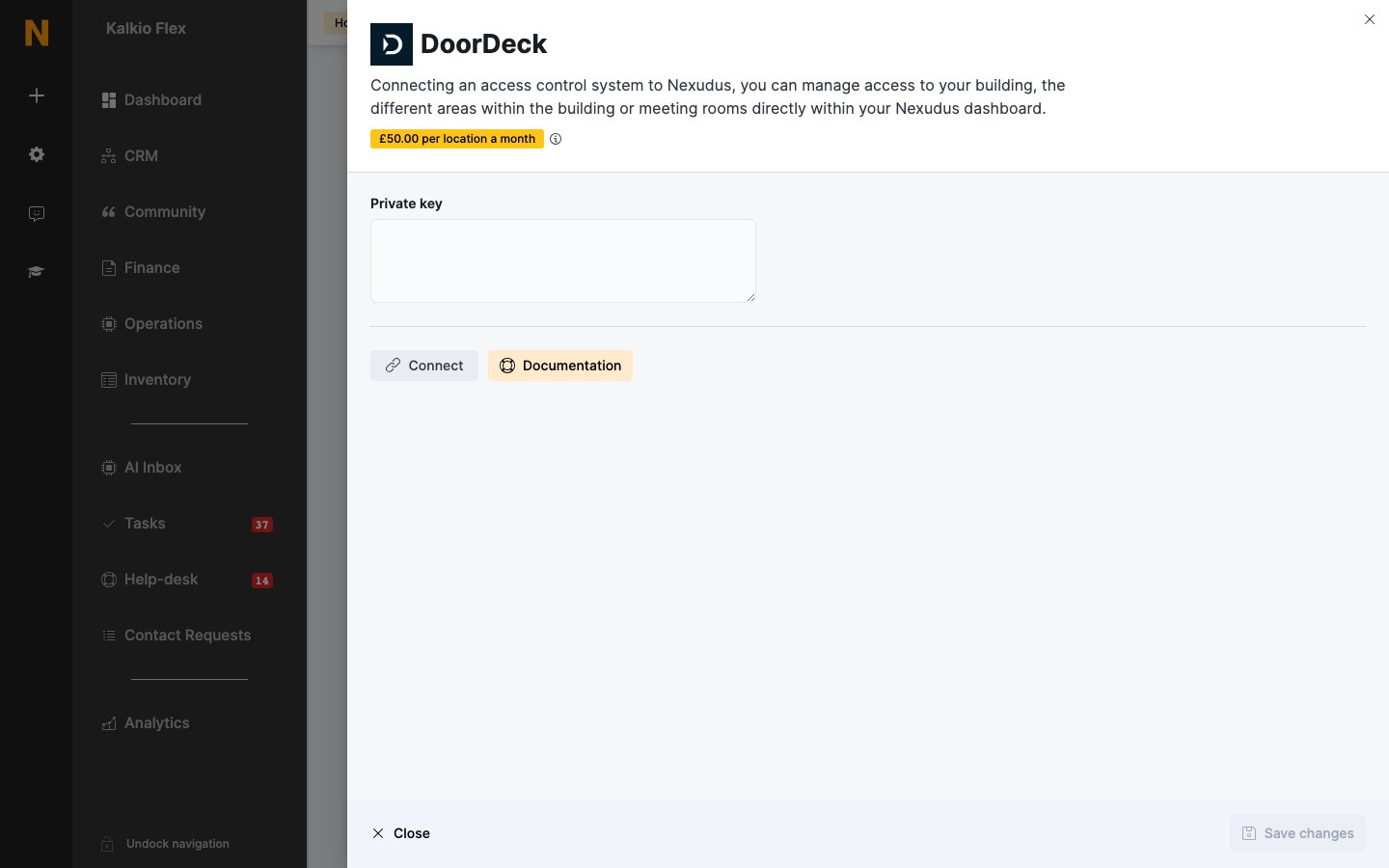
Go to **Settings → Integrations → DoorDeck**, turn on **Enable DoorDeck integration**, paste the key into **Private key**, and select **Connect**.
Copy the user ID shown under **Share your DoorDeck locks with the user ID below**. In the Doordeck web app, select **Share**, choose every door Nexudus should control, add the user ID, and make it an administrator of those doors.
Back in Nexudus, choose the Doordeck doors for each of your **Resources**, **Passes** and **Desks / Offices**, then save.
 ## How access works
| Item | Who gets access, and when |
| - | - |
| **Resources** | Customers who book the resource, from 15 minutes before the booking starts until 15 minutes after it ends. |
| **Passes** | Customers holding the pass. Doordeck doesn't enforce the pass's time limits. |
| **Desks / Offices** | Customers with an active contract assigned to the desk or office, from the contract's start date until its cancellation date. |
Customers open doors with the Doordeck app, or by scanning an [automation tile](/platform/settings/automation-tiles) set to **Unlock DoorDeck door**.
Link every door a customer needs to get to the space — the building entrance as well as the room. Test with a test customer before going live.
## Related
* [Access control](/integrations/access-control/overview) — how access control works in Nexudus
This documentation is built and hosted on [Mintlify](https://mintlify.com), a developer documentation platform.
## How access works
| Item | Who gets access, and when |
| - | - |
| **Resources** | Customers who book the resource, from 15 minutes before the booking starts until 15 minutes after it ends. |
| **Passes** | Customers holding the pass. Doordeck doesn't enforce the pass's time limits. |
| **Desks / Offices** | Customers with an active contract assigned to the desk or office, from the contract's start date until its cancellation date. |
Customers open doors with the Doordeck app, or by scanning an [automation tile](/platform/settings/automation-tiles) set to **Unlock DoorDeck door**.
Link every door a customer needs to get to the space — the building entrance as well as the room. Test with a test customer before going live.
## Related
* [Access control](/integrations/access-control/overview) — how access control works in Nexudus
This documentation is built and hosted on [Mintlify](https://mintlify.com), a developer documentation platform.