> ## Documentation Index
> Fetch the complete documentation index at: https://learn.nexudus.com/llms.txt
> Use this file to discover all available pages before exploring further.
# Moloni
> Register your Nexudus invoices in Moloni so they meet SAF-T requirements in Portugal and other SAF-T countries.
## Overview
**Moloni** is an invoicing platform for countries that follow the SAF-T (Standard Audit File for Tax) standard, such as Portugal. The integration sends your Nexudus invoices to Moloni, which formats and registers them so you can submit them to your tax authority or auditors. You keep issuing and managing invoices in Nexudus.
The integration is free.
## Before you start
You need:
* **A Moloni account on a Flex or Pro plan.** Moloni's Basic plan doesn't include the API access the integration needs.
* **A document set in Moloni** for your Nexudus invoices. Every transferred invoice goes into it.
* **Matching tax rates.** Every [tax rate](/platform/finance/tax-rates) in Nexudus needs an identical rate in Moloni — same name, including capitals, and same percentage. Invoices with an unmatched tax rate are rejected.
## Connecting Moloni
1. Go to **Settings → Integrations → Moloni** and select **Connect**.
2. Sign in with your Moloni account and return to Nexudus.
3. Choose your **Moloni company** and the **Document Set to transfer documents into**, and the other options below.
4. Save.
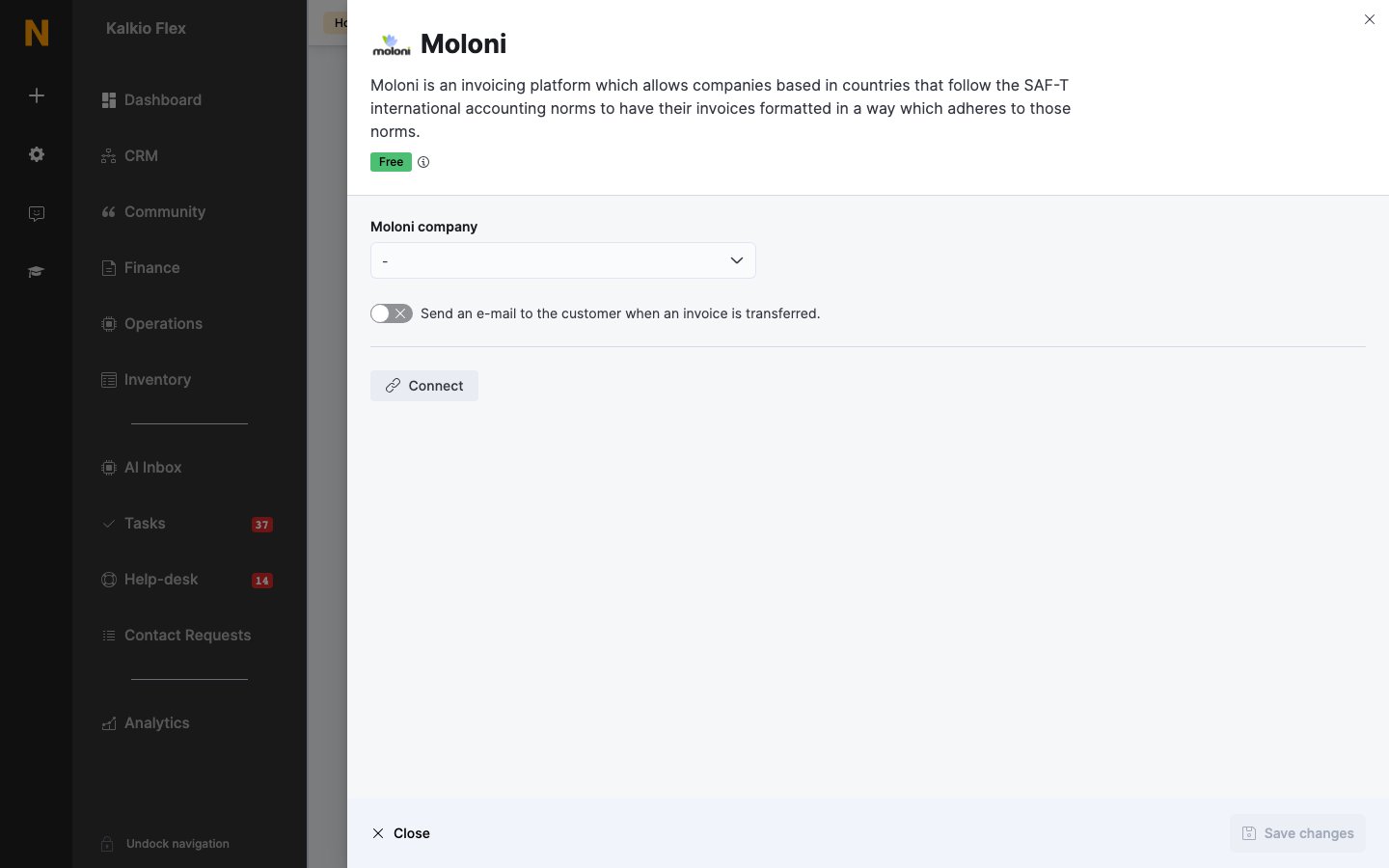 | Setting | What it does |
| - | - |
| **Moloni company** | The Moloni company this location's invoices go to. |
| **Document Set to transfer documents into** | The Moloni document set for this location. |
| **Default invoice status** | Whether invoices arrive in Moloni as **Final** or **Provisional**. Final invoices can't be changed or deleted in Moloni. |
| **Send an e-mail to the customer when an invoice is transferred.** | Moloni emails the customer their invoice. Choose the **Default Customer Language** — English, Portuguese or Spanish — and any **Additional Emails** to copy in. |
## Transferring invoices
Moloni invoices aren't sent automatically. Go to **Finance → Invoices**, tick up to 100 invoices, and choose **Transfer to Moloni** from **Bulk actions**. Transferred invoices show an **In Moloni** badge.
**Always transfer invoices in date order.** Once a newer invoice is in Moloni, older invoices you missed can no longer be transferred.
If you edit an invoice after transferring it, transfer it again — this only works while it isn't final in Moloni. Credit notes, refunds and payments are sent too.
Failed transfers are listed under **Finance → Invoices → Moloni errors**, with the reason for each.
## Related
* [Accounting](/integrations/accounting) — all accounting integrations
* [E-invoicing](/integrations/accounting/e-invoicing) — sending e-invoices to tax authorities
* [Tax rates](/platform/finance/tax-rates) — the rates that must match Moloni
This documentation is built and hosted on [Mintlify](https://mintlify.com), a developer documentation platform.
| Setting | What it does |
| - | - |
| **Moloni company** | The Moloni company this location's invoices go to. |
| **Document Set to transfer documents into** | The Moloni document set for this location. |
| **Default invoice status** | Whether invoices arrive in Moloni as **Final** or **Provisional**. Final invoices can't be changed or deleted in Moloni. |
| **Send an e-mail to the customer when an invoice is transferred.** | Moloni emails the customer their invoice. Choose the **Default Customer Language** — English, Portuguese or Spanish — and any **Additional Emails** to copy in. |
## Transferring invoices
Moloni invoices aren't sent automatically. Go to **Finance → Invoices**, tick up to 100 invoices, and choose **Transfer to Moloni** from **Bulk actions**. Transferred invoices show an **In Moloni** badge.
**Always transfer invoices in date order.** Once a newer invoice is in Moloni, older invoices you missed can no longer be transferred.
If you edit an invoice after transferring it, transfer it again — this only works while it isn't final in Moloni. Credit notes, refunds and payments are sent too.
Failed transfers are listed under **Finance → Invoices → Moloni errors**, with the reason for each.
## Related
* [Accounting](/integrations/accounting) — all accounting integrations
* [E-invoicing](/integrations/accounting/e-invoicing) — sending e-invoices to tax authorities
* [Tax rates](/platform/finance/tax-rates) — the rates that must match Moloni
This documentation is built and hosted on [Mintlify](https://mintlify.com), a developer documentation platform.