> ## Documentation Index
> Fetch the complete documentation index at: https://learn.nexudus.com/llms.txt
> Use this file to discover all available pages before exploring further.
# D12S
> Connect Disruptive Technologies D12S sensors so their readings are sent to Nexudus through a data connector.
## Overview
**D12S** sensors from Disruptive Technologies measure desk occupancy, presence, temperature, proximity, touch, humidity, water leaks and CO2. They're wireless, tiny and waterproof, with a battery life of 8 years or more. The integration receives their readings in Nexudus.
The integration is free in Nexudus. You need a Disruptive Technologies project with your sensors registered.
## Connecting D12S
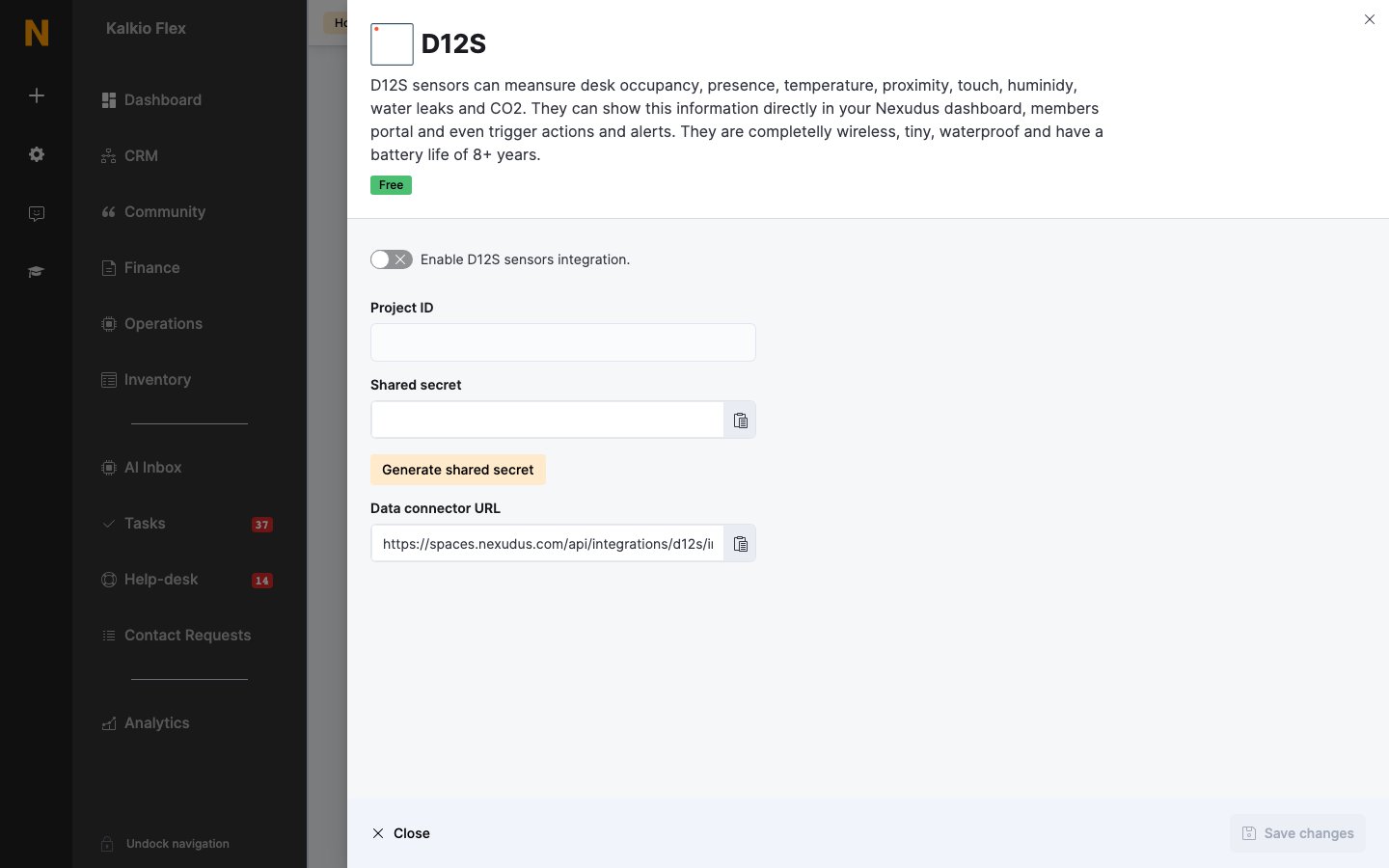
Go to **Settings → Integrations → D12S**, turn on **Enable D12S sensors integration.**, and select **Generate shared secret**. Copy the **Shared secret** and the **Data connector URL**.
In Disruptive Technologies Studio, open your project and go to **API Integrations → Data Connector → Create data connector**. Name it, paste the **Data connector URL** as the **Endpoint URL** and the shared secret as the **Signature secret**, and save.
Enter your Disruptive Technologies **Project ID** and save.
 Readings arrive in Nexudus as soon as the connector is saved. You can add or replace sensors in your project at any time. Then set up your [sensors](/platform/access-control/sensors) in Nexudus.
## Related
* [Sensors](/integrations/sensors) — all sensor integrations
This documentation is built and hosted on [Mintlify](https://mintlify.com), a developer documentation platform.
Readings arrive in Nexudus as soon as the connector is saved. You can add or replace sensors in your project at any time. Then set up your [sensors](/platform/access-control/sensors) in Nexudus.
## Related
* [Sensors](/integrations/sensors) — all sensor integrations
This documentation is built and hosted on [Mintlify](https://mintlify.com), a developer documentation platform.