> ## Documentation Index
> Fetch the complete documentation index at: https://learn.nexudus.com/llms.txt
> Use this file to discover all available pages before exploring further.
# Pressac
> Connect Pressac sensors to Nexudus through an AWS IoT endpoint.
## Overview
**Pressac** sensors measure desk occupancy, presence, temperature, humidity and CO2. They're wireless and have a long battery life. Their readings reach Nexudus through an **AWS IoT** endpoint.
The integration is free in Nexudus. You need Pressac sensors installed — Pressac can help with purchase and setup.
## Connecting Pressac
You need one AWS IoT endpoint certificate for each location. Either contact Nexudus support and ask for certificates — the simplest option — or create your own endpoint in your AWS account (below).
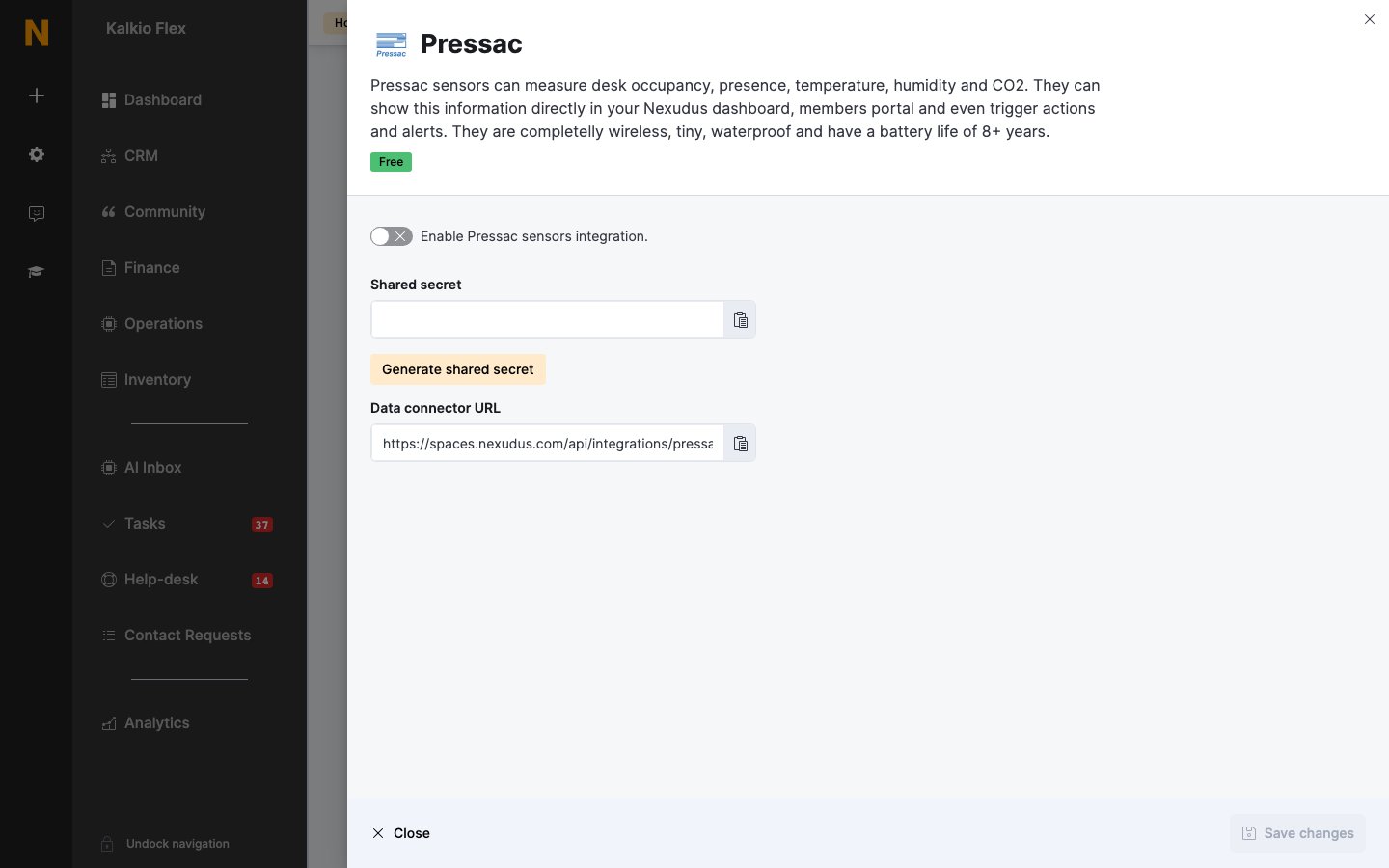
Go to **Settings → Integrations → Pressac**, turn on **Enable Pressac sensors integration.**, and select **Generate shared secret**. Copy the **Shared secret** and **Data connector URL**, and save.
In your Pressac admin panel, go to **Connections → AWS IoT** and enter the connection, root topic and certificates for your endpoint.
 ### Using your own AWS IoT endpoint
To keep sensor data in your own AWS account, in the AWS IoT console create a policy allowing `iot:Connect`, `iot:Publish` and `iot:Subscribe`, then a thing named `nexudus_ingest` with an unnamed shadow and auto-renewing certificates. Download its keys and Root CA certificate, and add a message routing rule named `send_to_nexudus` that sends messages to your **Data connector URL** over HTTP. If you run several locations, use your network's top location.
## Related
* [Sensors](/integrations/sensors) — all sensor integrations
This documentation is built and hosted on [Mintlify](https://mintlify.com), a developer documentation platform.
### Using your own AWS IoT endpoint
To keep sensor data in your own AWS account, in the AWS IoT console create a policy allowing `iot:Connect`, `iot:Publish` and `iot:Subscribe`, then a thing named `nexudus_ingest` with an unnamed shadow and auto-renewing certificates. Download its keys and Root CA certificate, and add a message routing rule named `send_to_nexudus` that sends messages to your **Data connector URL** over HTTP. If you run several locations, use your network's top location.
## Related
* [Sensors](/integrations/sensors) — all sensor integrations
This documentation is built and hosted on [Mintlify](https://mintlify.com), a developer documentation platform.