> ## Documentation Index
> Fetch the complete documentation index at: https://learn.nexudus.com/llms.txt
> Use this file to discover all available pages before exploring further.
# reCAPTCHA
> Protect your members portal sign-up and contact forms from spam and abuse with Google reCAPTCHA.
## Overview
**reCAPTCHA** is a free Google service that stops bots submitting your forms. The integration adds it to your members portal's sign-up and contact forms.
You need to own the Google account you set it up with.
## Connecting reCAPTCHA
At `google.com/recaptcha/admin/create`, add a label and choose **reCAPTCHA v2** — other versions aren't supported. Under **Domains**, add your members portal address: `yourspace.spaces.nexudus.com`, or, with a custom domain, both `example.com` and `www.example.com`. Accept the terms and submit.
Go to **Settings → Integrations → reCAPTCHA**, turn on **Enable reCAPTCHA integration.**, enter the **Site key / public key** and **Private key**, and save.
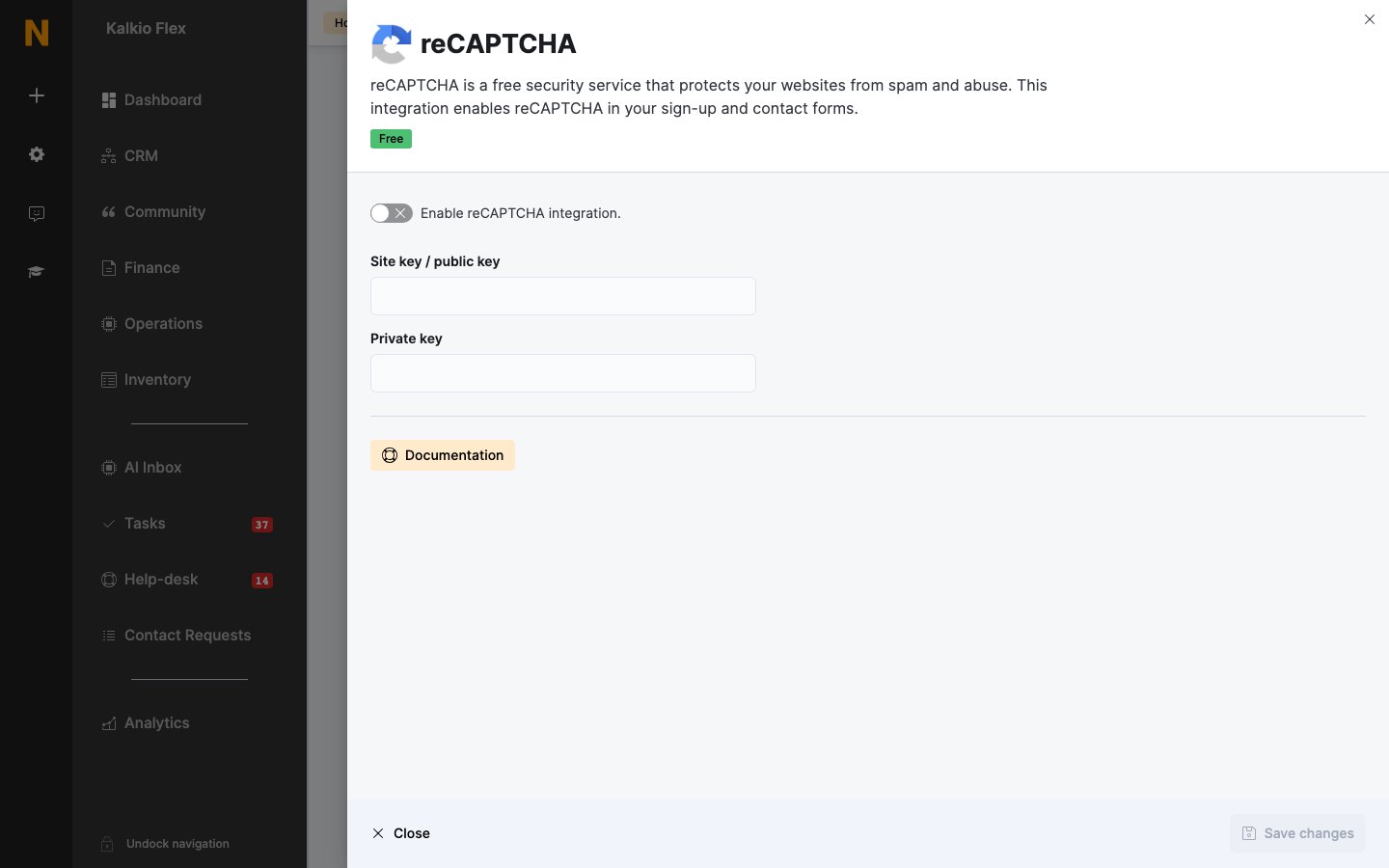 It can take a few hours to go live.
If you change your portal's web address or custom domain, update the **Domains** in reCAPTCHA to match. Otherwise forms show *ERROR for site owner: Invalid domain for site key* and customers can't submit them. Set up a [custom domain](/platform/settings/domains) before turning on reCAPTCHA.
## Related
* [Domains](/platform/settings/domains) — your portal's web address
This documentation is built and hosted on [Mintlify](https://mintlify.com), a developer documentation platform.
It can take a few hours to go live.
If you change your portal's web address or custom domain, update the **Domains** in reCAPTCHA to match. Otherwise forms show *ERROR for site owner: Invalid domain for site key* and customers can't submit them. Set up a [custom domain](/platform/settings/domains) before turning on reCAPTCHA.
## Related
* [Domains](/platform/settings/domains) — your portal's web address
This documentation is built and hosted on [Mintlify](https://mintlify.com), a developer documentation platform.