> ## Documentation Index
> Fetch the complete documentation index at: https://learn.nexudus.com/llms.txt
> Use this file to discover all available pages before exploring further.
# Nexudus Connect
> Connect your building's Nexudus Connect network so customers get Wi-Fi access based on their passes.
## Overview
**Nexudus Connect** is a managed network and IT support service that works directly with your Nexudus account. Customers connect to your Wi-Fi with their Nexudus details or a [Wi-Fi access code](/platform/operations/access-tokens), as long as they hold a [pass with network access](/integrations/wifi#who-can-connect).
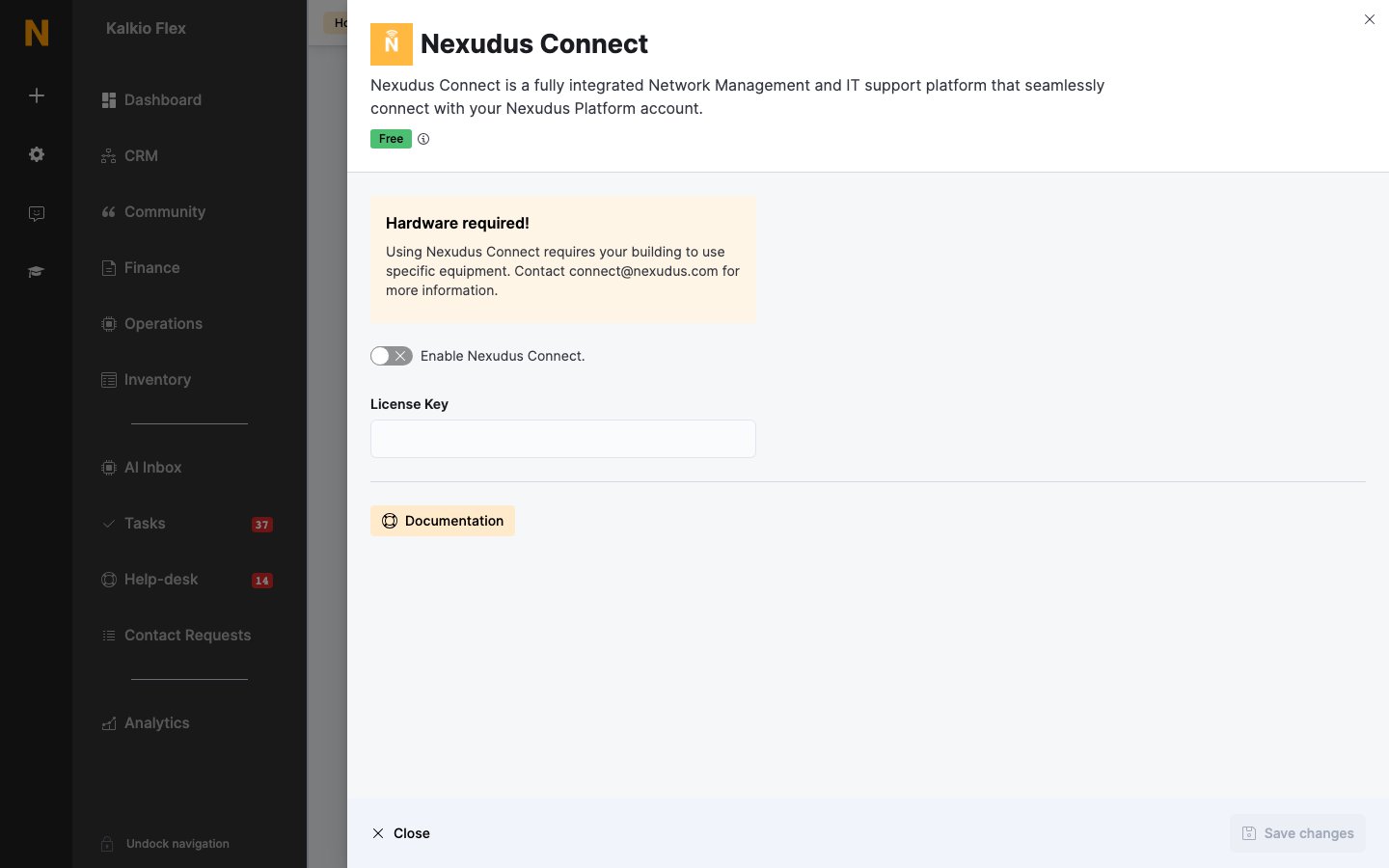
Nexudus Connect requires specific network equipment in your building. Contact [connect@nexudus.com](mailto:connect@nexudus.com) to find out if it's available for your location and to have the equipment installed.
## Setting up Nexudus Connect
Once your equipment is installed, the Nexudus Connect team gives you a licence key.
Go to **Settings → Integrations → Nexudus Connect**, turn on **Enable Nexudus Connect.**, enter your **License Key**, and save.
On each pass that should include Wi-Fi, turn on **Allow customers holding this pass to connect to your IT network.**
Send your members portal address — shown in **Settings → Website** — to the Nexudus Connect team. They finish the configuration and confirm when your network is live.
 ## Related
* [Wi-Fi](/integrations/wifi) — who can connect, check-ins, and troubleshooting
* [Wi-Fi access codes](/platform/operations/access-tokens) — temporary Wi-Fi access for visitors
This documentation is built and hosted on [Mintlify](https://mintlify.com), a developer documentation platform.
## Related
* [Wi-Fi](/integrations/wifi) — who can connect, check-ins, and troubleshooting
* [Wi-Fi access codes](/platform/operations/access-tokens) — temporary Wi-Fi access for visitors
This documentation is built and hosted on [Mintlify](https://mintlify.com), a developer documentation platform.