> ## Documentation Index
> Fetch the complete documentation index at: https://learn.nexudus.com/llms.txt
> Use this file to discover all available pages before exploring further.
# Room Bookings
> How the AI helps logged-in members create, view, modify, and cancel bookings across chat, email, WhatsApp, and voice.
The AI handles the full booking lifecycle for logged-in members. All booking operations require the member to be identified — on the chat channel this means being signed in; on email, WhatsApp, and voice the member is identified by their email address, phone number, or caller ID. The AI will prompt unidentified users to log in or provide contact details before proceeding.
## Creating a booking
The AI guides a member through booking in a three-step flow: **draft → confirm → create**.
**Step 1 — Draft.** The AI finds available rooms matching the member's request (room name or type, date, start time, duration). It returns a summary showing the room, desk, start and end time, price, and any required custom fields (such as "number of attendees"). Times are automatically rounded to the nearest 15-minute interval.
**Step 2 — Confirm.** The member reviews the draft. A short-lived confirmation token is issued. The member confirms by replying (e.g. "yes, book it") or, on voice, by saying "yes" or "confirm". The confirmation window depends on the channel — 10 minutes for chat, 1 hour for WhatsApp, 4 hours for email, and during the call for voice. See [Channels](./channels) for details.
**Step 3 — Create.** The booking is created in Nexudus. If payment is required upfront, the AI provides a link to complete payment before the booking is finalised.
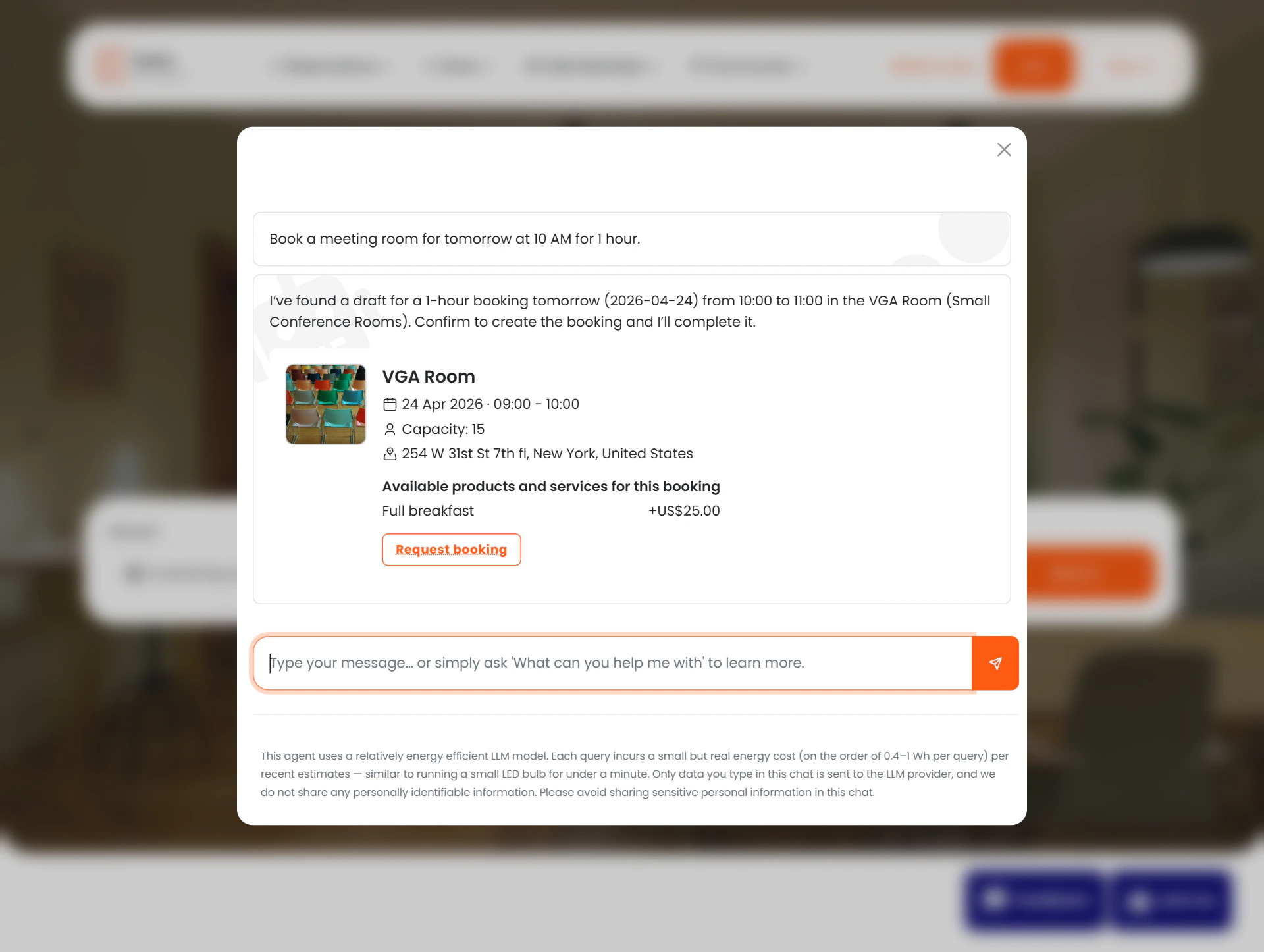 If the room has required custom fields, the AI will ask for those values before completing the booking. The booking is not created until all required fields are provided.
## Viewing bookings
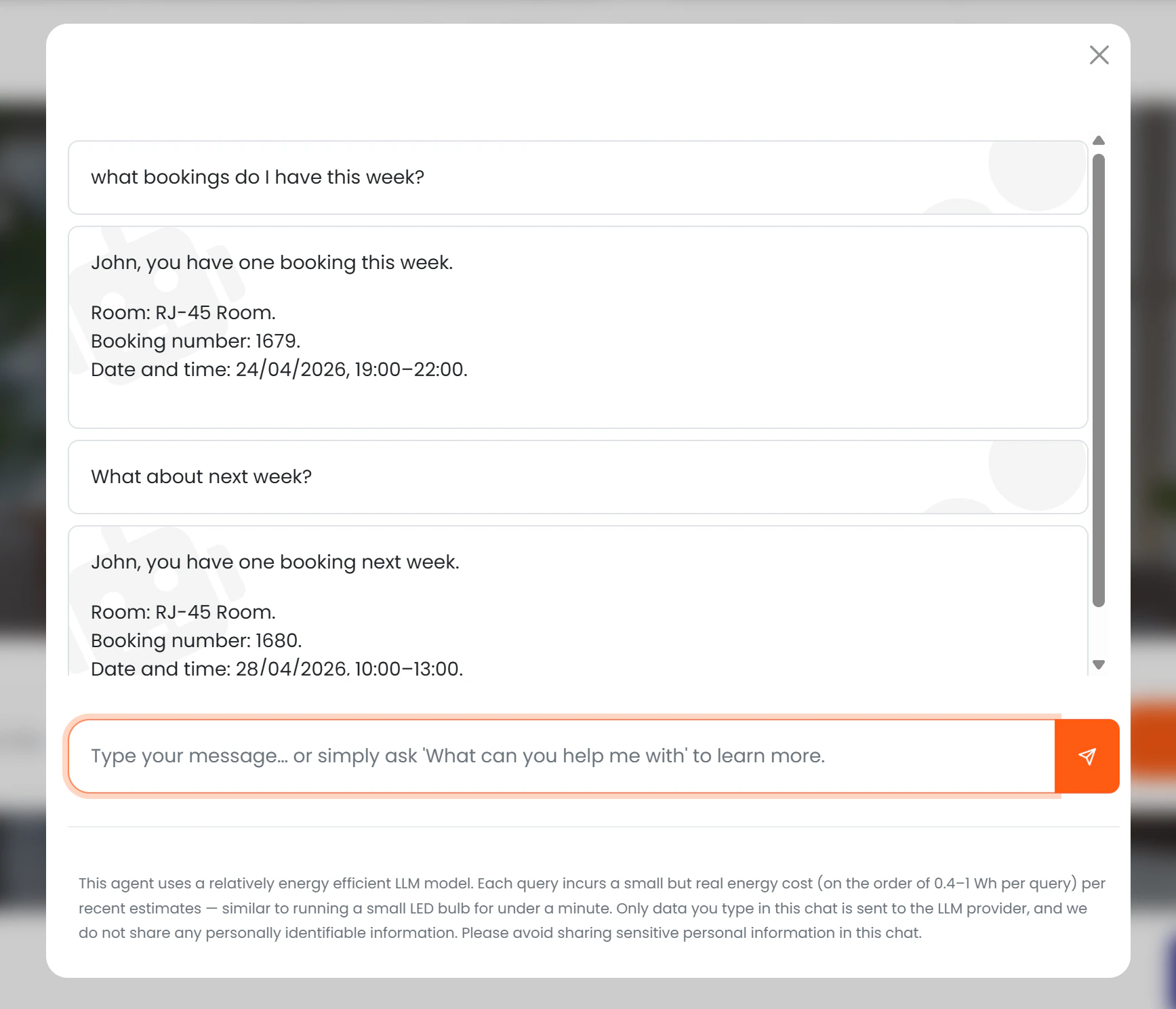
Members can ask the AI to show their upcoming or past bookings: "what bookings do I have this week?", "show me my meetings for Thursday."
The AI returns a list of matching bookings with room name, desk, start time, and end time. Results can be filtered by date range or by room name.
If the room has required custom fields, the AI will ask for those values before completing the booking. The booking is not created until all required fields are provided.
## Viewing bookings
Members can ask the AI to show their upcoming or past bookings: "what bookings do I have this week?", "show me my meetings for Thursday."
The AI returns a list of matching bookings with room name, desk, start time, and end time. Results can be filtered by date range or by room name.
 ## Modifying a booking
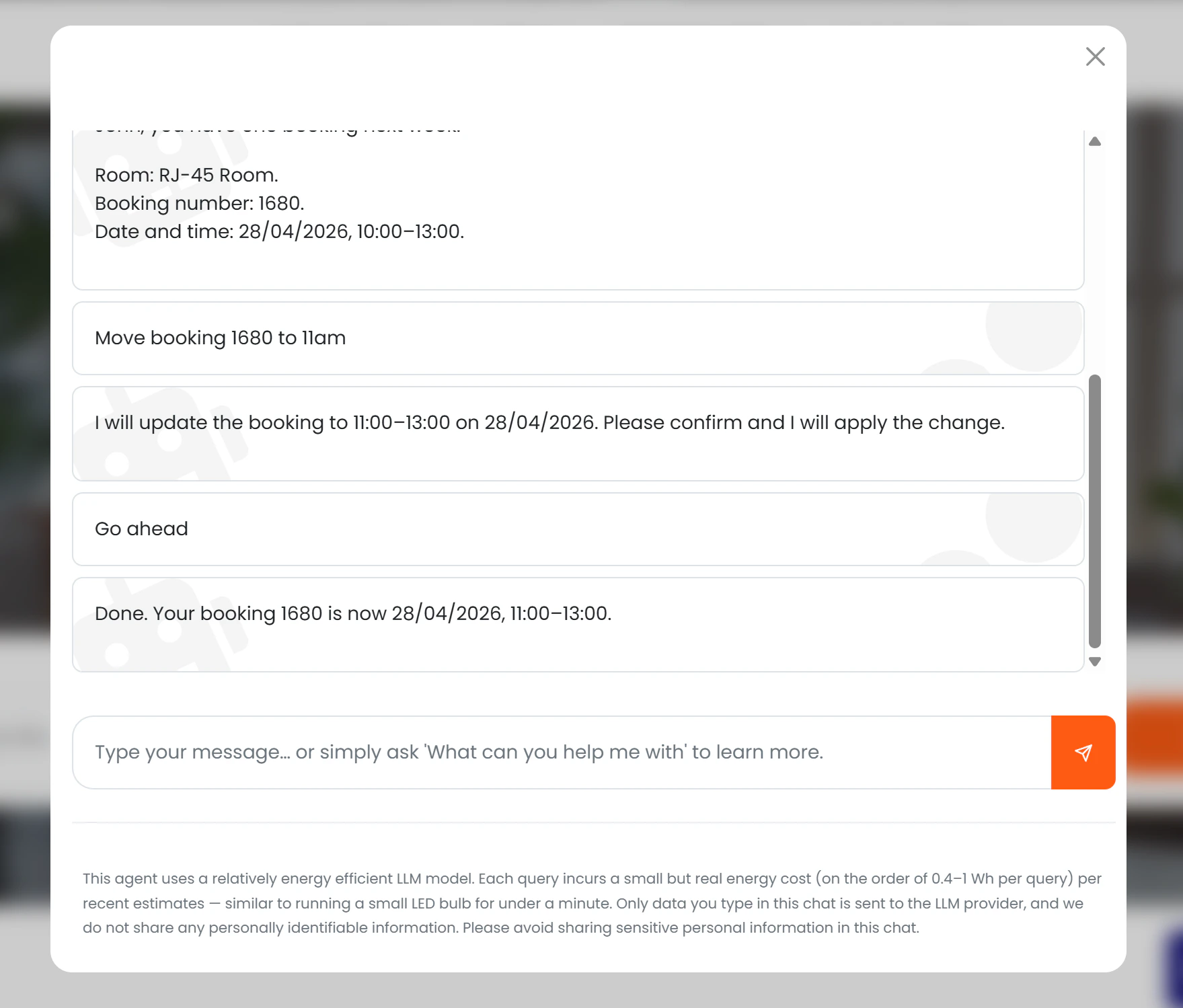
Members can ask to change the time, date, duration, or room of an existing booking. The AI uses the same **draft → confirm → update** flow as creation.
For relative changes ("extend my 3pm meeting by an hour"), the member can first ask the AI to retrieve the current booking details, then request the modification.
## Modifying a booking
Members can ask to change the time, date, duration, or room of an existing booking. The AI uses the same **draft → confirm → update** flow as creation.
For relative changes ("extend my 3pm meeting by an hour"), the member can first ask the AI to retrieve the current booking details, then request the modification.
 ## Cancelling a booking
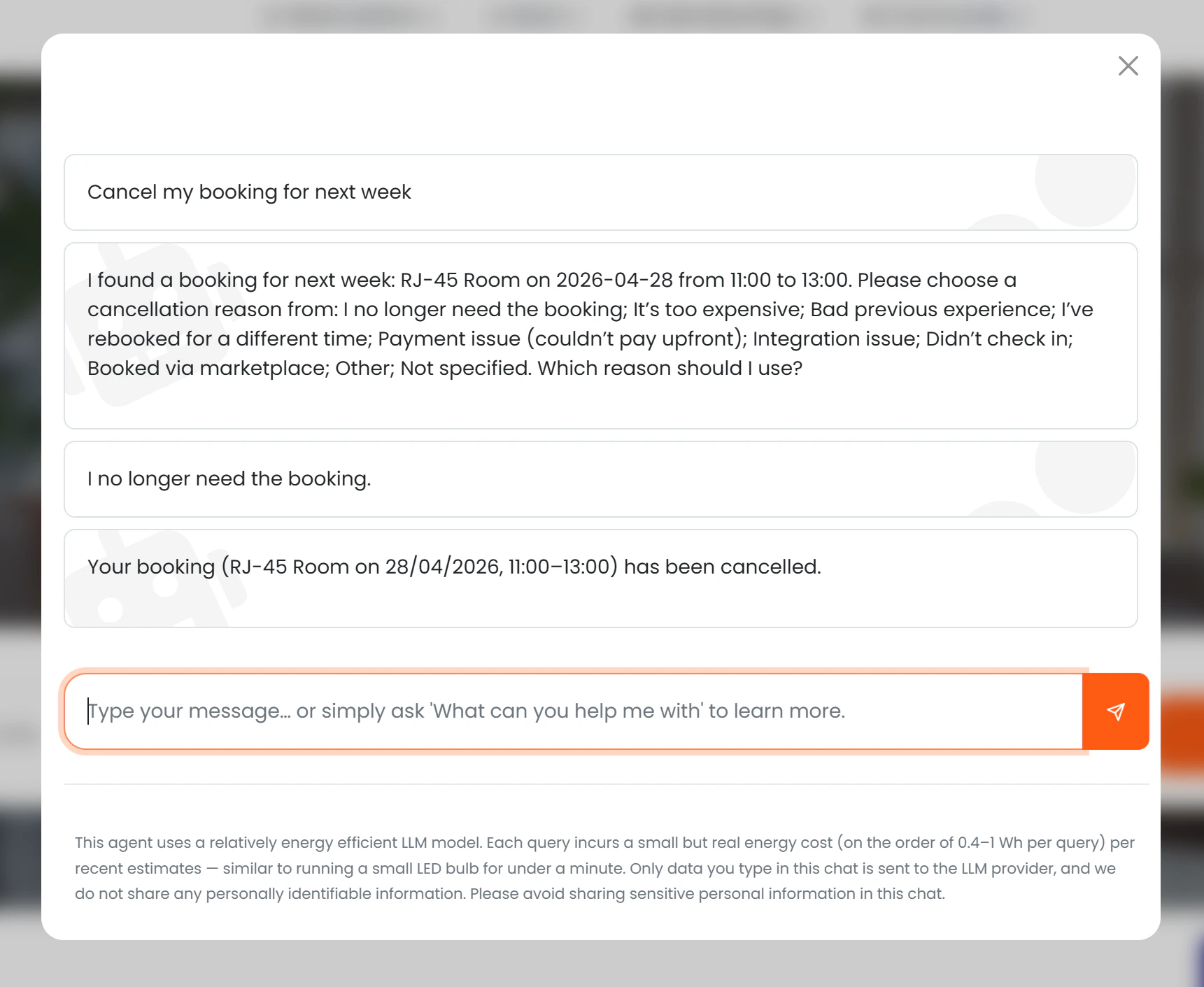
The AI cancels bookings after collecting a reason and confirming with the member. The flow is:
1. The AI asks the member which booking to cancel (or the member specifies it directly).
2. The AI presents a list of localised cancellation reason options.
3. The member selects a reason.
4. The AI shows a confirmation summary and asks the member to confirm.
5. On confirmation, the booking is cancelled and the reason is recorded in Nexudus.
## Cancelling a booking
The AI cancels bookings after collecting a reason and confirming with the member. The flow is:
1. The AI asks the member which booking to cancel (or the member specifies it directly).
2. The AI presents a list of localised cancellation reason options.
3. The member selects a reason.
4. The AI shows a confirmation summary and asks the member to confirm.
5. On confirmation, the booking is cancelled and the reason is recorded in Nexudus.
 ### Cancellation reasons
The AI records the cancellation reason as a structured value in Nexudus:
| Reason |
| ----------------------------- |
| No longer needed |
| Too expensive |
| Bad previous experience |
| Rebooked for a different time |
| Failed to pay upfront |
| Other |
The AI maps the member's natural-language reply to the closest matching reason, supporting English, Spanish, and French.
## Conversion tracking
When a booking is created through the AI, a **"Booking created"** badge (teal colour) appears on the conversation in the [AI Conversations list](./admin-panel), with a direct link to the Booking record.
See [Conversion Tracking](./conversion-tracking) for a full explanation of how session IDs work.
### Cancellation reasons
The AI records the cancellation reason as a structured value in Nexudus:
| Reason |
| ----------------------------- |
| No longer needed |
| Too expensive |
| Bad previous experience |
| Rebooked for a different time |
| Failed to pay upfront |
| Other |
The AI maps the member's natural-language reply to the closest matching reason, supporting English, Spanish, and French.
## Conversion tracking
When a booking is created through the AI, a **"Booking created"** badge (teal colour) appears on the conversation in the [AI Conversations list](./admin-panel), with a direct link to the Booking record.
See [Conversion Tracking](./conversion-tracking) for a full explanation of how session IDs work.