> ## Documentation Index
> Fetch the complete documentation index at: https://learn.nexudus.com/llms.txt
> Use this file to discover all available pages before exploring further.
# Day Passes
> How the AI presents and sells day passes to members and visitors across all channels.
The AI can list your available day passes and provide direct purchase links. This capability works for both logged-in members and anonymous visitors — no account is required to see day passes or click the purchase link. It works on all channels: chat, email, WhatsApp, and voice. On voice, the AI describes the available passes and offers to send a purchase link via email or WhatsApp.
 ## What the AI shows
### Day pass products
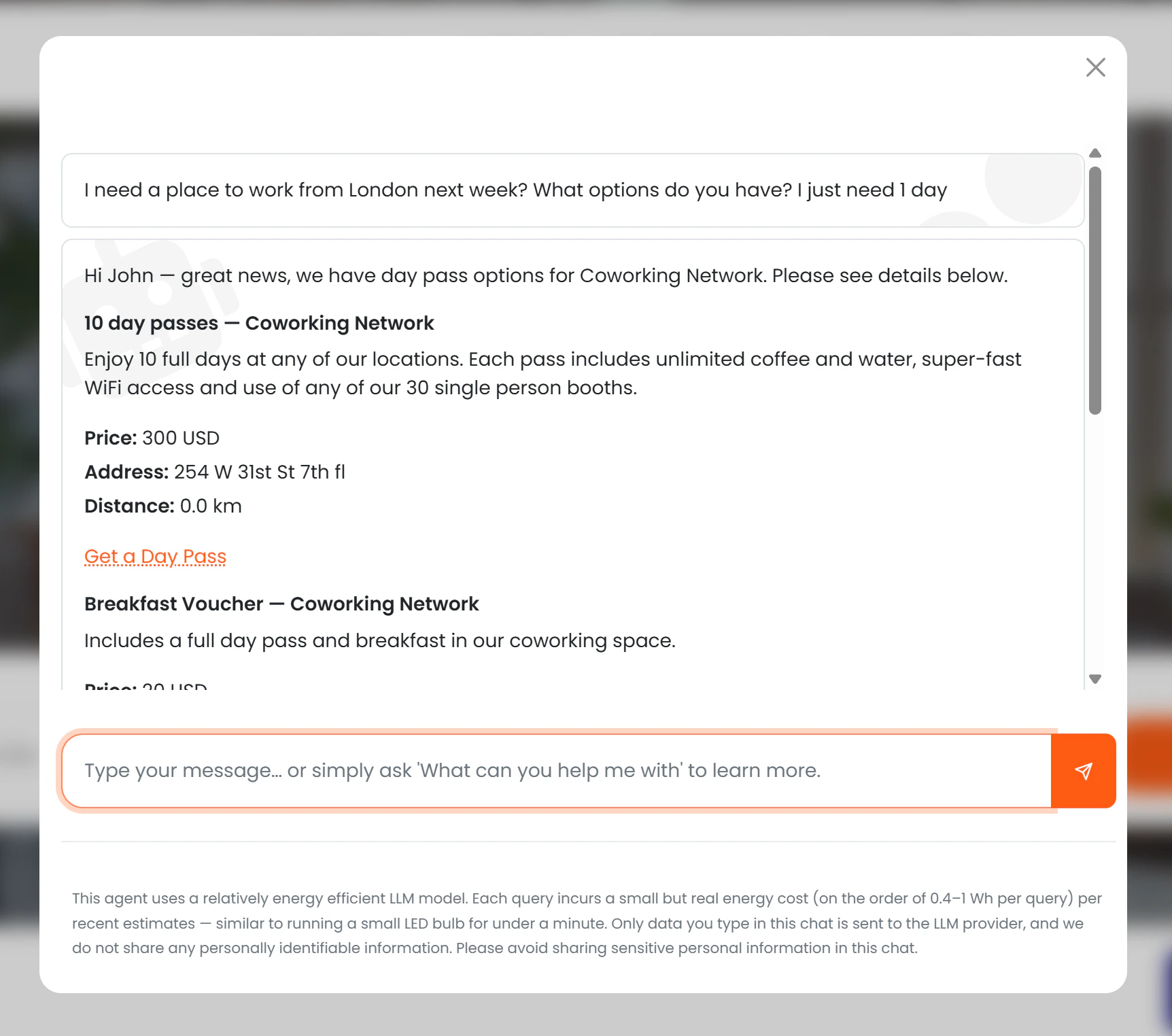
For each eligible day pass product, the AI presents:
* Name and description
* Price (if *Show price to AI* is enabled)
* Location name and address
* Distance from the user (if location permission granted)
* A **"Get a day pass"** button linking directly to the purchase page
If the budget is mentioned in the conversation ("I'm looking for something under £30"), the AI filters results to passes at or below that amount.
### Bookable resources
In addition to day pass products, the AI also shows bookable resources of the following types:
* **Day Pass** — bookable day pass desks or areas
* **Day Office** — private offices available for day use
* **Hot Desk** — flexible hot-desking spots
For each bookable resource, the AI presents:
* Name and type
* Capacity (number of people)
* Location name and address
* Distance from the user (if location permission granted)
* Features (e.g. monitor, standing desk, quiet zone)
Up to 5 bookable resources are shown, sorted by distance (if location is available) or alphabetically by name.
## Visibility rules
| Condition | What the AI does |
| --------------------------------------- | ------------------------------------------------------------------------------------------------ |
| *Available to AI* = off | Pass is never mentioned |
| *Available to AI* = on, *Visible* = on | Full details and purchase link are shown |
| *Available to AI* = on, *Visible* = off | AI tells the user that options are available and to contact the team — no price or link is shown |
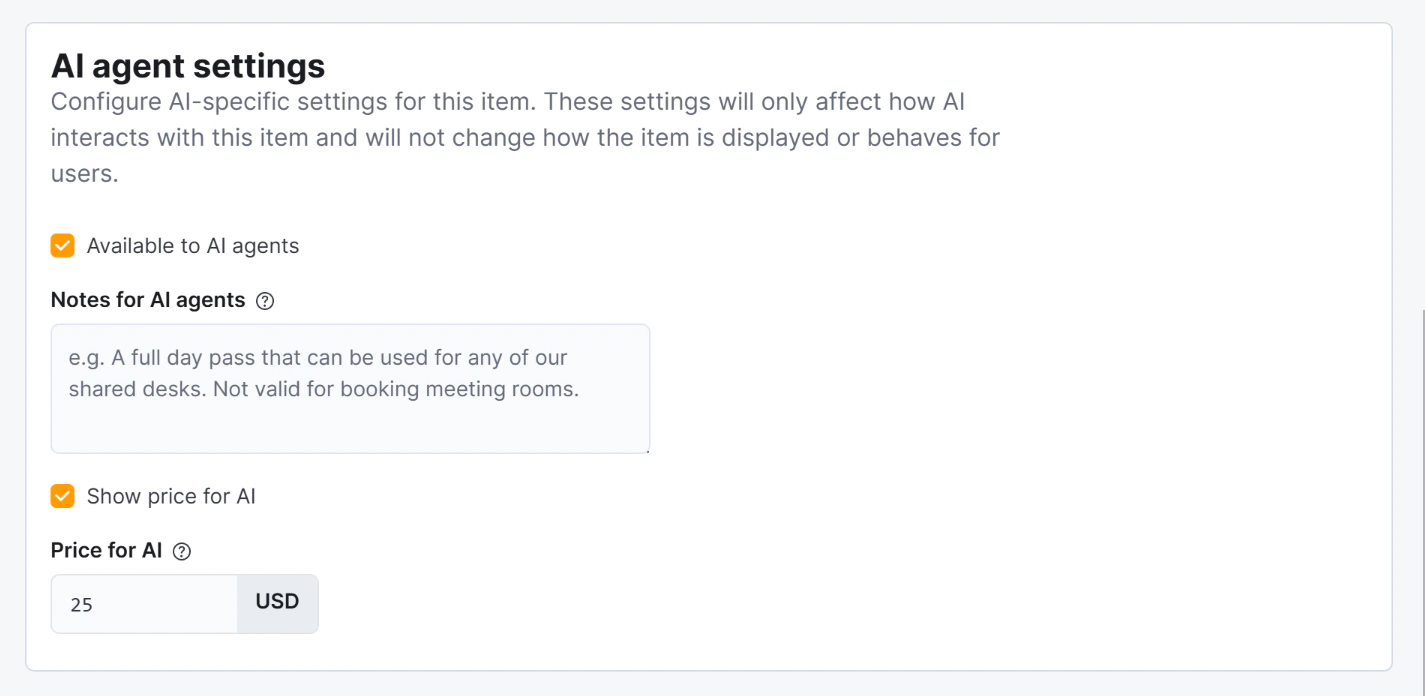
| *Show price to AI* = off | Pass is described without a price |
| *Price for AI* is set | That price is shown instead of the regular price |
*Notes for AI* are used by the AI to enrich its description of the pass — they are not shown word-for-word but are incorporated naturally into the response.
Archived passes are never shown regardless of other settings.
## What the AI shows
### Day pass products
For each eligible day pass product, the AI presents:
* Name and description
* Price (if *Show price to AI* is enabled)
* Location name and address
* Distance from the user (if location permission granted)
* A **"Get a day pass"** button linking directly to the purchase page
If the budget is mentioned in the conversation ("I'm looking for something under £30"), the AI filters results to passes at or below that amount.
### Bookable resources
In addition to day pass products, the AI also shows bookable resources of the following types:
* **Day Pass** — bookable day pass desks or areas
* **Day Office** — private offices available for day use
* **Hot Desk** — flexible hot-desking spots
For each bookable resource, the AI presents:
* Name and type
* Capacity (number of people)
* Location name and address
* Distance from the user (if location permission granted)
* Features (e.g. monitor, standing desk, quiet zone)
Up to 5 bookable resources are shown, sorted by distance (if location is available) or alphabetically by name.
## Visibility rules
| Condition | What the AI does |
| --------------------------------------- | ------------------------------------------------------------------------------------------------ |
| *Available to AI* = off | Pass is never mentioned |
| *Available to AI* = on, *Visible* = on | Full details and purchase link are shown |
| *Available to AI* = on, *Visible* = off | AI tells the user that options are available and to contact the team — no price or link is shown |
| *Show price to AI* = off | Pass is described without a price |
| *Price for AI* is set | That price is shown instead of the regular price |
*Notes for AI* are used by the AI to enrich its description of the pass — they are not shown word-for-word but are incorporated naturally into the response.
Archived passes are never shown regardless of other settings.
 ## Conversion tracking
The purchase link generated by the AI contains the **session ID** of the current conversation. When the member or visitor completes the purchase, Nexudus records the link between the day pass sale and the chat session.
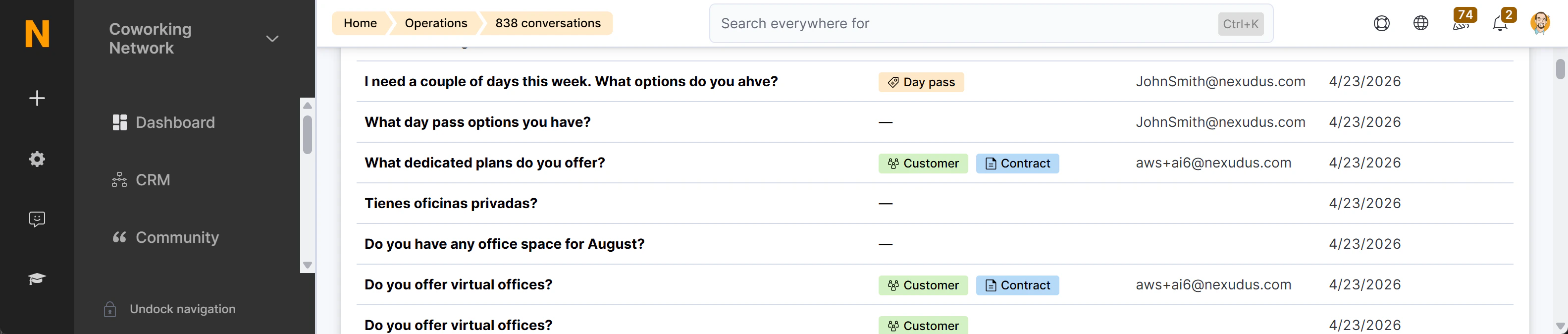
This conversion appears as a **"Day pass purchased"** badge (peach colour) in the [AI Conversations list](./admin-panel), with a direct link to the CoworkerProduct record.
## Conversion tracking
The purchase link generated by the AI contains the **session ID** of the current conversation. When the member or visitor completes the purchase, Nexudus records the link between the day pass sale and the chat session.
This conversion appears as a **"Day pass purchased"** badge (peach colour) in the [AI Conversations list](./admin-panel), with a direct link to the CoworkerProduct record.
 See [Conversion Tracking](./conversion-tracking) for a full explanation of how session IDs work.