> ## Documentation Index
> Fetch the complete documentation index at: https://learn.nexudus.com/llms.txt
> Use this file to discover all available pages before exploring further.
# Locations & Rooms
> How the AI presents your space locations and browsable meeting rooms and resources across all channels.
The AI can tell members and visitors where you are and what spaces are available to book. These two capabilities — location information and room details — are informational: they help people find and evaluate your space rather than directly completing a transaction. They work on all channels: chat, email, WhatsApp, and voice.
## Location information
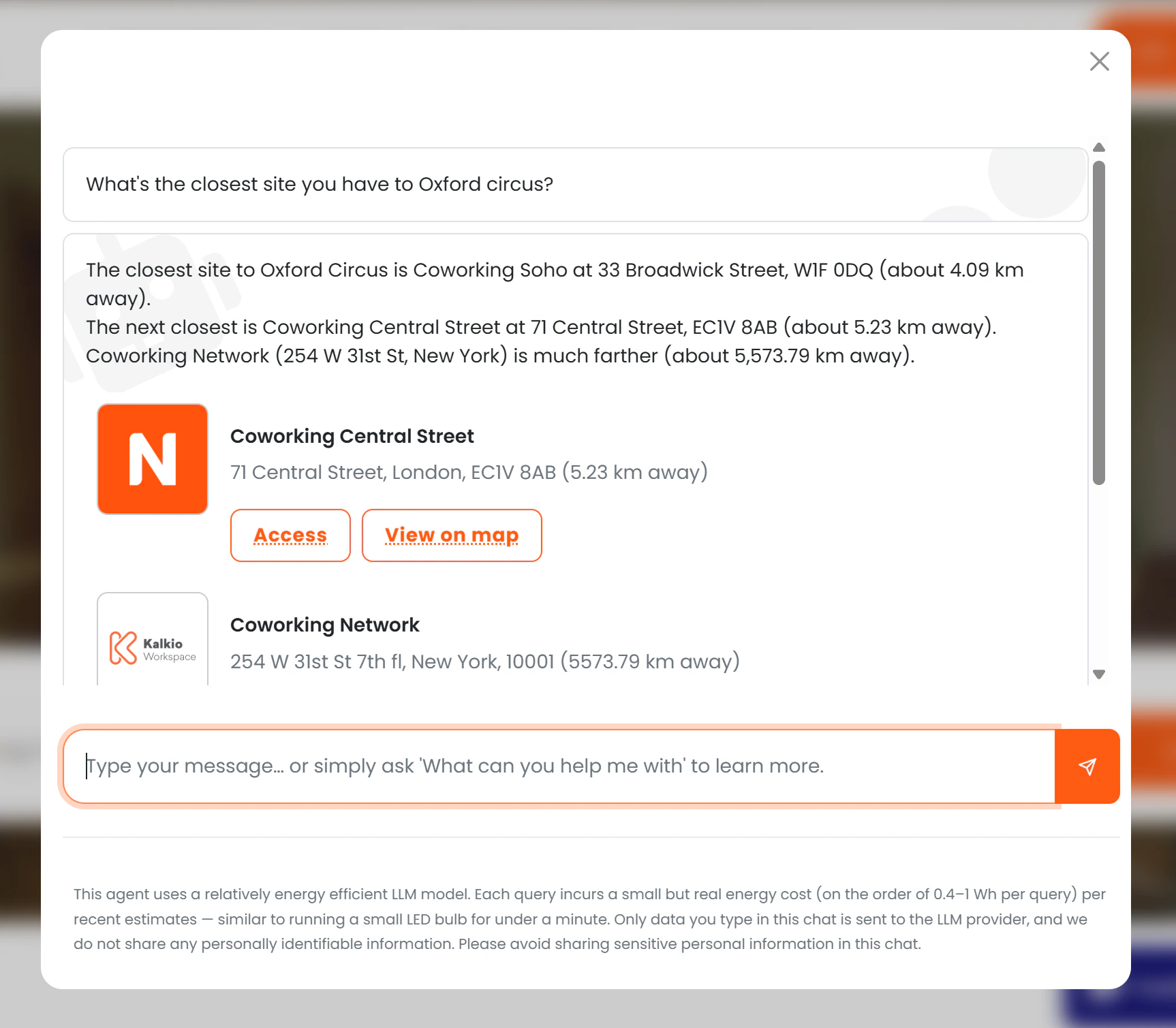
When asked about your space — "where are you?", "what cities are you in?", "how far is your nearest location?" — the AI returns details for matching locations in your Nexudus network.
Each location result includes the name, full address, description, and (when the user has granted browser location permission on the chat or voice channel) the distance from their current position. Distance information is available on chat (via browser permission) and voice (via caller location or manual entry). On email, distance is not available. Up to five locations are shown, ordered by proximity when available.
 Location information is always public — there are no membership or contact restrictions on this capability.
## Room and resource details
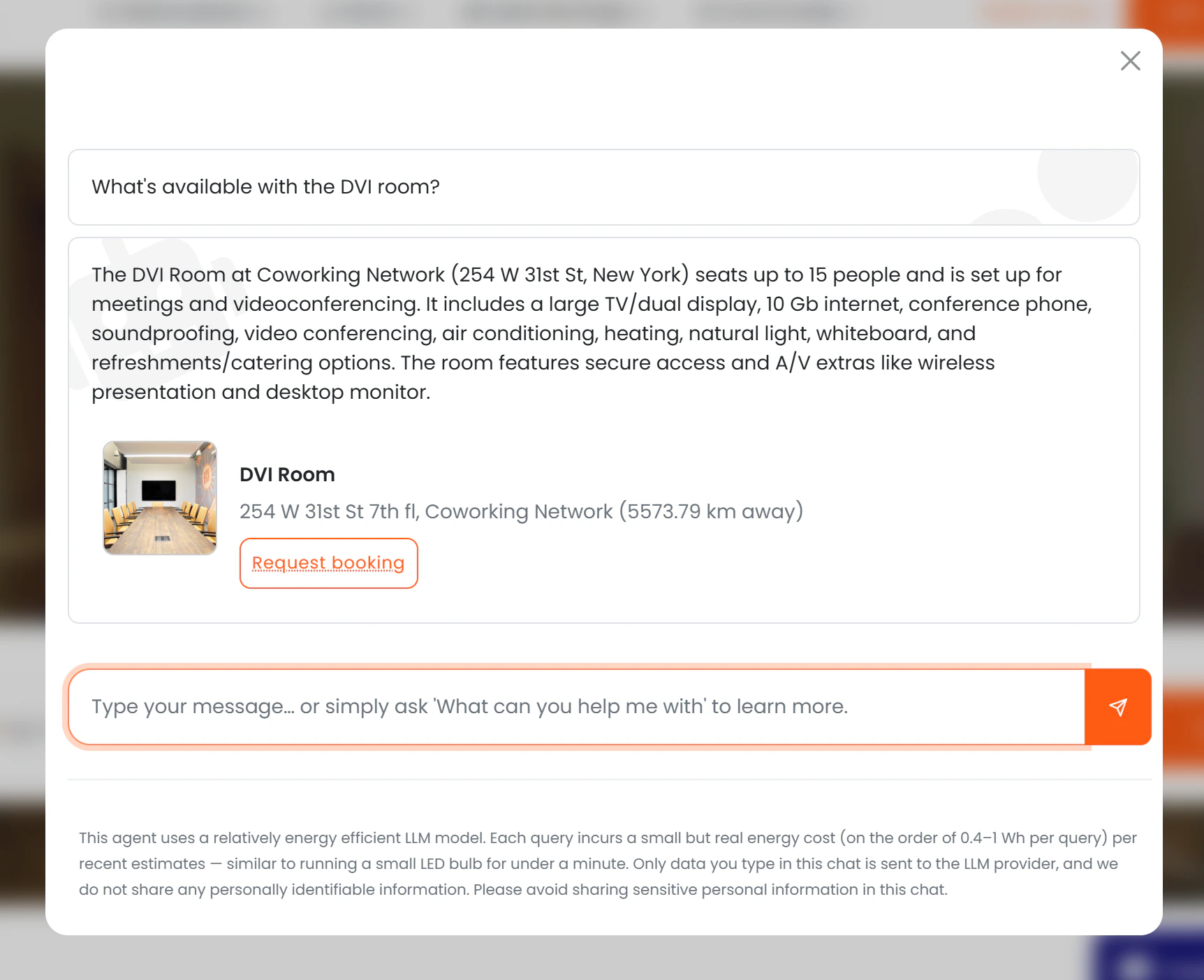
Members and prospects can ask what meeting rooms, event spaces, or desks you have available: "do you have a room for 10 people?", "what facilities does the boardroom have?", "show me rooms near me."
The AI returns up to five matching resources, ordered by distance, with:
* Room name and description
* Location name and address
* Capacity
* Available features (projector, whiteboard, video conferencing, etc.)
* Available desk positions within the resource
* Distance from the user (if location permission granted)
* A "Request booking" link and map link
Location information is always public — there are no membership or contact restrictions on this capability.
## Room and resource details
Members and prospects can ask what meeting rooms, event spaces, or desks you have available: "do you have a room for 10 people?", "what facilities does the boardroom have?", "show me rooms near me."
The AI returns up to five matching resources, ordered by distance, with:
* Room name and description
* Location name and address
* Capacity
* Available features (projector, whiteboard, video conferencing, etc.)
* Available desk positions within the resource
* Distance from the user (if location permission granted)
* A "Request booking" link and map link
 ### Access control for rooms
The AI respects the standard visibility settings on each resource:
| Setting | Effect |
| --------------------- | -------------------------------------------- |
| **Visible = off** | Resource is never shown in AI responses |
| **Only for members** | Resource is only shown to logged-in members |
| **Only for contacts** | Resource is only shown to logged-in contacts |
Resources that do not meet these conditions are silently excluded — the AI does not tell the user they exist.
## Conversion tracking
Both capabilities are informational only. Browsing rooms often precedes a booking — see [Room Bookings](./bookings) for how the AI handles the actual booking step.
### Access control for rooms
The AI respects the standard visibility settings on each resource:
| Setting | Effect |
| --------------------- | -------------------------------------------- |
| **Visible = off** | Resource is never shown in AI responses |
| **Only for members** | Resource is only shown to logged-in members |
| **Only for contacts** | Resource is only shown to logged-in contacts |
Resources that do not meet these conditions are silently excluded — the AI does not tell the user they exist.
## Conversion tracking
Both capabilities are informational only. Browsing rooms often precedes a booking — see [Room Bookings](./bookings) for how the AI handles the actual booking step.