> ## Documentation Index
> Fetch the complete documentation index at: https://learn.nexudus.com/llms.txt
> Use this file to discover all available pages before exploring further.
# Password Recovery
> The forgot password flow where members request a password reset link.
# Password Recovery
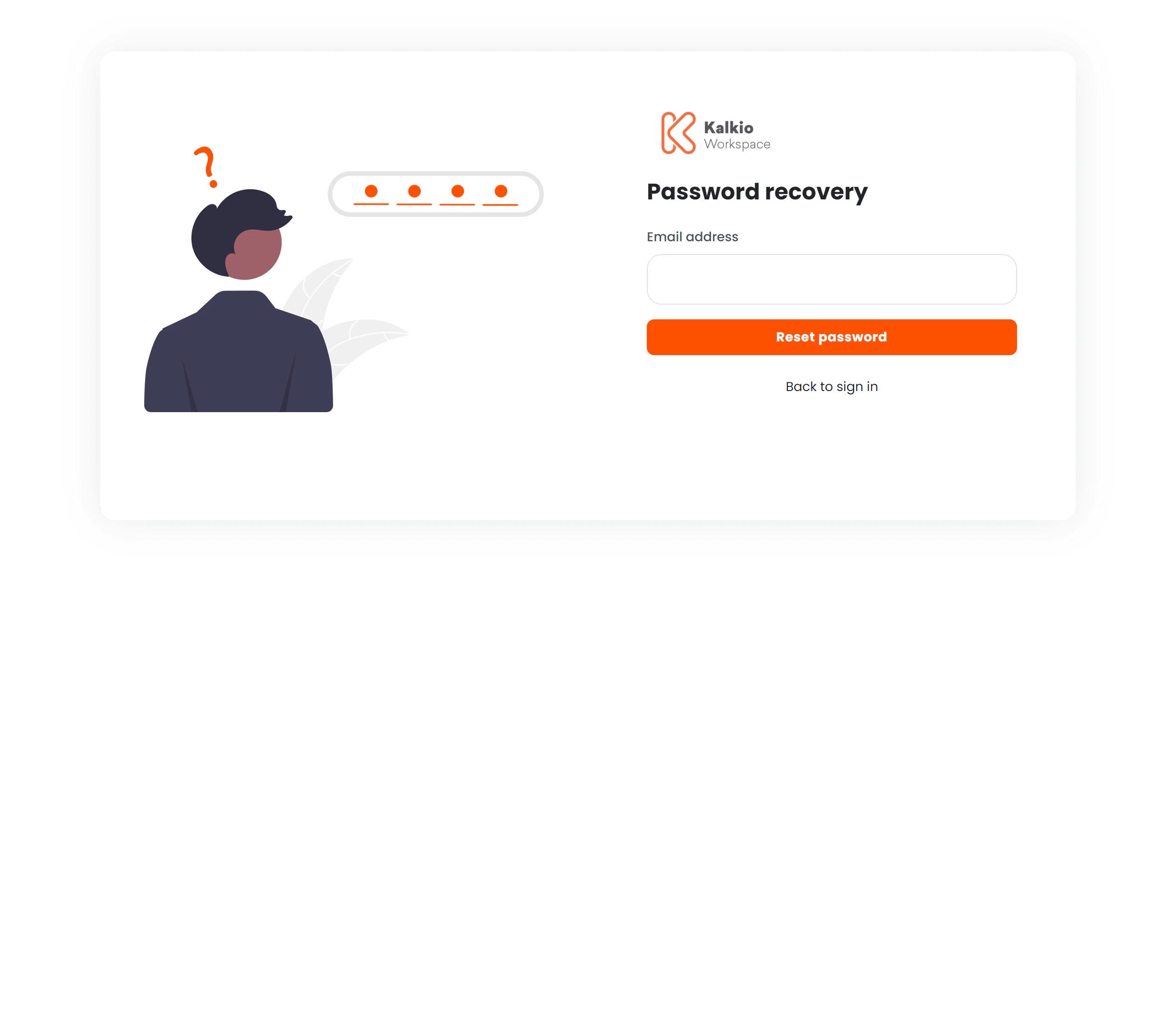
The password recovery page is step one of the password reset flow. Members enter their email address to receive a reset link.
 ## Flow
1. Member enters their **email address**.
2. Clicks **Reset password** (a loading spinner indicates the request is being processed).
3. A confirmation message appears confirming the email was sent.
4. **Go to Inbox** shortcuts appear for Gmail, Outlook, iCloud, and Yahoo.
5. Member clicks the reset link in their email to proceed to the [Password Reset](./password-reset) page.
A **Back to sign in** link is always visible for members who remember their password.
## Page layout
| Side | Content |
| --------- | ----------------------------------------------------- |
| **Left** | "Forgot Password" illustration (hidden on mobile) |
| **Right** | Email form, confirmation message, and inbox shortcuts |
The business logo and primary colour theme are applied from your location settings.
## Flow
1. Member enters their **email address**.
2. Clicks **Reset password** (a loading spinner indicates the request is being processed).
3. A confirmation message appears confirming the email was sent.
4. **Go to Inbox** shortcuts appear for Gmail, Outlook, iCloud, and Yahoo.
5. Member clicks the reset link in their email to proceed to the [Password Reset](./password-reset) page.
A **Back to sign in** link is always visible for members who remember their password.
## Page layout
| Side | Content |
| --------- | ----------------------------------------------------- |
| **Left** | "Forgot Password" illustration (hidden on mobile) |
| **Right** | Email form, confirmation message, and inbox shortcuts |
The business logo and primary colour theme are applied from your location settings.