> ## Documentation Index
> Fetch the complete documentation index at: https://learn.nexudus.com/llms.txt
> Use this file to discover all available pages before exploring further.
# Community Announcements
> Announcements from your space displayed on the member dashboard.
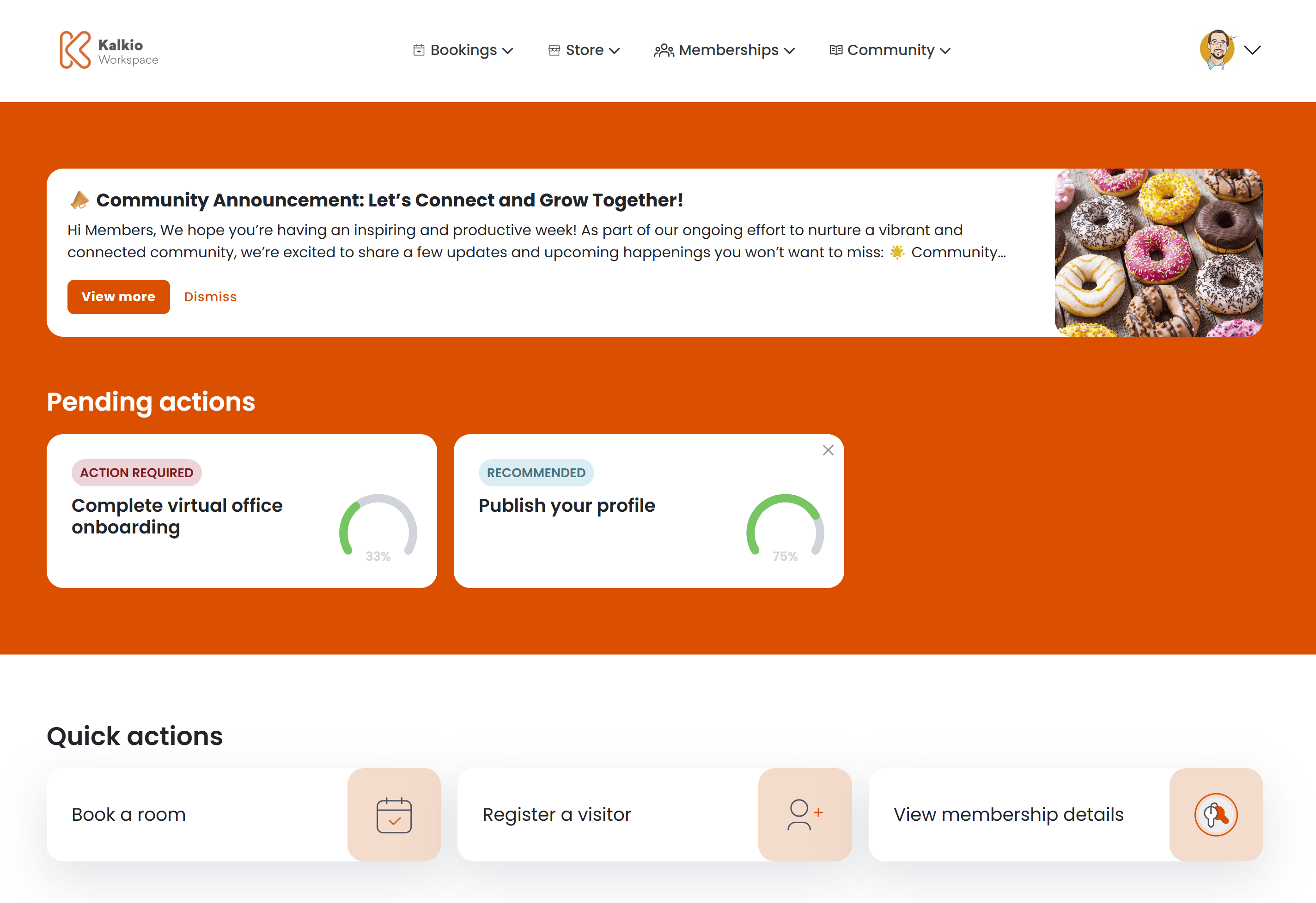
Community announcements let operators share news, updates, and promotions directly on the member dashboard. Each announcement appears as a card banner at the top of the personal dashboard.
 ## What members see
Each announcement is displayed as a card with the following elements:
| Element | Description |
| ------------- | -------------------------------------------------------------- |
| **Title** | The announcement name |
| **Body** | A preview of the announcement text, truncated to two lines |
| **Image** | Optional image displayed on the right side of the card |
| **View more** | Button to open the full announcement in a modal |
| **Dismiss** | Button to permanently hide the announcement from the dashboard |
When multiple announcements are active, they are displayed as separate cards stacked on the dashboard.
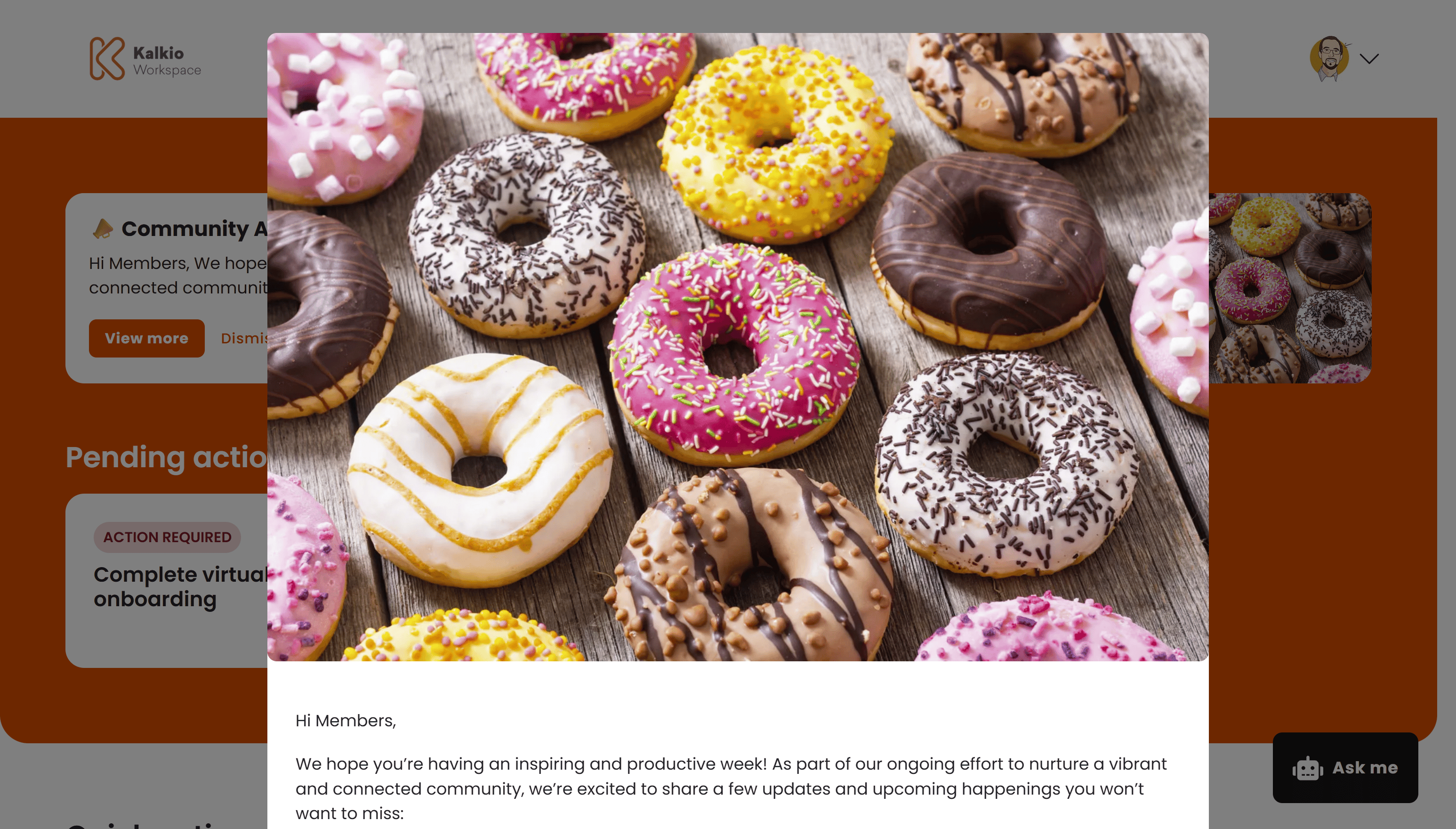
### Full announcement view
Clicking **View more** opens a modal with:
* The full announcement image
* The complete body text rendered with Markdown formatting
* An optional call-to-action button that opens an external link in a new tab
## What members see
Each announcement is displayed as a card with the following elements:
| Element | Description |
| ------------- | -------------------------------------------------------------- |
| **Title** | The announcement name |
| **Body** | A preview of the announcement text, truncated to two lines |
| **Image** | Optional image displayed on the right side of the card |
| **View more** | Button to open the full announcement in a modal |
| **Dismiss** | Button to permanently hide the announcement from the dashboard |
When multiple announcements are active, they are displayed as separate cards stacked on the dashboard.
### Full announcement view
Clicking **View more** opens a modal with:
* The full announcement image
* The complete body text rendered with Markdown formatting
* An optional call-to-action button that opens an external link in a new tab
 ## Dismissing announcements
Members can click **Dismiss** to permanently hide an announcement from their dashboard. Dismissed announcements do not reappear unless the member clears their browser data.
## Audience targeting
Operators can target announcements to specific audience segments:
| Audience | Who sees it |
| ----------------- | ------------------------------------ |
| **All customers** | Both members and contacts |
| **Members only** | Customers with an active contract |
| **Contacts only** | Customers without an active contract |
## Scheduling
Announcements support scheduled publishing. Operators can set a **Publish from** and **Publish until** date so announcements appear and disappear automatically.
## Configurable sections
| Setting | Default | Effect |
| ------------------ | ------- | ------------------------------------------------- |
| Show announcements | On | Display the announcements banner on the dashboard |
Announcements are created in the Nexudus dashboard under Community > Announcements. Use the scheduling options to time announcements for maximum visibility.
## Dismissing announcements
Members can click **Dismiss** to permanently hide an announcement from their dashboard. Dismissed announcements do not reappear unless the member clears their browser data.
## Audience targeting
Operators can target announcements to specific audience segments:
| Audience | Who sees it |
| ----------------- | ------------------------------------ |
| **All customers** | Both members and contacts |
| **Members only** | Customers with an active contract |
| **Contacts only** | Customers without an active contract |
## Scheduling
Announcements support scheduled publishing. Operators can set a **Publish from** and **Publish until** date so announcements appear and disappear automatically.
## Configurable sections
| Setting | Default | Effect |
| ------------------ | ------- | ------------------------------------------------- |
| Show announcements | On | Display the announcements banner on the dashboard |
Announcements are created in the Nexudus dashboard under Community > Announcements. Use the scheduling options to time announcements for maximum visibility.