> ## Documentation Index
> Fetch the complete documentation index at: https://learn.nexudus.com/llms.txt
> Use this file to discover all available pages before exploring further.
# Account Settings
> The central settings hub for bookings, notifications, language, integrations, and security.
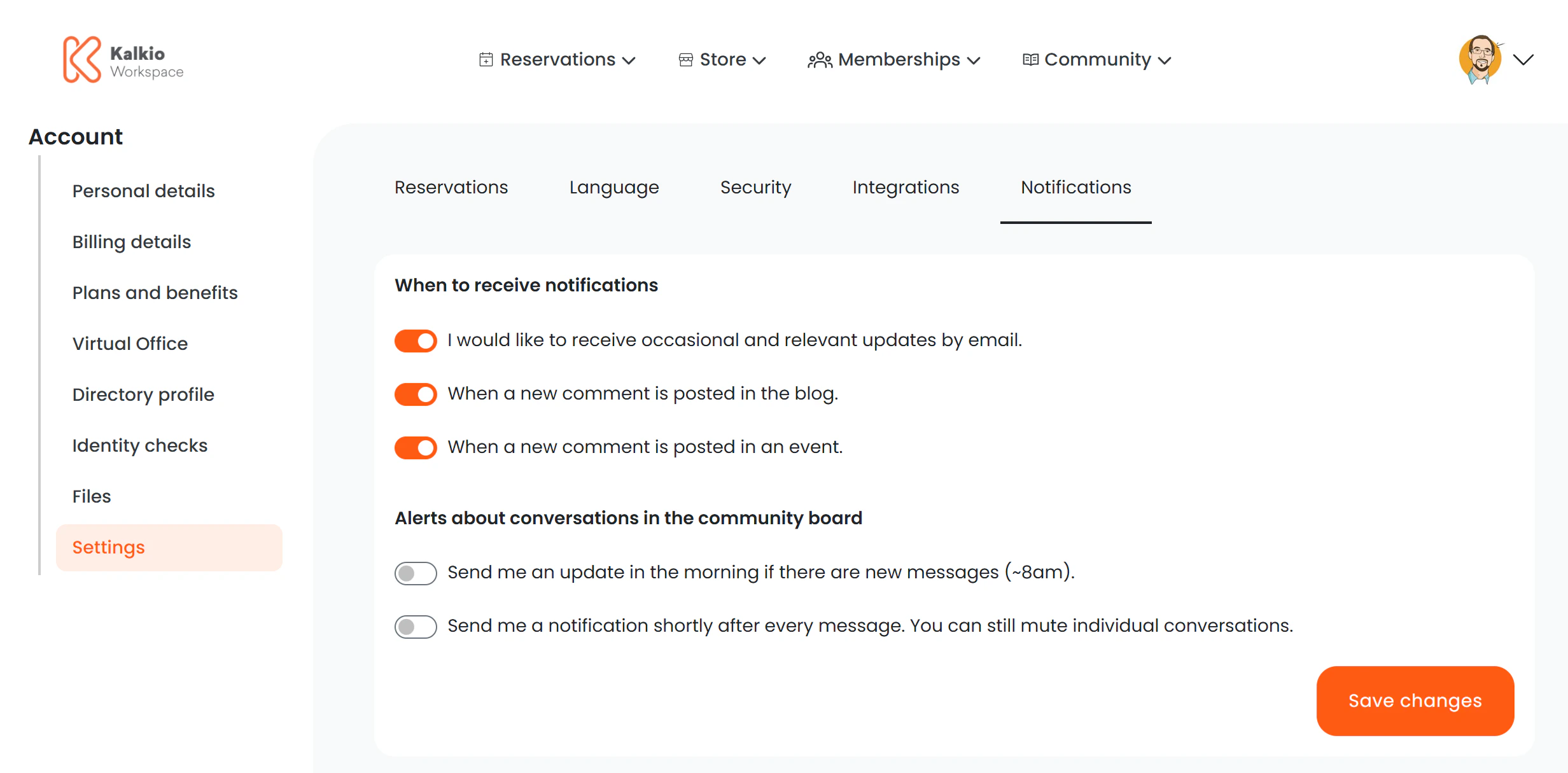
The account settings page is a tabbed interface that gives members access to several configuration areas from a single location.
 ## Settings tabs
The URL parameter `:section` determines which tab is active. Each tab loads a dedicated settings page:
| Tab | URL | Description |
| ----------------- | -------------------------------------- | ---------------------------------------------------------------------------- |
| **Bookings** | `/user/profile/settings/bookings` | Configure booking preferences and prediction settings |
| **Notifications** | `/user/profile/settings/notifications` | Manage email notifications and digest preferences |
| **Language** | `/user/profile/settings/language` | Choose the preferred language for the portal |
| **Integrations** | `/user/profile/settings/integrations` | Calendar sync and feed management (same as the standalone Integrations page) |
| **Security** | `/user/profile/settings/security` | Password and PIN management (same as the standalone Credentials page) |
## Key features
* **Tab-based navigation** — members switch between settings areas without page reloads.
* **Deep linking** — each tab has a unique URL, so you can link members directly to a specific settings section.
* **Shared components** — the Integrations and Security tabs render the same components as their standalone pages, ensuring consistency.
You can link members to a specific settings tab from onboarding emails, e.g. `/user/profile/settings/notifications` to set up their notification
preferences.
## Settings tabs
The URL parameter `:section` determines which tab is active. Each tab loads a dedicated settings page:
| Tab | URL | Description |
| ----------------- | -------------------------------------- | ---------------------------------------------------------------------------- |
| **Bookings** | `/user/profile/settings/bookings` | Configure booking preferences and prediction settings |
| **Notifications** | `/user/profile/settings/notifications` | Manage email notifications and digest preferences |
| **Language** | `/user/profile/settings/language` | Choose the preferred language for the portal |
| **Integrations** | `/user/profile/settings/integrations` | Calendar sync and feed management (same as the standalone Integrations page) |
| **Security** | `/user/profile/settings/security` | Password and PIN management (same as the standalone Credentials page) |
## Key features
* **Tab-based navigation** — members switch between settings areas without page reloads.
* **Deep linking** — each tab has a unique URL, so you can link members directly to a specific settings section.
* **Shared components** — the Integrations and Security tabs render the same components as their standalone pages, ensuring consistency.
You can link members to a specific settings tab from onboarding emails, e.g. `/user/profile/settings/notifications` to set up their notification
preferences.