> ## Documentation Index
> Fetch the complete documentation index at: https://learn.nexudus.com/llms.txt
> Use this file to discover all available pages before exploring further.
# Billing Information
> Where members manage their billing details and electronic invoicing setup.
The billing information page lets members update their invoicing details and manage electronic invoicing identifiers.
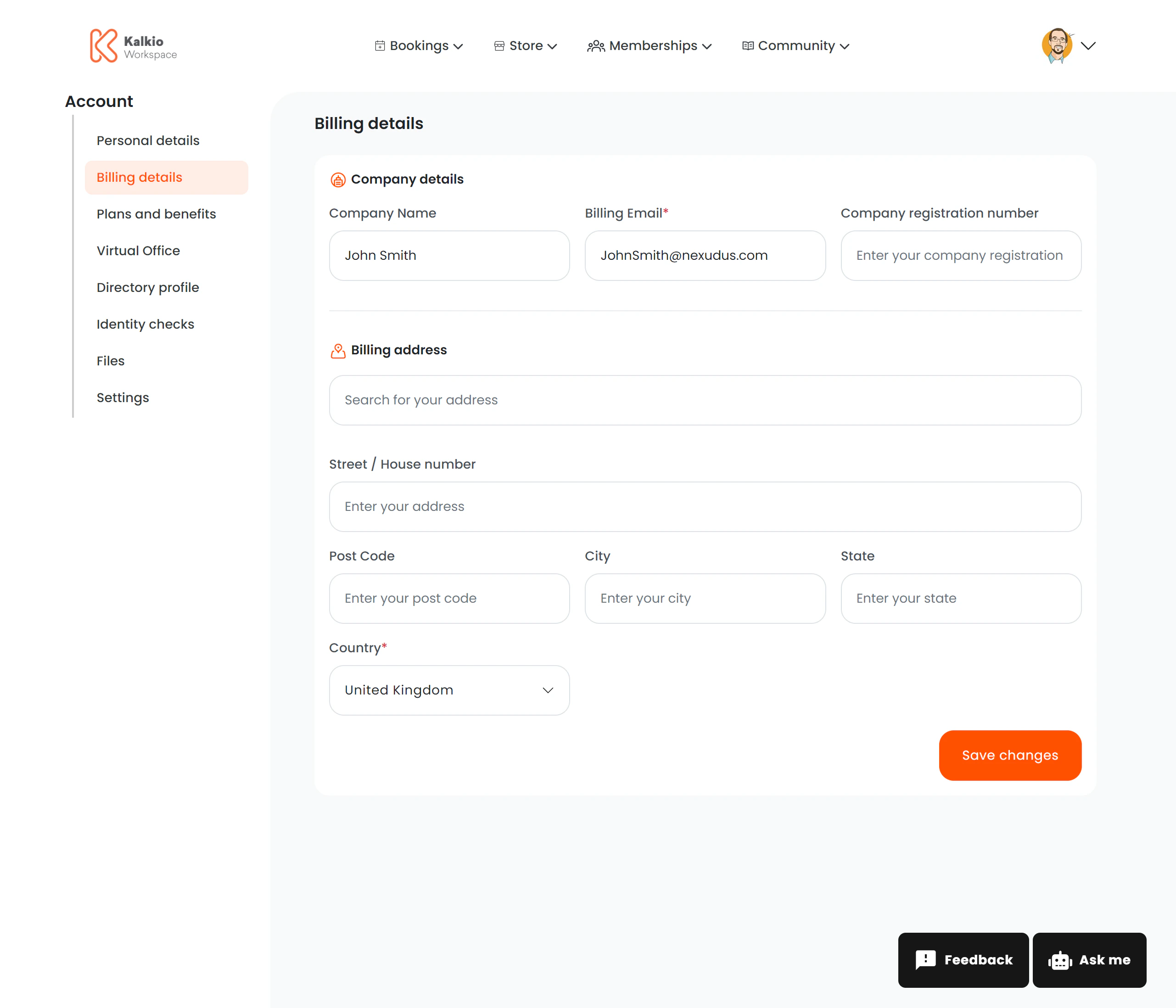 ## What members see
The page is split into two sections:
### Billing Details
| Field | Description |
| ---------------- | --------------------------------------- |
| **Billing name** | Name that appears on invoices |
| **Tax ID** | Tax identification number for invoicing |
Members can edit and save these details independently.
### E-Invoicing (conditional)
This section only appears if **Storecove** (electronic invoicing) is enabled for your location. It lets members manage their e-invoice identifiers for automated invoice delivery.
| Action | Description |
| --------------------- | ---------------------------------------------- |
| **View identifiers** | Table listing configured e-invoice identifiers |
| **Add identifier** | Form to add a new e-invoicing identifier |
| **Edit identifier** | Modify an existing identifier |
| **Delete identifier** | Remove an identifier |
## Key features
* **Split layout** — billing details and e-invoicing are independent sections that can be toggled separately.
* **Conditional rendering** — e-invoicing only shows when the Storecove integration is active.
* **Analytics** — billing updates are tracked ("billing\_details\_updated" event).
If you use Storecove for electronic invoicing, make sure the E-Invoicing section is visible so members can configure their identifiers.
## What members see
The page is split into two sections:
### Billing Details
| Field | Description |
| ---------------- | --------------------------------------- |
| **Billing name** | Name that appears on invoices |
| **Tax ID** | Tax identification number for invoicing |
Members can edit and save these details independently.
### E-Invoicing (conditional)
This section only appears if **Storecove** (electronic invoicing) is enabled for your location. It lets members manage their e-invoice identifiers for automated invoice delivery.
| Action | Description |
| --------------------- | ---------------------------------------------- |
| **View identifiers** | Table listing configured e-invoice identifiers |
| **Add identifier** | Form to add a new e-invoicing identifier |
| **Edit identifier** | Modify an existing identifier |
| **Delete identifier** | Remove an identifier |
## Key features
* **Split layout** — billing details and e-invoicing are independent sections that can be toggled separately.
* **Conditional rendering** — e-invoicing only shows when the Storecove integration is active.
* **Analytics** — billing updates are tracked ("billing\_details\_updated" event).
If you use Storecove for electronic invoicing, make sure the E-Invoicing section is visible so members can configure their identifiers.