> ## Documentation Index
> Fetch the complete documentation index at: https://learn.nexudus.com/llms.txt
> Use this file to discover all available pages before exploring further.
# Community Board
> The discussion forum where members post topics and interact with each other.
The Community Board is a built-in discussion forum that lets members start conversations, share ideas, and engage with the community.
 ## What members see
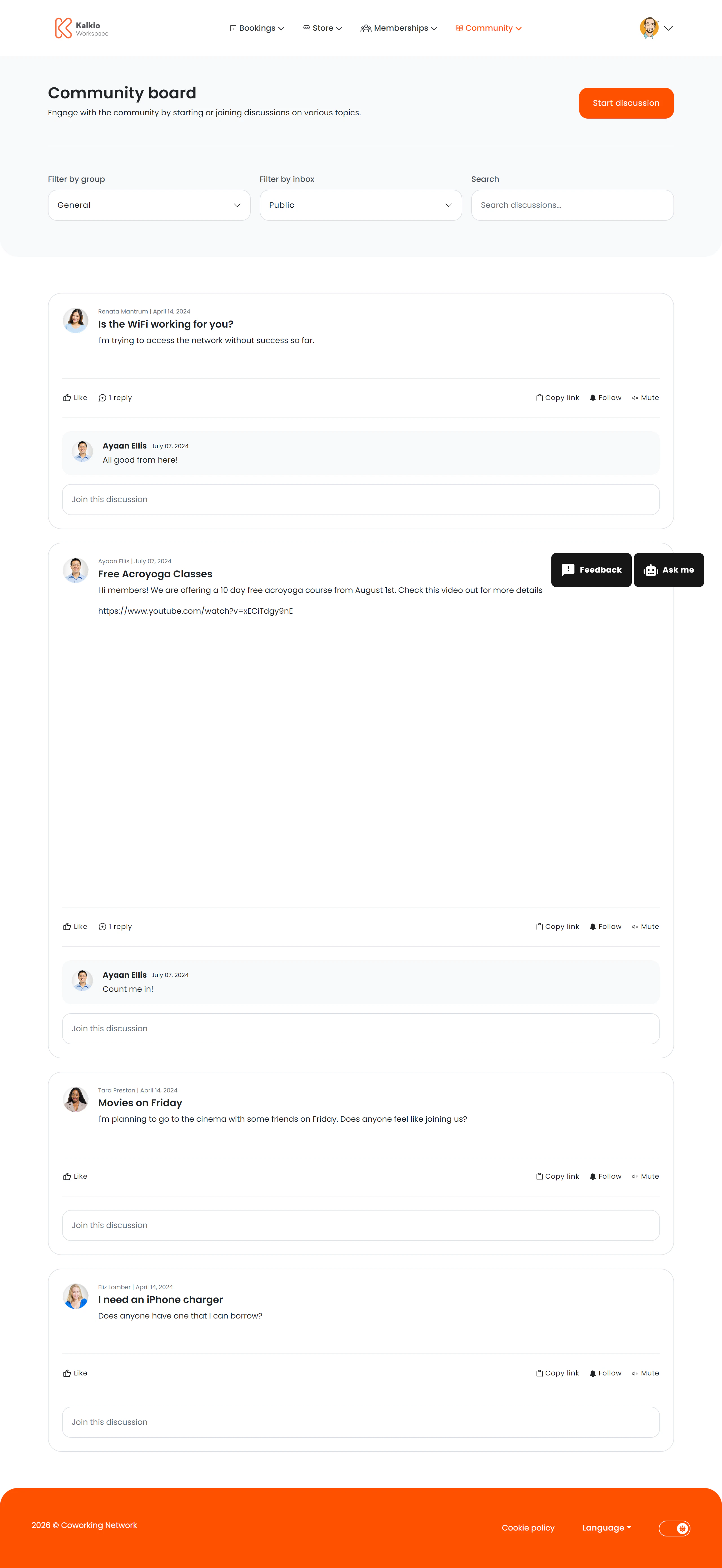
* **Discussion thread list** — a feed of community-posted topics with author name, date, and preview text.
* **Start Discussion button** — members can create new threads visible to the whole community.
* **Filter bar** — filter and sort discussions to find relevant topics.
## Key features
| Feature | Description |
| ------------------------ | ------------------------------------------------------------------------ |
| **Threaded discussions** | Members post topics that others can view and respond to |
| **Start Discussion** | A call-to-action button for creating new threads (can be toggled on/off) |
| **Filtering & sorting** | Organise discussions by date or relevance |
| **Title toggle** | Optionally show or hide the page heading |
## How to configure
From the **Page Editor** in the dashboard you can:
* Show or hide the **filter bar**
* Show or hide the **Start Discussion** button
* Toggle the page **title**
The community board helps build a sense of belonging. Use it for member introductions, event recaps, or informal Q\&A.
## What members see
* **Discussion thread list** — a feed of community-posted topics with author name, date, and preview text.
* **Start Discussion button** — members can create new threads visible to the whole community.
* **Filter bar** — filter and sort discussions to find relevant topics.
## Key features
| Feature | Description |
| ------------------------ | ------------------------------------------------------------------------ |
| **Threaded discussions** | Members post topics that others can view and respond to |
| **Start Discussion** | A call-to-action button for creating new threads (can be toggled on/off) |
| **Filtering & sorting** | Organise discussions by date or relevance |
| **Title toggle** | Optionally show or hide the page heading |
## How to configure
From the **Page Editor** in the dashboard you can:
* Show or hide the **filter bar**
* Show or hide the **Start Discussion** button
* Toggle the page **title**
The community board helps build a sense of belonging. Use it for member introductions, event recaps, or informal Q\&A.