> ## Documentation Index
> Fetch the complete documentation index at: https://learn.nexudus.com/llms.txt
> Use this file to discover all available pages before exploring further.
# Team Management
> An overview of the team management pages — bookings, attendance, members, and permissions.
The team management section is available to members who are designated as team managers or administrators. It provides visibility into team-wide bookings, attendance, membership, and permissions.
All team management pages are fully customisable through the **Page Editor** in the Nexudus dashboard, using the editor outline system.
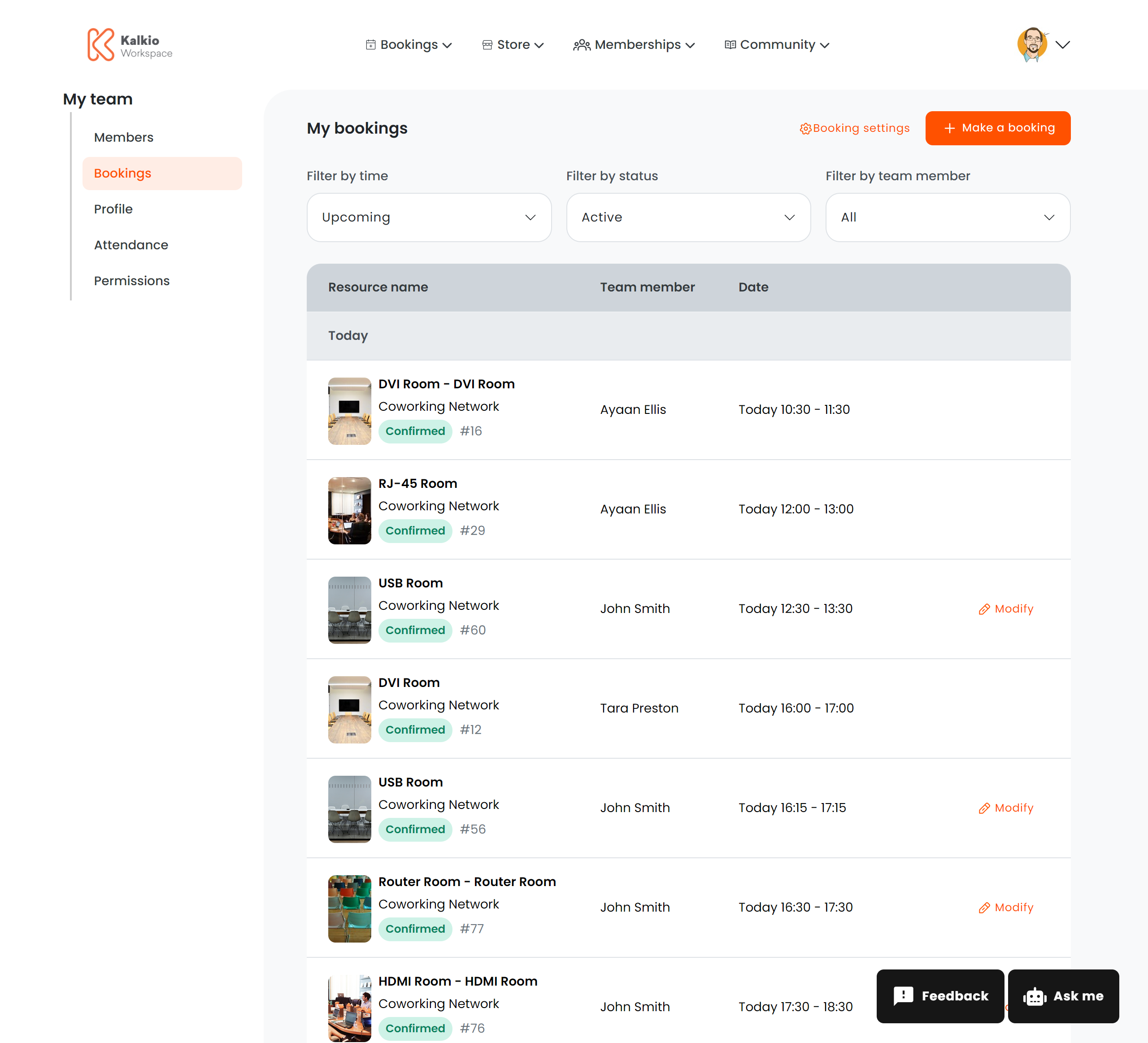
## Team Bookings
**Route:** `/user/team/bookings`
Displays all resource bookings made by members of the team. Team managers can review upcoming and past reservations made by any team member. The layout and visible fields are configured entirely through the Page Editor.
 ***
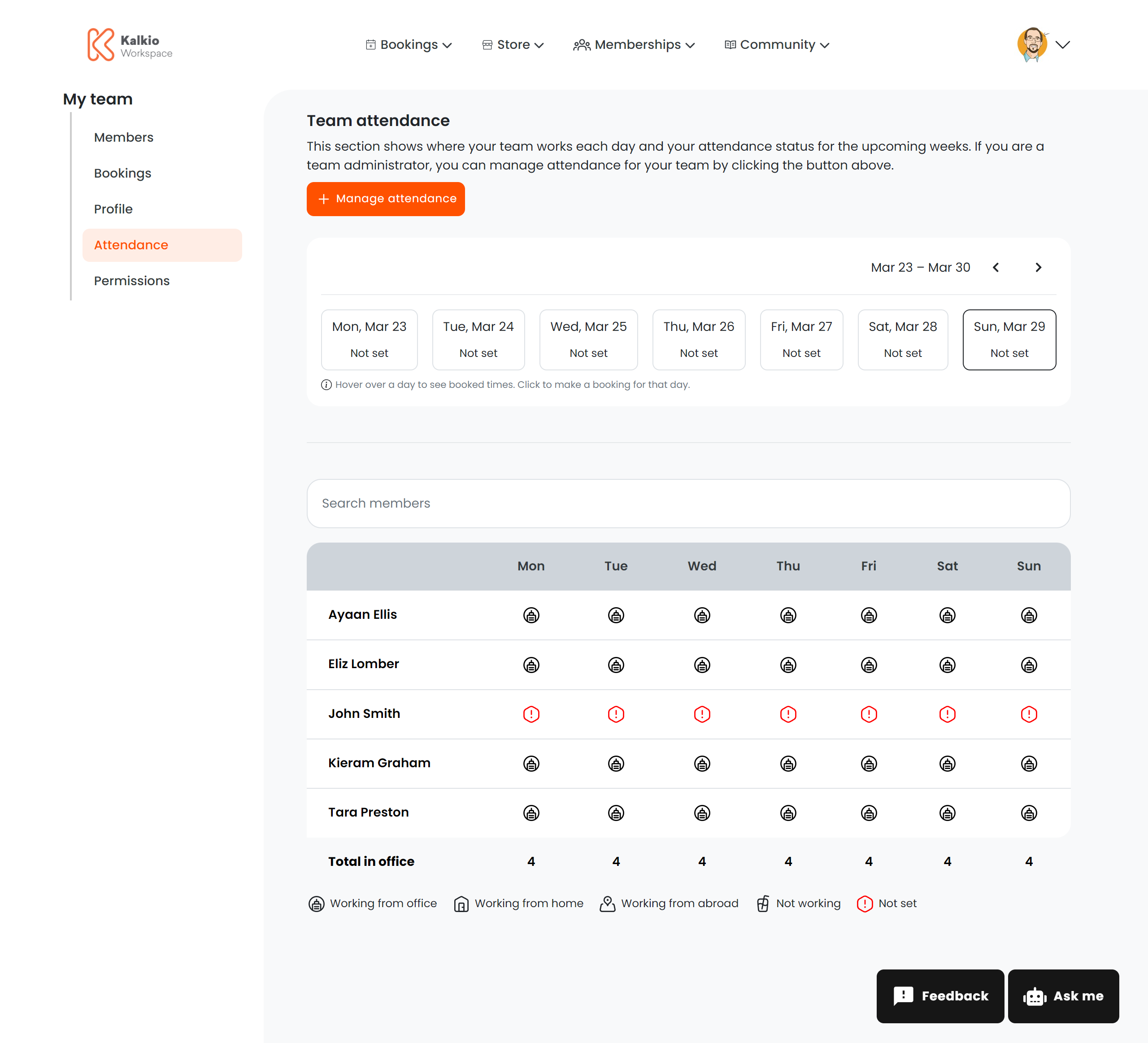
## Team Attendance
**Route:** `/user/team/attendance` or `/user/team/attendance/:teamId`
Shows attendance records for team members — check-in and check-out times, presence data, and usage patterns. Useful for understanding how the team uses the space.
The `:teamId` URL parameter allows managers of multiple teams to view attendance for a specific team.
***
## Team Attendance
**Route:** `/user/team/attendance` or `/user/team/attendance/:teamId`
Shows attendance records for team members — check-in and check-out times, presence data, and usage patterns. Useful for understanding how the team uses the space.
The `:teamId` URL parameter allows managers of multiple teams to view attendance for a specific team.
 ***
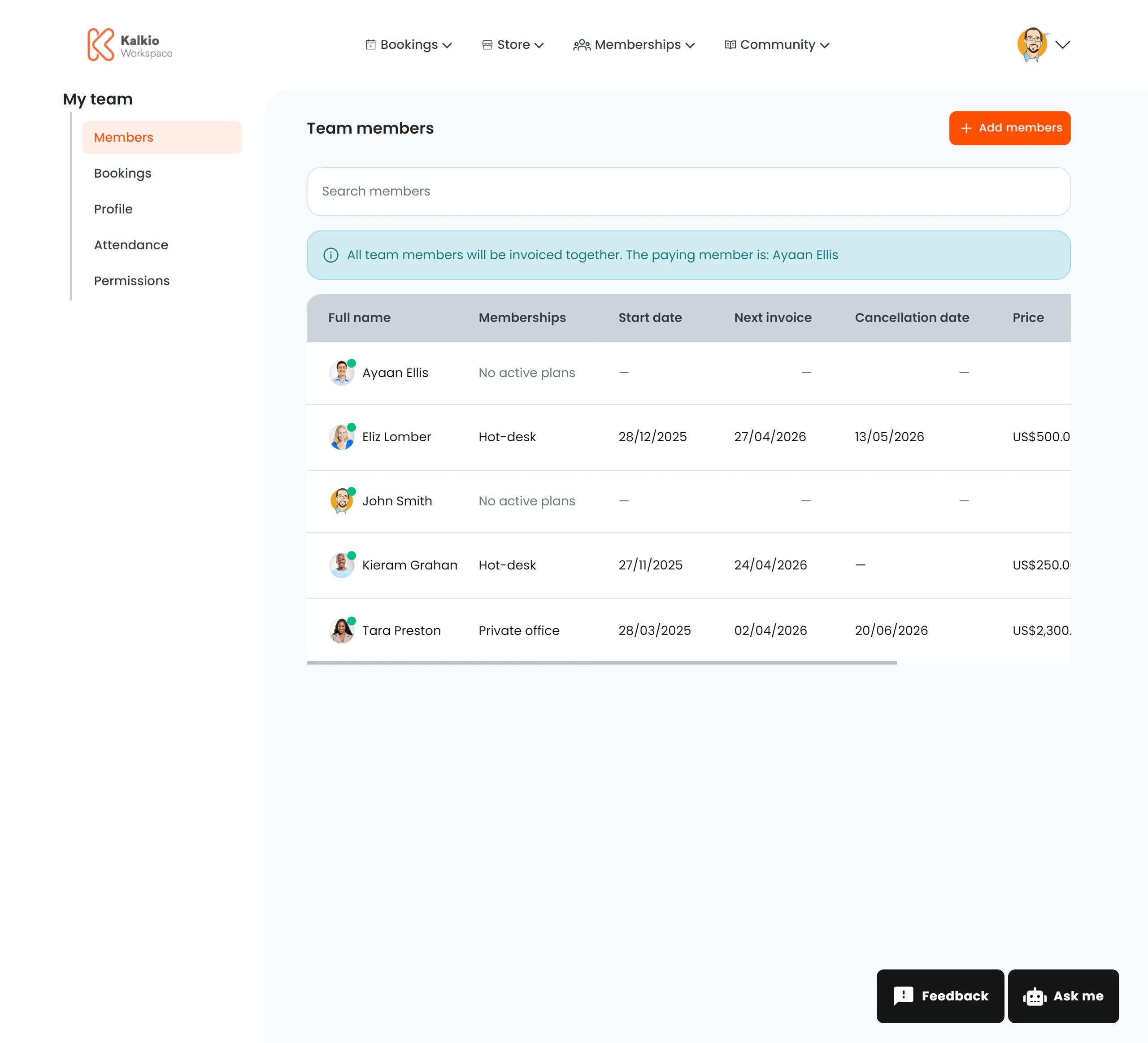
## Team Members
**Route:** `/user/team/members` or `/user/team/members/:teamId`
Lists all members of the team with their profile information. Team managers can view who belongs to the team and manage membership.
The `:teamId` URL parameter scopes the view to a specific team when the manager oversees multiple teams.
***
## Team Members
**Route:** `/user/team/members` or `/user/team/members/:teamId`
Lists all members of the team with their profile information. Team managers can view who belongs to the team and manage membership.
The `:teamId` URL parameter scopes the view to a specific team when the manager oversees multiple teams.
 ***
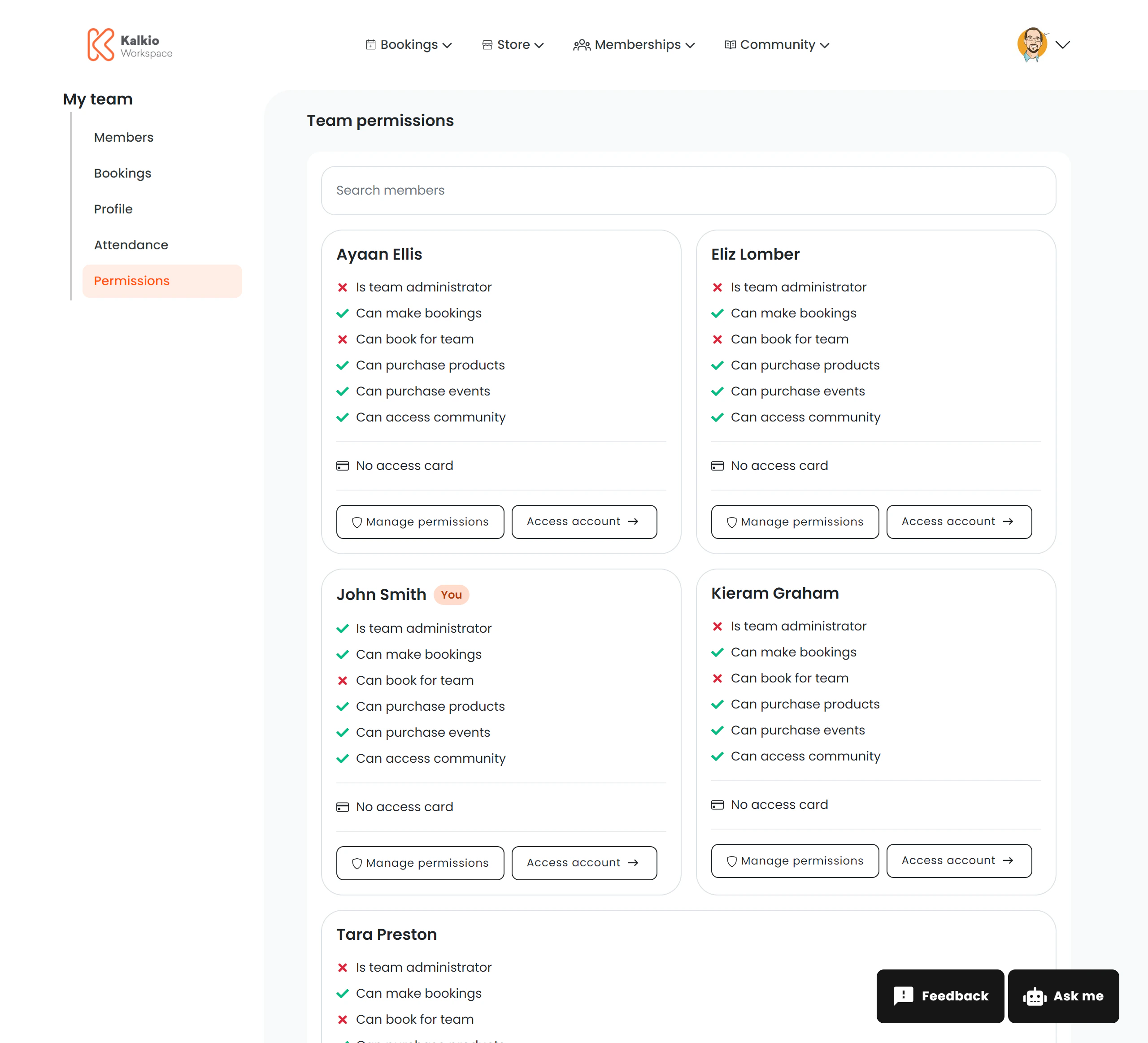
## Team Permissions
**Route:** `/user/team/permissions` or `/user/team/permissions/:teamId`
Manages role-based access controls and permissions for team members. Team managers can assign roles and configure what each member is allowed to do within the portal.
The `:teamId` URL parameter scopes the view to a specific team.
***
## Team Permissions
**Route:** `/user/team/permissions` or `/user/team/permissions/:teamId`
Manages role-based access controls and permissions for team members. Team managers can assign roles and configure what each member is allowed to do within the portal.
The `:teamId` URL parameter scopes the view to a specific team.
 ***
## Configuration
All four team management pages use the editor outline system, meaning their content and layout are entirely customisable from the Page Editor. There are no hard-coded UI elements — everything is driven by your dashboard configuration.
Team management features are only visible to members with the appropriate team manager or admin role. Regular members will not see these pages in
their navigation.
***
## Configuration
All four team management pages use the editor outline system, meaning their content and layout are entirely customisable from the Page Editor. There are no hard-coded UI elements — everything is driven by your dashboard configuration.
Team management features are only visible to members with the appropriate team manager or admin role. Regular members will not see these pages in
their navigation.