> ## Documentation Index
> Fetch the complete documentation index at: https://learn.nexudus.com/llms.txt
> Use this file to discover all available pages before exploring further.
# Money credit
> Give customers a monetary balance to spend on bookings, event tickets, and other purchases through plans and products.
## Overview
**Money credit** is a monetary balance customers can spend instead of paying — for example £100 a month to spend on meeting rooms and events. You choose what each credit can pay for: bookings of certain resource types, event tickets, and optionally products, plans, passes, and other charges.
Unlike [time credit](/platform/billing/credits/time-credit), money credit isn't set up as a separate item. You create it directly on the plan, product, or customer it belongs to.
## Including money credit in a plan
Open the plan from **Inventory → Plans**, go to **Benefits → Money credit**, and click **Add money credit**.
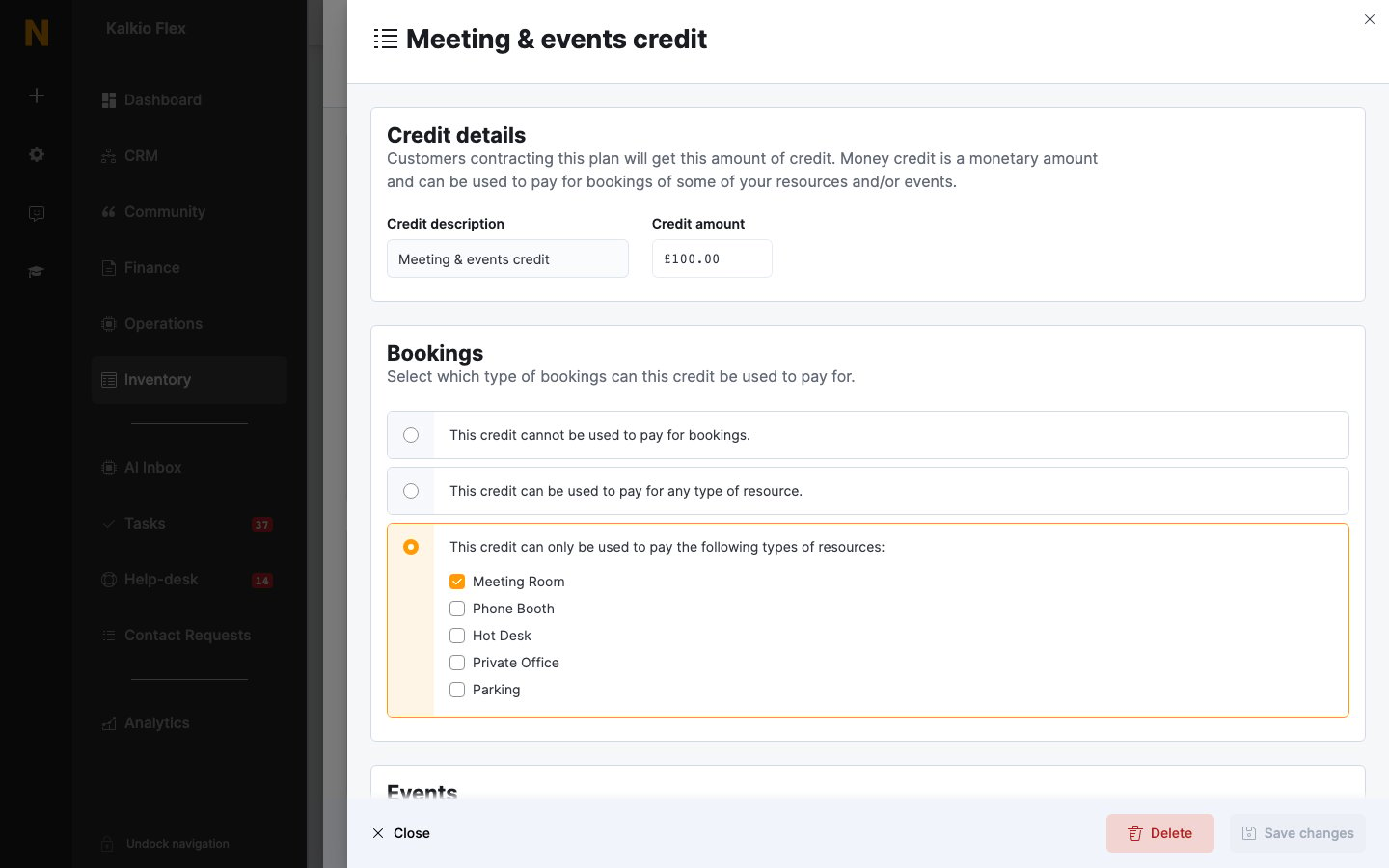 | Section | Options |
| - | - |
| **Credit details** | A **Credit description** customers see, and the **Credit amount**. |
| **Bookings** | **This credit cannot be used to pay for bookings.**, **This credit can be used to pay for any type of resource.**, or **This credit can only be used to pay the following types of resources:** |
| **Events** | Whether the credit can pay for event tickets — in any category, or only the categories you choose. |
| **Universal credit** | Turn on **This credit can be used to pay for other charges, products and plans.** to let customers spend it on products, plans, and passes — all of them or the ones you choose — and, with **This credit can be used to pay for other charges.**, on other charges too. |
| **Expiration** | When the credit expires and is replaced under **This credit expires...**: **Every week**, **Every calendar month**, **Every time the contract is invoiced**, or **Every year**. |
If a [resource rate](/platform/billing/resources/rates#credits) has a **Credit price**, money credit is spent at that price instead of the normal price.
## Selling money credit in a product
To sell credit bundles, create a product — for example *Credit Bundle £200* — open its **Benefits → Money credit** tab, and click **Add money credit**. The options are the same as for plans, except **Expiration**, where you choose whether **This credit never expires.** or **This credit expires after:** a set period. Customers get the credit when they buy the product.
| Section | Options |
| - | - |
| **Credit details** | A **Credit description** customers see, and the **Credit amount**. |
| **Bookings** | **This credit cannot be used to pay for bookings.**, **This credit can be used to pay for any type of resource.**, or **This credit can only be used to pay the following types of resources:** |
| **Events** | Whether the credit can pay for event tickets — in any category, or only the categories you choose. |
| **Universal credit** | Turn on **This credit can be used to pay for other charges, products and plans.** to let customers spend it on products, plans, and passes — all of them or the ones you choose — and, with **This credit can be used to pay for other charges.**, on other charges too. |
| **Expiration** | When the credit expires and is replaced under **This credit expires...**: **Every week**, **Every calendar month**, **Every time the contract is invoiced**, or **Every year**. |
If a [resource rate](/platform/billing/resources/rates#credits) has a **Credit price**, money credit is spent at that price instead of the normal price.
## Selling money credit in a product
To sell credit bundles, create a product — for example *Credit Bundle £200* — open its **Benefits → Money credit** tab, and click **Add money credit**. The options are the same as for plans, except **Expiration**, where you choose whether **This credit never expires.** or **This credit expires after:** a set period. Customers get the credit when they buy the product.
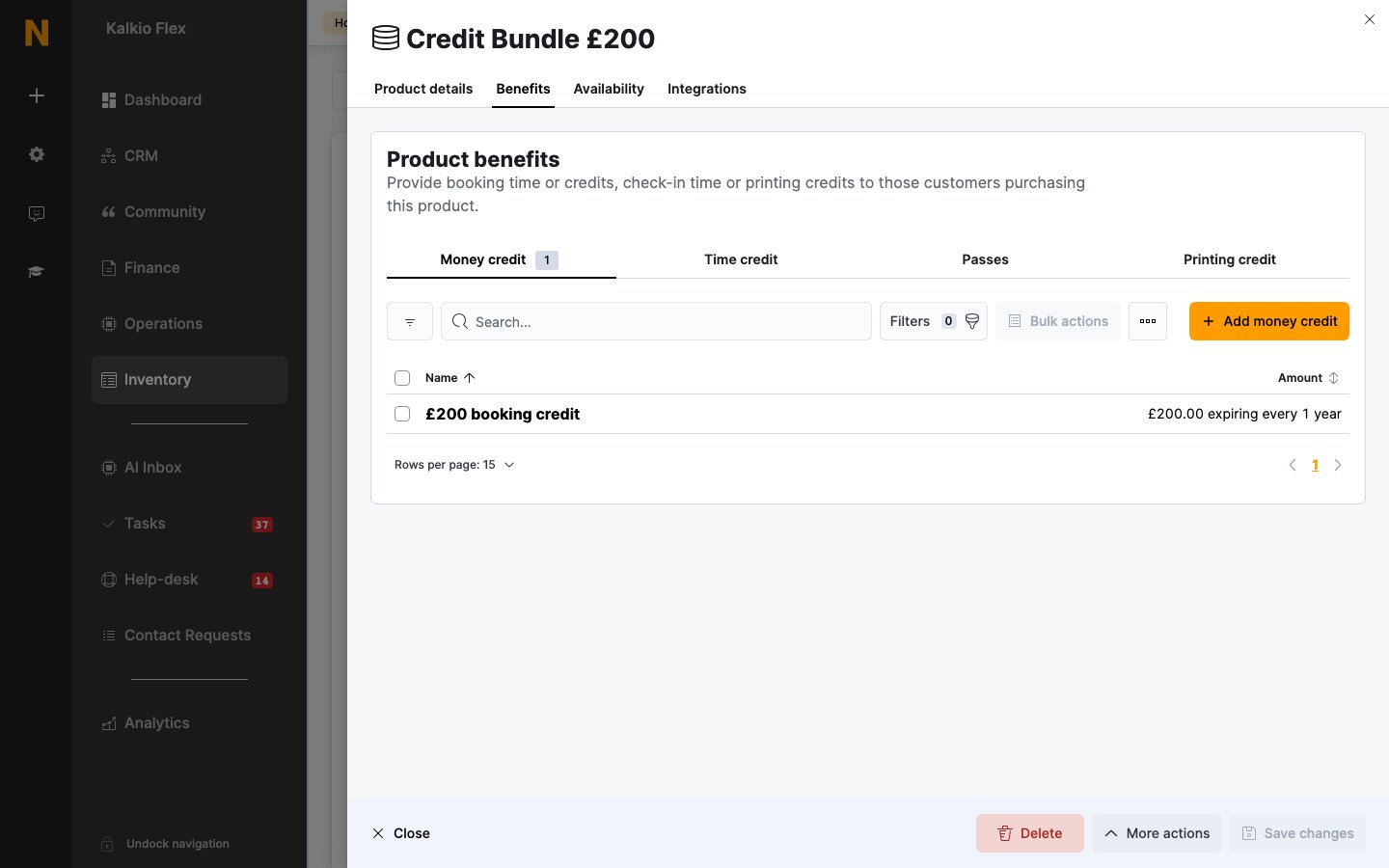 Price a credit bundle at or above its credit amount — or offer a small bonus, such as £220 of credit for £200, to encourage customers to buy in advance.
## Adding money credit to a customer directly
To add money credit to one customer, open their **Benefits → Money credit** tab and click **Add money credit**. Enter a **Credit description**, the **Total credit**, the **Valid from** and **Expires on** dates, and what it can pay for. It's listed with the source **Manual**.
Price a credit bundle at or above its credit amount — or offer a small bonus, such as £220 of credit for £200, to encourage customers to buy in advance.
## Adding money credit to a customer directly
To add money credit to one customer, open their **Benefits → Money credit** tab and click **Add money credit**. Enter a **Credit description**, the **Total credit**, the **Valid from** and **Expires on** dates, and what it can pay for. It's listed with the source **Manual**.
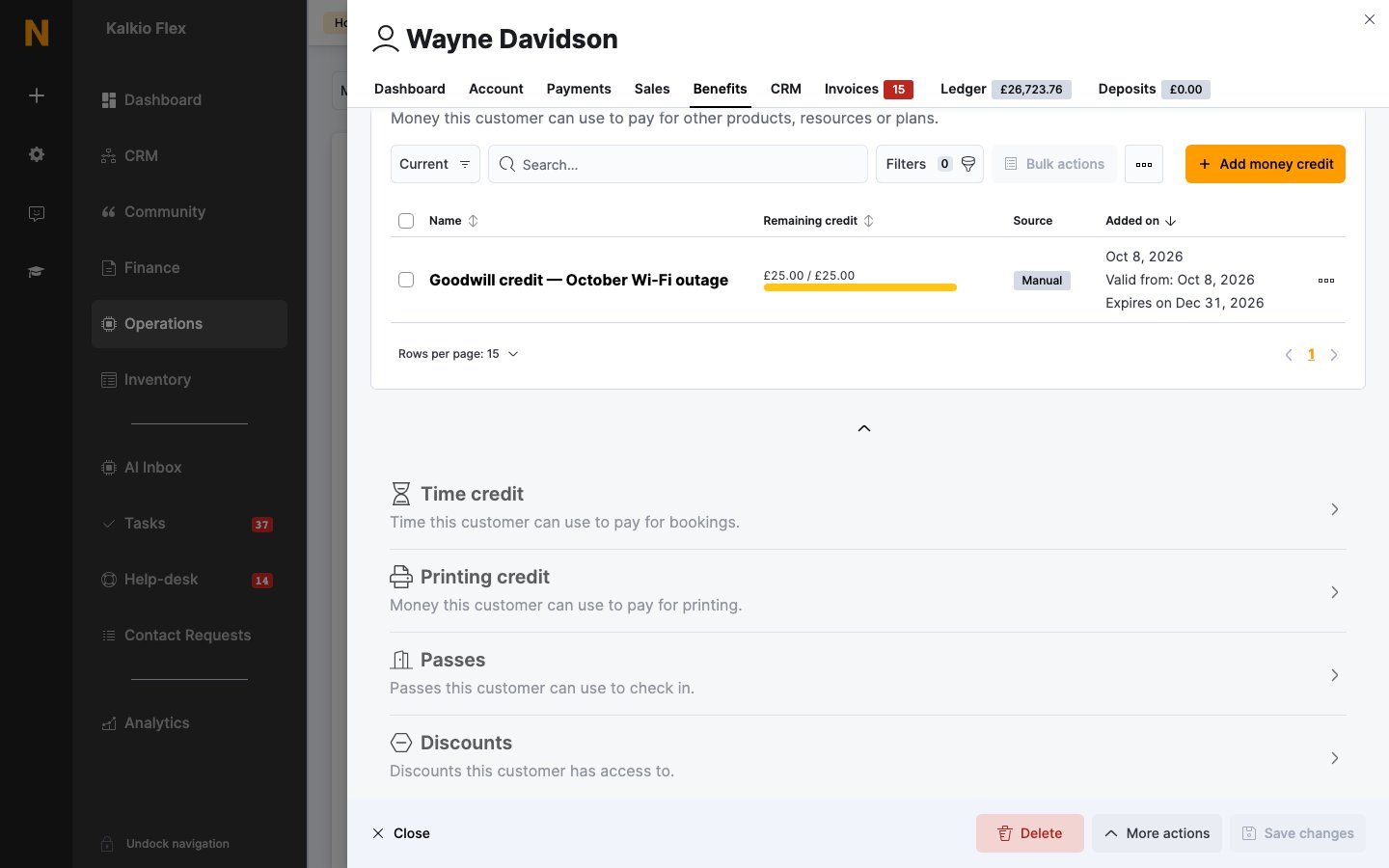 Credit added directly is free: it isn't invoiced and it doesn't renew. Use it for goodwill gestures or corrections, and sell credit through a [plan](#including-money-credit-in-a-plan) or [product](#selling-money-credit-in-a-product) otherwise. See [Credits](/platform/billing/credits#giving-credit-to-customers).
## How money credit is used
Money credit is used after time credit and discounts. To let customers pay for products requested with a booking using money credit, or to reject bookings their credit doesn't cover, see [Booking pricing and credit](/platform/operations/bookings/pricing-and-credit#money-credit).
## Related
* [Credits](/platform/billing/credits) — the three kinds of credit
* [Time credit](/platform/billing/credits/time-credit) — an allowance of booking time
* [Credits and benefits](/platform/operations/members/credits-and-benefits) — adjusting a customer's balance and reviewing usage
* [Ledger](/platform/finance/ledger) — the customer's full financial history
This documentation is built and hosted on [Mintlify](https://mintlify.com), a developer documentation platform.
Credit added directly is free: it isn't invoiced and it doesn't renew. Use it for goodwill gestures or corrections, and sell credit through a [plan](#including-money-credit-in-a-plan) or [product](#selling-money-credit-in-a-product) otherwise. See [Credits](/platform/billing/credits#giving-credit-to-customers).
## How money credit is used
Money credit is used after time credit and discounts. To let customers pay for products requested with a booking using money credit, or to reject bookings their credit doesn't cover, see [Booking pricing and credit](/platform/operations/bookings/pricing-and-credit#money-credit).
## Related
* [Credits](/platform/billing/credits) — the three kinds of credit
* [Time credit](/platform/billing/credits/time-credit) — an allowance of booking time
* [Credits and benefits](/platform/operations/members/credits-and-benefits) — adjusting a customer's balance and reviewing usage
* [Ledger](/platform/finance/ledger) — the customer's full financial history
This documentation is built and hosted on [Mintlify](https://mintlify.com), a developer documentation platform.