> ## Documentation Index
> Fetch the complete documentation index at: https://learn.nexudus.com/llms.txt
> Use this file to discover all available pages before exploring further.
# Giving passes to customers
> Include passes in plans and products, add them to a customer directly, and control when they expire.
## Overview
A pass only lets a customer check in once it's on their account. There are three ways to get it there:
| Method | Use it for |
| - | - |
| [In a plan](#in-a-plan) | Regular access for members, renewed automatically. |
| [In a product](#in-a-product) | Flexible access customers buy when they need it, such as a 5-day pack. |
| [Directly to a customer](#directly-to-a-customer) | One-off adjustments, for example to make up for a closure. |
Customers who check in without a pass can also be given one automatically through [pay as you go](/platform/billing/time-passes/pay-as-you-go).
### How many to include
For a **day pass**, the amount is the number of days. For a **time-based pass**, each pass already holds its minutes — so to give 10 hours with a 10-hour pass, set the amount to **1**.
## In a plan
Open the plan from **Inventory → Plans**, go to **Benefits → Passes**, and click **Add pass**. Choose the **Pass** and **Amount**, then choose when the passes expire and are replaced under **These passes expire…**: **Every week**, **Every calendar month**, **Every time the contract is invoiced**, or **Every year**.
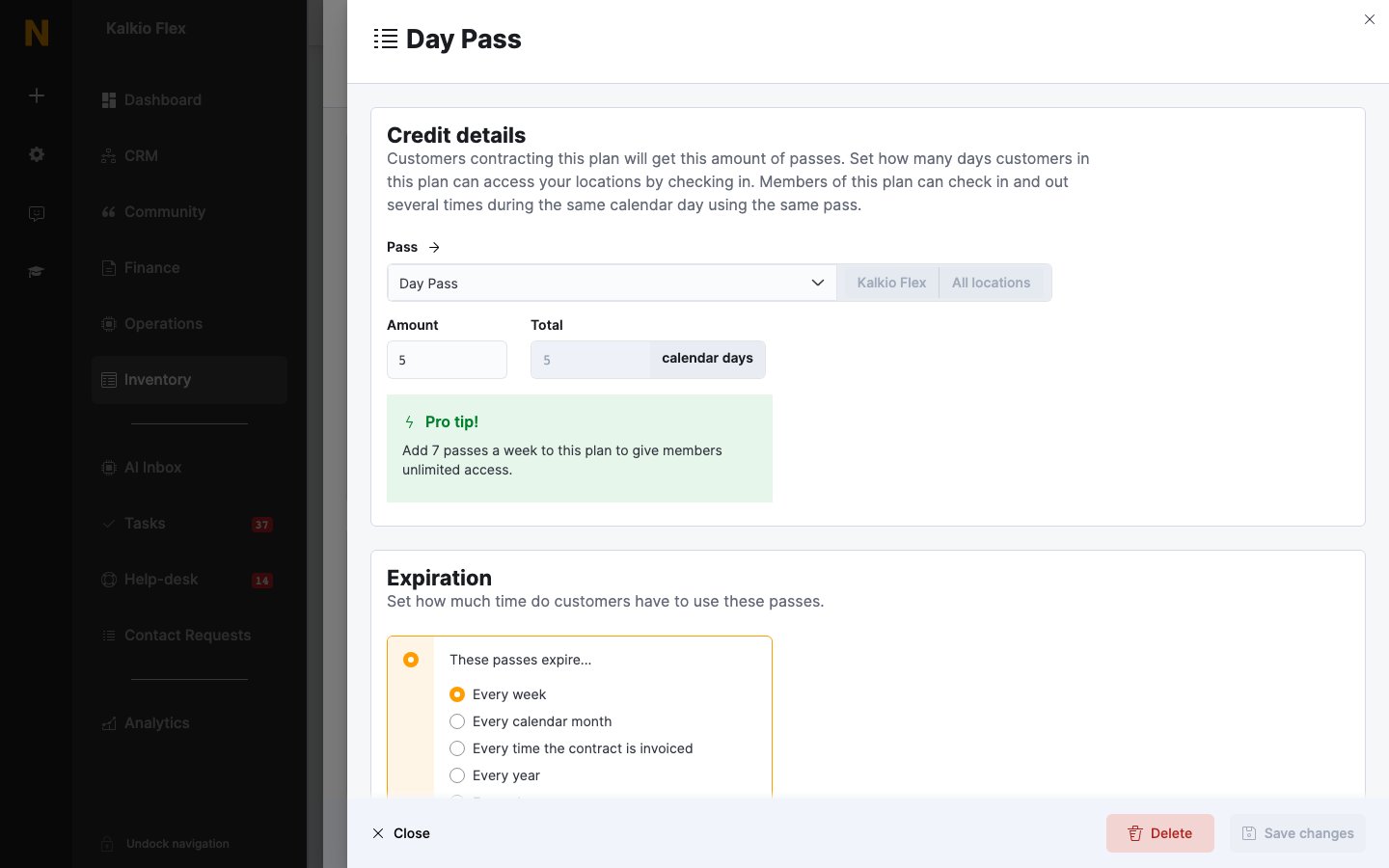 Passes in a plan aren't charged separately, so build their value into the plan's price. For example, a plan with 20 day passes a month worth £25 each should cost at least £500. For unlimited weekday access, add 5 day passes every week. See [Plans](/platform/billing/plans#choose-how-many-passes-to-include).
## In a product
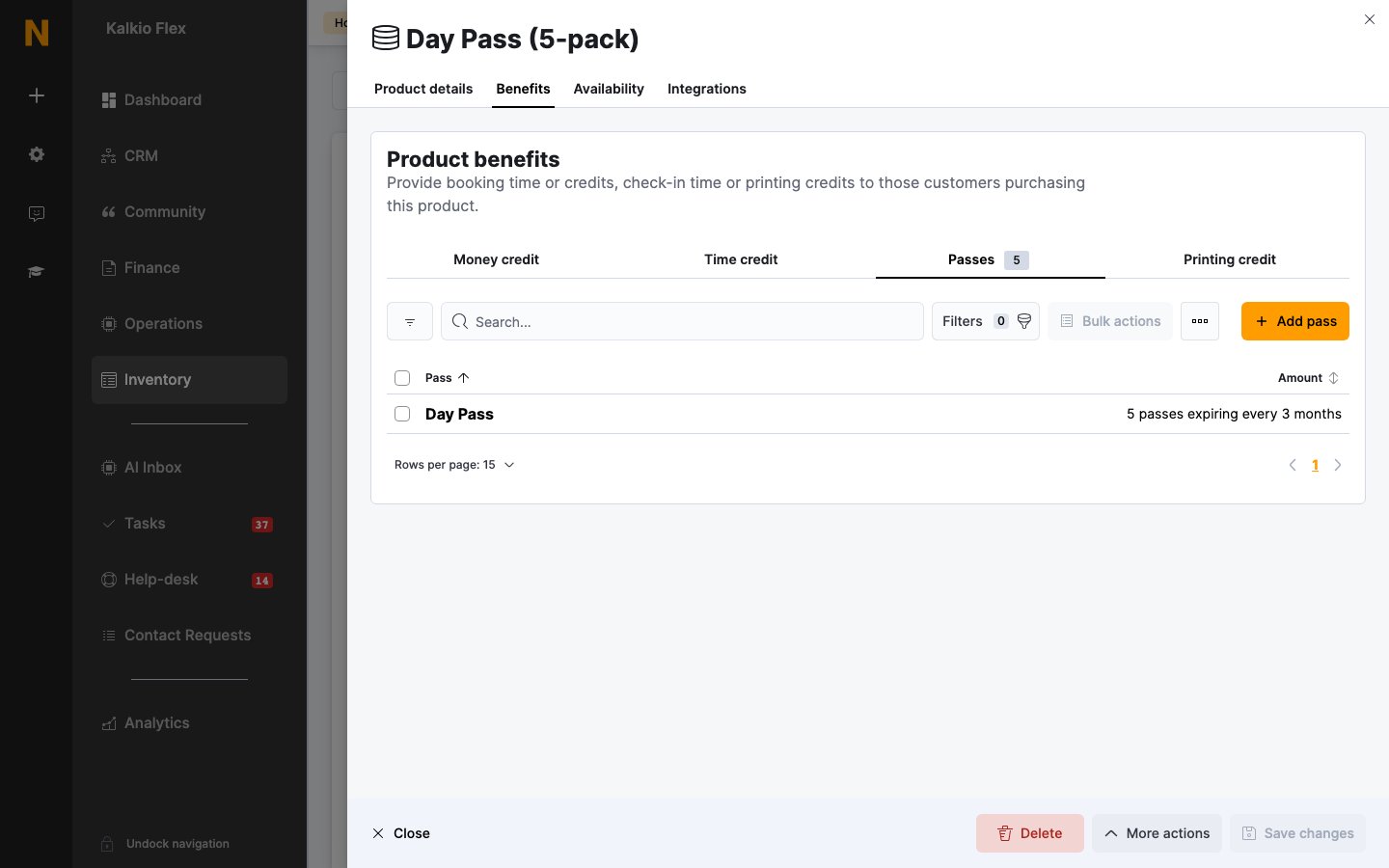
Open the product from **Inventory → Products**, go to **Benefits → Passes**, and click **Add pass**. Choose the **Pass** and **Amount**, then choose whether **This credit never expires.** or **This credit expires after:** a set period. Customers get the passes when they buy the product; only future sales include passes you add later.
Passes in a plan aren't charged separately, so build their value into the plan's price. For example, a plan with 20 day passes a month worth £25 each should cost at least £500. For unlimited weekday access, add 5 day passes every week. See [Plans](/platform/billing/plans#choose-how-many-passes-to-include).
## In a product
Open the product from **Inventory → Products**, go to **Benefits → Passes**, and click **Add pass**. Choose the **Pass** and **Amount**, then choose whether **This credit never expires.** or **This credit expires after:** a set period. Customers get the passes when they buy the product; only future sales include passes you add later.
 ## Directly to a customer
Open the customer from **Operations → Members & contacts**, go to **Benefits → Passes**, and click **Add pass**. Choose the **Pass type**, an optional **Expires on** date, and private **Notes**. Under **Price & quantity**, set the **Quantity** and **Unit price** — leave the price at zero to give the passes for free; otherwise they're added to the customer's next invoice.
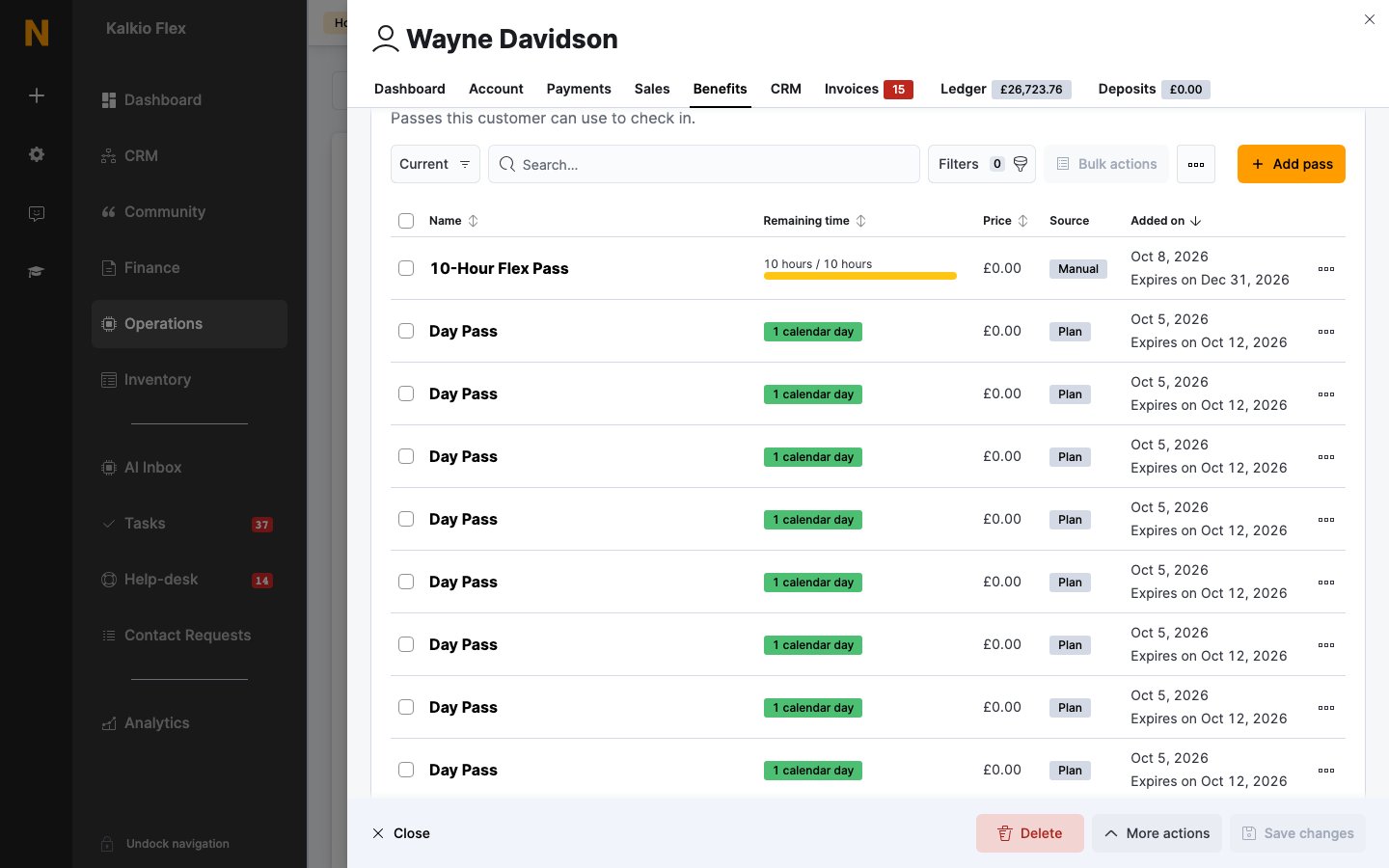
The customer's **Passes** list shows each pass's **Remaining time** (or **1 calendar day** for day passes), with badges for passes that are **Used** or **In use**, the **Price**, its **Source** (**Plan**, **Product**, or **Manual**), when it was **Added on**, and when it expires.
## Directly to a customer
Open the customer from **Operations → Members & contacts**, go to **Benefits → Passes**, and click **Add pass**. Choose the **Pass type**, an optional **Expires on** date, and private **Notes**. Under **Price & quantity**, set the **Quantity** and **Unit price** — leave the price at zero to give the passes for free; otherwise they're added to the customer's next invoice.
The customer's **Passes** list shows each pass's **Remaining time** (or **1 calendar day** for day passes), with badges for passes that are **Used** or **In use**, the **Price**, its **Source** (**Plan**, **Product**, or **Manual**), when it was **Added on**, and when it expires.
 ## Related
* [Passes](/platform/billing/time-passes) — creating and managing passes
* [Plans](/platform/billing/plans#benefits) — plan benefits
* [Products](/platform/billing/products) — selling passes as one-off purchases
* [Teams](/platform/operations/teams/billing-and-credit#credit-sharing) — sharing passes across a team
This documentation is built and hosted on [Mintlify](https://mintlify.com), a developer documentation platform.
## Related
* [Passes](/platform/billing/time-passes) — creating and managing passes
* [Plans](/platform/billing/plans#benefits) — plan benefits
* [Products](/platform/billing/products) — selling passes as one-off purchases
* [Teams](/platform/operations/teams/billing-and-credit#credit-sharing) — sharing passes across a team
This documentation is built and hosted on [Mintlify](https://mintlify.com), a developer documentation platform.