> ## Documentation Index
> Fetch the complete documentation index at: https://learn.nexudus.com/llms.txt
> Use this file to discover all available pages before exploring further.
# What is the Nexudus Dashboard
> An introduction to the Nexudus Dashboard — the central hub where coworking operators manage their spaces, members, billing, and more.
## Overview
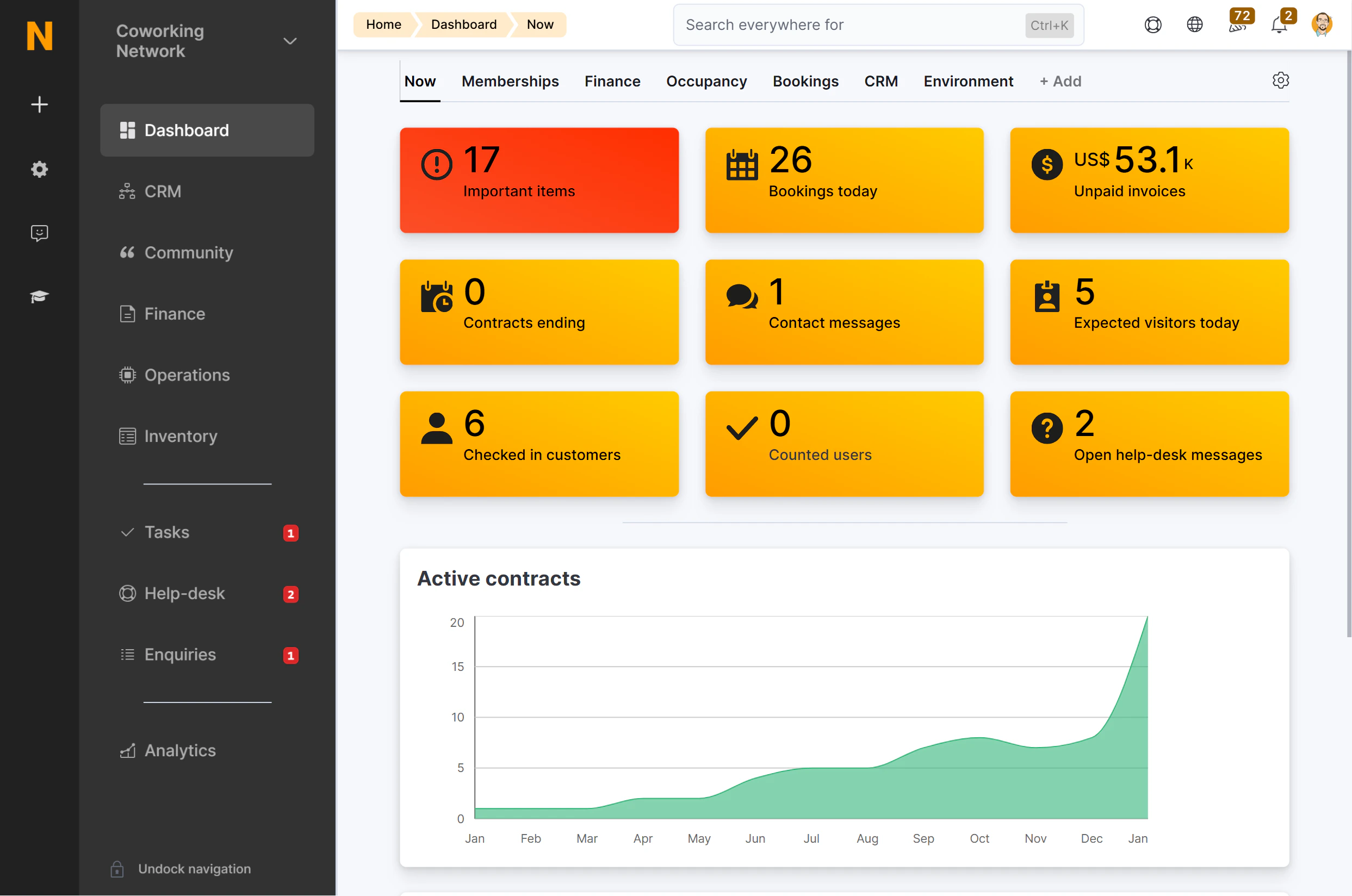
The Nexudus Dashboard is your central command center for managing every aspect of your coworking space. From member management and bookings to billing and analytics, the Dashboard gives you full control over your operations in one place.
Whether you run a single location or a global network of spaces, the Dashboard adapts to your needs with modular features you can enable as your business grows.
 ## What you can do
The Dashboard is organized into modules, each focused on a specific area of your business:
Manage your members, teams, bookings, check-ins, and support tickets.
Set up plans, products, resources, and pricing for your space.
Handle invoices, contracts, payment gateways, and accounting integrations.
Track leads, manage opportunities, send proposals, and organize tasks.
Create events, articles, courses, newsletters, and community features.
Configure check-in methods, door access integrations, and WiFi authentication.
Configure your locations, users, email templates, automations, and integrations.
View dashboards, build custom reports, and monitor your business health.
## Key concepts
Before diving in, here are a few terms used throughout the platform:
| Term | Meaning |
| ------------ | ------------------------------------------------------------------------------------------------------------- |
| **Location** | A physical coworking space you manage in Nexudus. Each location has its own settings, resources, and pricing. |
| **Customer** | Any person registered in your system — either a member or a contact. |
| **Member** | A customer with at least one active contract (plan subscription). |
| **Contact** | A customer without an active contract. |
| **Plan** | A subscription package that defines what a member gets (desk access, credits, discounts, etc.). |
| **Resource** | Anything that can be booked — meeting rooms, desks, parking spots, equipment. |
| **Contract** | The link between a customer and a plan, defining the membership period and billing terms. |
Membership is automatic — when a customer gets an active contract, they become a member. When all contracts end, they become a contact again.
## How the Dashboard connects to the Members Portal
The Dashboard and the [Members Portal](/member-portal/overview) work together:
* **You configure** plans, resources, events, and content in the Dashboard.
* **Your members see** the results in the Members Portal — available bookings, their invoices, community features, and more.
Every setting you change in the Dashboard affects what members experience in the portal. For a deeper look at this relationship, see [How Admin Settings Affect Members](/get-started/platform-overview/how-configuration-flows-to-members).
## Next steps
Learn how to find your way around the sidebar, header, and quick actions.
Understand who can access what in your team.
Manage multiple spaces from a single account.
## What you can do
The Dashboard is organized into modules, each focused on a specific area of your business:
Manage your members, teams, bookings, check-ins, and support tickets.
Set up plans, products, resources, and pricing for your space.
Handle invoices, contracts, payment gateways, and accounting integrations.
Track leads, manage opportunities, send proposals, and organize tasks.
Create events, articles, courses, newsletters, and community features.
Configure check-in methods, door access integrations, and WiFi authentication.
Configure your locations, users, email templates, automations, and integrations.
View dashboards, build custom reports, and monitor your business health.
## Key concepts
Before diving in, here are a few terms used throughout the platform:
| Term | Meaning |
| ------------ | ------------------------------------------------------------------------------------------------------------- |
| **Location** | A physical coworking space you manage in Nexudus. Each location has its own settings, resources, and pricing. |
| **Customer** | Any person registered in your system — either a member or a contact. |
| **Member** | A customer with at least one active contract (plan subscription). |
| **Contact** | A customer without an active contract. |
| **Plan** | A subscription package that defines what a member gets (desk access, credits, discounts, etc.). |
| **Resource** | Anything that can be booked — meeting rooms, desks, parking spots, equipment. |
| **Contract** | The link between a customer and a plan, defining the membership period and billing terms. |
Membership is automatic — when a customer gets an active contract, they become a member. When all contracts end, they become a contact again.
## How the Dashboard connects to the Members Portal
The Dashboard and the [Members Portal](/member-portal/overview) work together:
* **You configure** plans, resources, events, and content in the Dashboard.
* **Your members see** the results in the Members Portal — available bookings, their invoices, community features, and more.
Every setting you change in the Dashboard affects what members experience in the portal. For a deeper look at this relationship, see [How Admin Settings Affect Members](/get-started/platform-overview/how-configuration-flows-to-members).
## Next steps
Learn how to find your way around the sidebar, header, and quick actions.
Understand who can access what in your team.
Manage multiple spaces from a single account.