> ## Documentation Index
> Fetch the complete documentation index at: https://learn.nexudus.com/llms.txt
> Use this file to discover all available pages before exploring further.
# Environment API
> The Environment API lets you pull and receive data from sensors to trigger actions, display measurements, and produce analytics.
The Environment API lets you pull and receive data from sensors to trigger actions and alerts based on that data, display measurements to your team and customers and even produce reports and analytics dashboards based on them.
## How does it work?
The Environment API works based on registered **Sensors** to obtain and store environment data. Each sensor can be configured to poll an external endpoint or by creating a dedicated API endpoint to send data to.
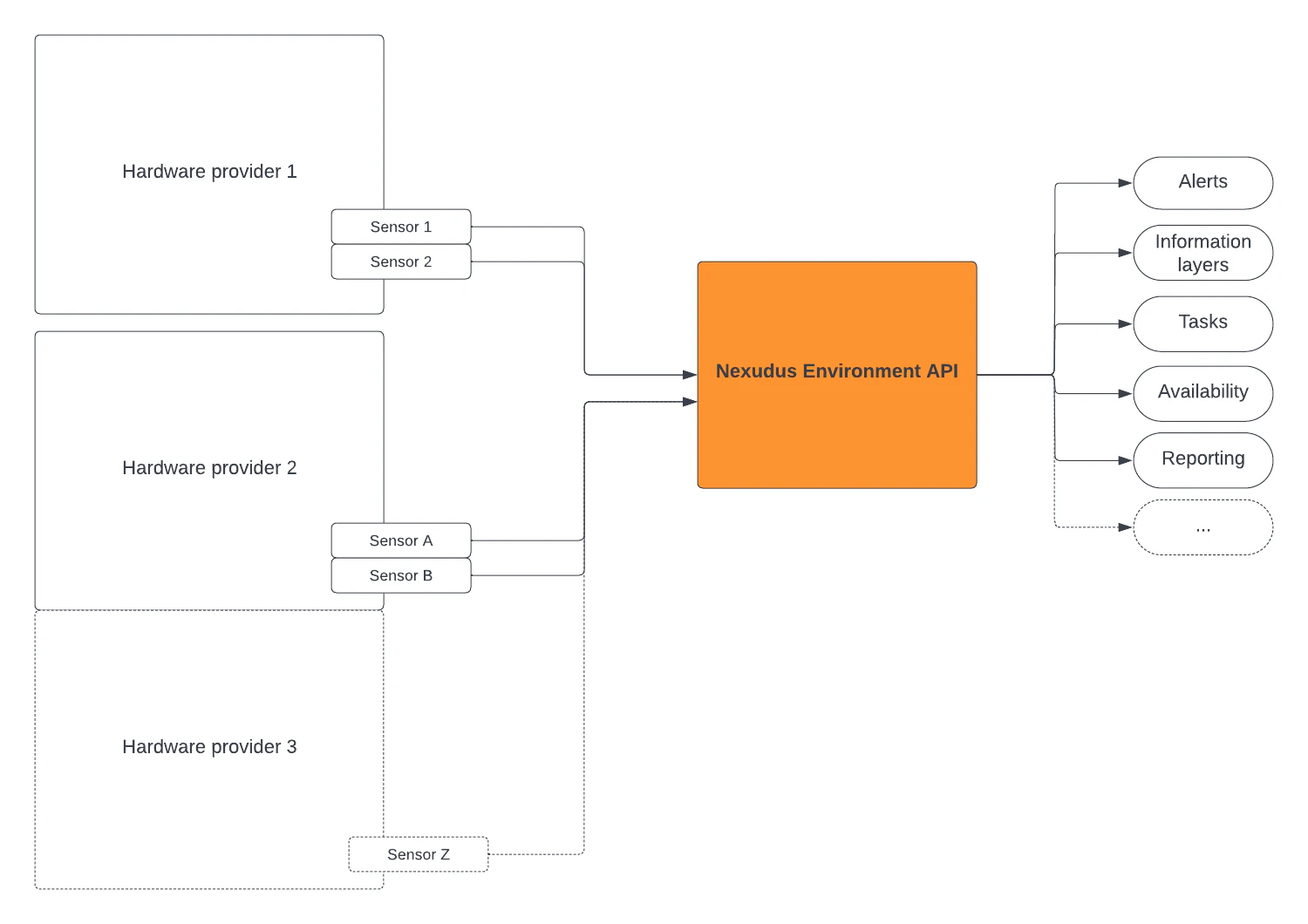 Once the data is received by the Nexudus platform, you can use it to:
* **Trigger alerts** sent to your team or customers.
* **Make a desk, booth or any inventory unit** available or unavailable.
* **Update the number of people** who attended a meeting room booking.
* **Start or terminate** a booking.
* **Assign maintenance tasks** to your team.
* **Keep your customers and tenants informed** about occupancy levels or other comfort parameters.
All sensor data can be added to your dashboard or queries through **Nexudus Explore**.
Once the data is received by the Nexudus platform, you can use it to:
* **Trigger alerts** sent to your team or customers.
* **Make a desk, booth or any inventory unit** available or unavailable.
* **Update the number of people** who attended a meeting room booking.
* **Start or terminate** a booking.
* **Assign maintenance tasks** to your team.
* **Keep your customers and tenants informed** about occupancy levels or other comfort parameters.
All sensor data can be added to your dashboard or queries through **Nexudus Explore**.
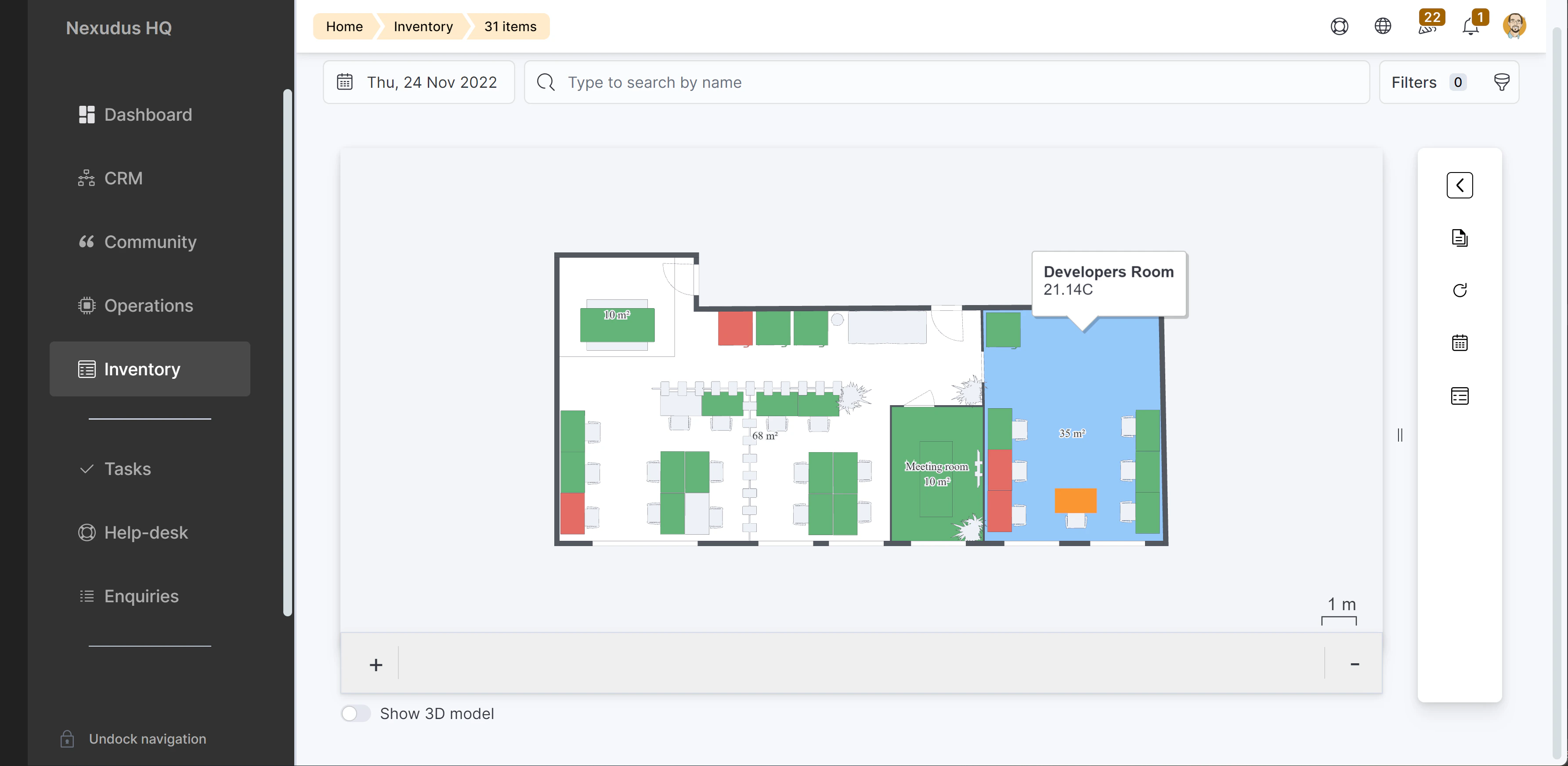
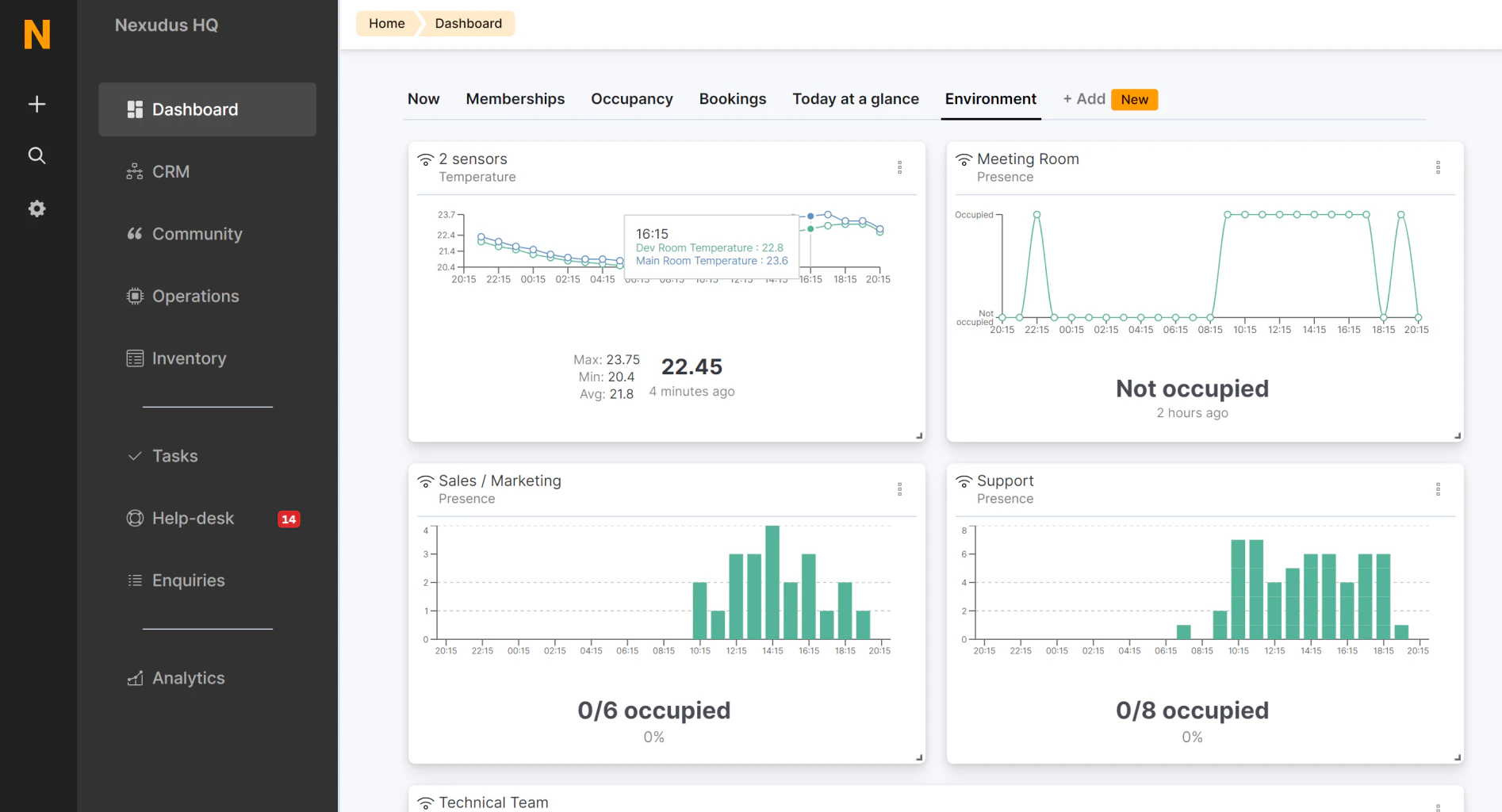 Sensors can also be connected to inventory items allowing you to display their values within any of the floor plan layouts displaying that inventory.