> ## Documentation Index
> Fetch the complete documentation index at: https://learn.nexudus.com/llms.txt
> Use this file to discover all available pages before exploring further.
# Managing your subscription
> Where to view and change your Nexudus subscription, and how to change your support tier.
## Overview
You manage your Nexudus subscription from the Admin Panel. From here you can see your current subscription, your support tier, your payment method, and your invoices.
## How to access
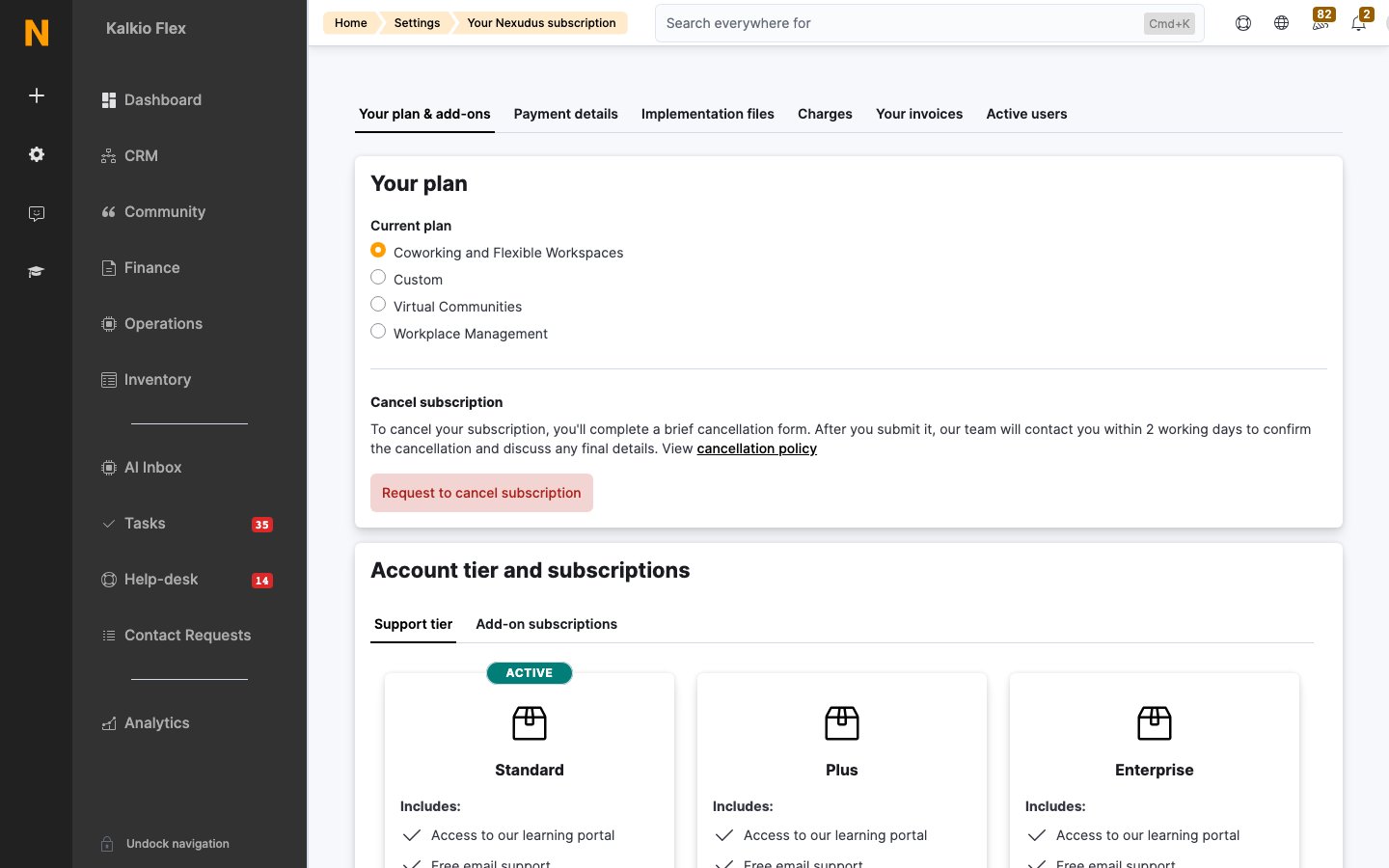
Go to **Settings → Your Nexudus subscription** on the Admin Panel.
 ## What you can do here
* **See your subscription and support tier.** Each location has its own support tier, which you can upgrade or downgrade individually.
* **Change your payment method.** Pay by card or direct debit — see [Adding a payment method](/support/pricing/adding-a-payment-method).
* **Download your invoices.** Nexudus generates a PDF invoice for your subscription every month — see [Downloading your invoices](/support/pricing/downloading-your-invoices).
* **Book training calls.** Learn more about the platform with one of our support experts — see [Training calls](/support/training/training-calls).
## Changing your support tier
You can't change your support tier directly from the Admin Panel — you need to [contact support](/support/training/contacting-support) to make the change.
The **Support tier** drop-down list on the **General Settings** page of the Admin Panel shows the features available in each tier, so you can compare before you switch.
[Contact support](/support/training/contacting-support) and let them know when you'd like to upgrade to the Support Plus tier. Our support team sets up the upgrade in your account and introduces you to your dedicated support agent.
[Contact support](/support/training/contacting-support) and let them know you'd like to switch back to Standard support and when. We confirm your request and the date your Support Plus subscription ends.
Support Plus covers **all** locations in your network. When you sign up, you agree to pay the Support Plus subscription for every location in your network — you can't have Support Plus in only a few locations.
## See also
* [Support tiers](/support/training/support-tiers) — what's included in Standard and Support Plus.
* [How pricing works](/support/pricing/pricing) — how your subscription fee is calculated.
This documentation is built and hosted on [Mintlify](https://mintlify.com), a developer documentation platform.
## What you can do here
* **See your subscription and support tier.** Each location has its own support tier, which you can upgrade or downgrade individually.
* **Change your payment method.** Pay by card or direct debit — see [Adding a payment method](/support/pricing/adding-a-payment-method).
* **Download your invoices.** Nexudus generates a PDF invoice for your subscription every month — see [Downloading your invoices](/support/pricing/downloading-your-invoices).
* **Book training calls.** Learn more about the platform with one of our support experts — see [Training calls](/support/training/training-calls).
## Changing your support tier
You can't change your support tier directly from the Admin Panel — you need to [contact support](/support/training/contacting-support) to make the change.
The **Support tier** drop-down list on the **General Settings** page of the Admin Panel shows the features available in each tier, so you can compare before you switch.
[Contact support](/support/training/contacting-support) and let them know when you'd like to upgrade to the Support Plus tier. Our support team sets up the upgrade in your account and introduces you to your dedicated support agent.
[Contact support](/support/training/contacting-support) and let them know you'd like to switch back to Standard support and when. We confirm your request and the date your Support Plus subscription ends.
Support Plus covers **all** locations in your network. When you sign up, you agree to pay the Support Plus subscription for every location in your network — you can't have Support Plus in only a few locations.
## See also
* [Support tiers](/support/training/support-tiers) — what's included in Standard and Support Plus.
* [How pricing works](/support/pricing/pricing) — how your subscription fee is calculated.
This documentation is built and hosted on [Mintlify](https://mintlify.com), a developer documentation platform.