

Pricing: €/$/£150 per 5 locations monthly.
What is the White-label App?
The white-label Passport app is a dedicated mobile application built for your business. It features:- Your own app name and icon on the App Store and Google Play.
- Custom branding throughout the app — colours, fonts, and login imagery.
- Mobile door unlocking features with supported access control integrations (Brivo, Avigilon Alta, Salto KS).
- A unique app store listing with your descriptions, screenshots, and contact information.
Why Get the White-label App?
Seamless branded experience
With a white-label app, customers see your brand from download to daily use. There is no Nexudus branding visible — the app appears as if it was built exclusively for your space. You control the app name, icon, descriptions, and all visual elements through your app store listings and the Nexudus dashboard.Let customers unlock doors with the app
The white-label app supports mobile credentials for several access control providers. Customers can unlock doors directly from their phone, eliminating the need for physical key cards or codes:- Brivo — Brivo OnAir mobile credentials with automatic redemption.
- Avigilon Alta — Wave to Unlock mobile access with touchless entry.
- Salto KS — Salto Eloxx integration with mobile keys.
Getting the White-label Passport App
Follow these steps to get your white-label app published on the App Store and Google Play.1
Get an Apple Developer Account
An Apple Developer account is required for iOS app submission. Android does not require a separate developer account — the Nexudus Google Play account is used for submission.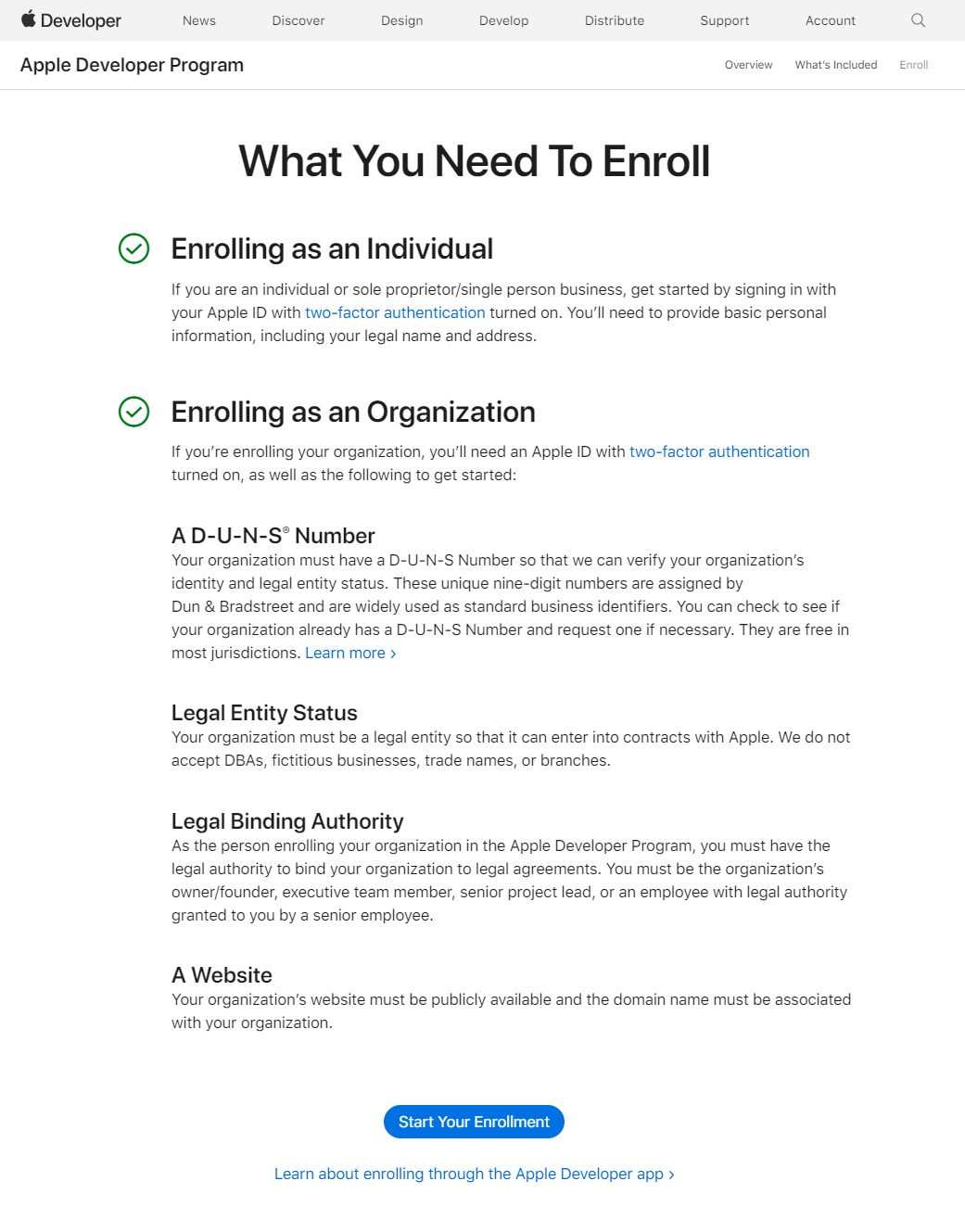
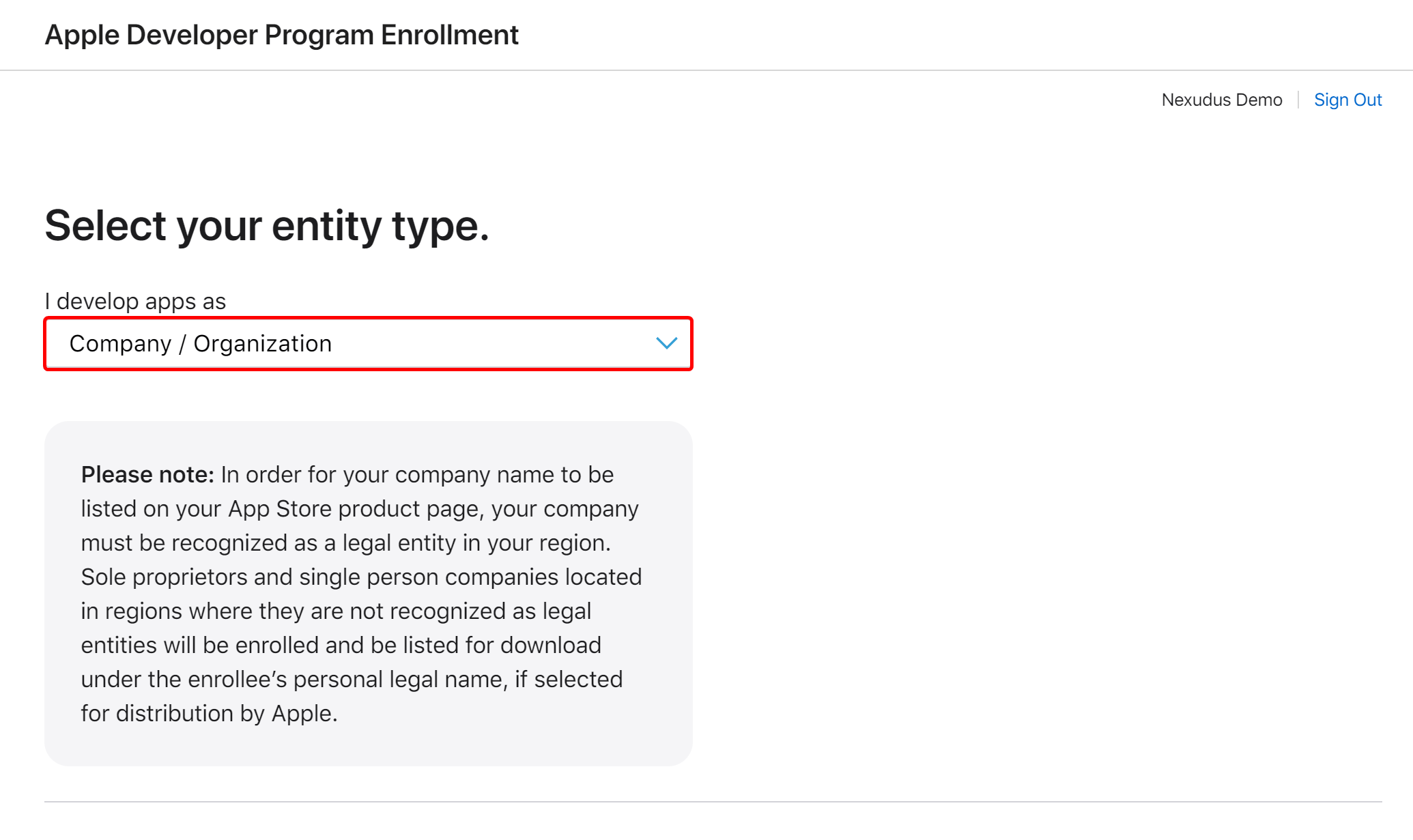
Apple charges $99/year for a Developer Program membership. This is billed directly by Apple, not Nexudus.
- Go to developer.apple.com and enroll in the Apple Developer Program.
- Complete the enrollment process with your organisation details. You will designate an Account Owner — this person will be responsible for reviewing and accepting Apple’s license agreements and legal notices from time to time.
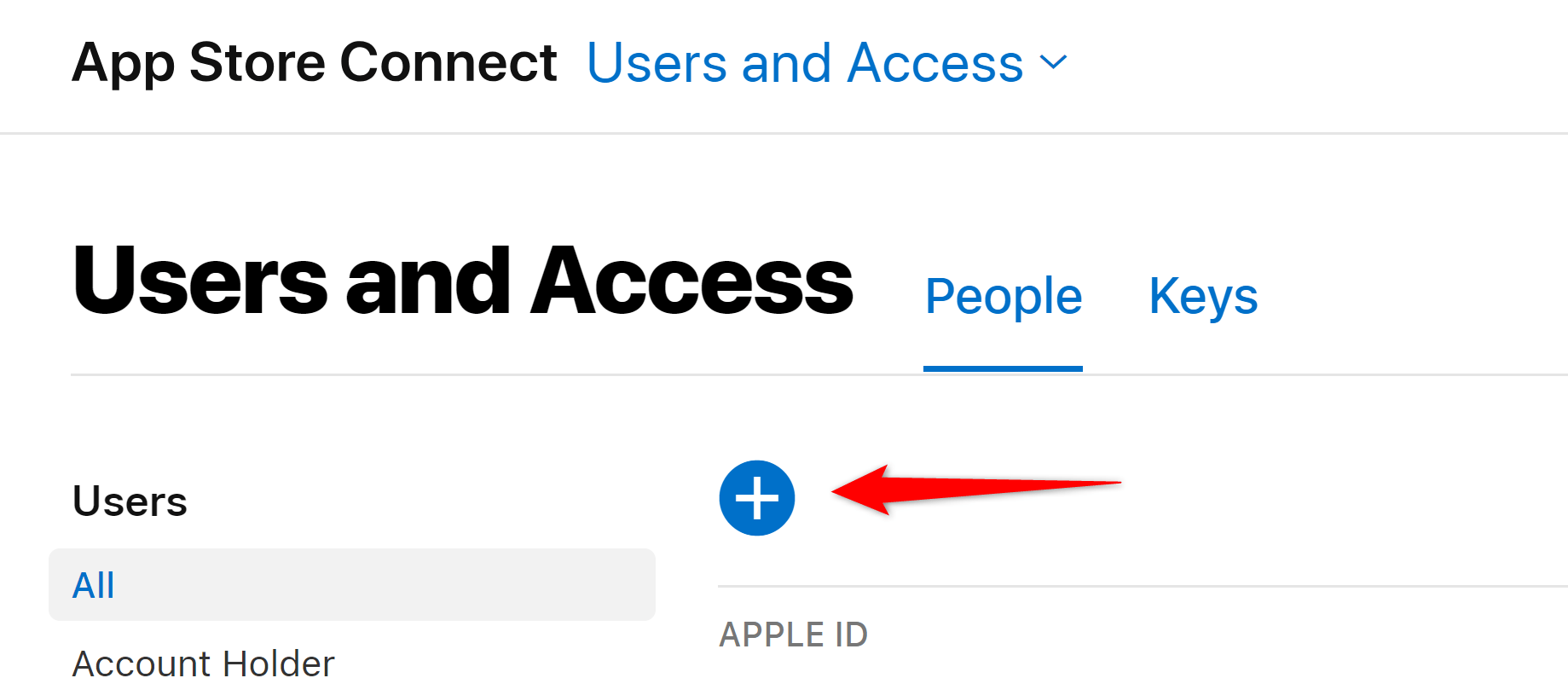
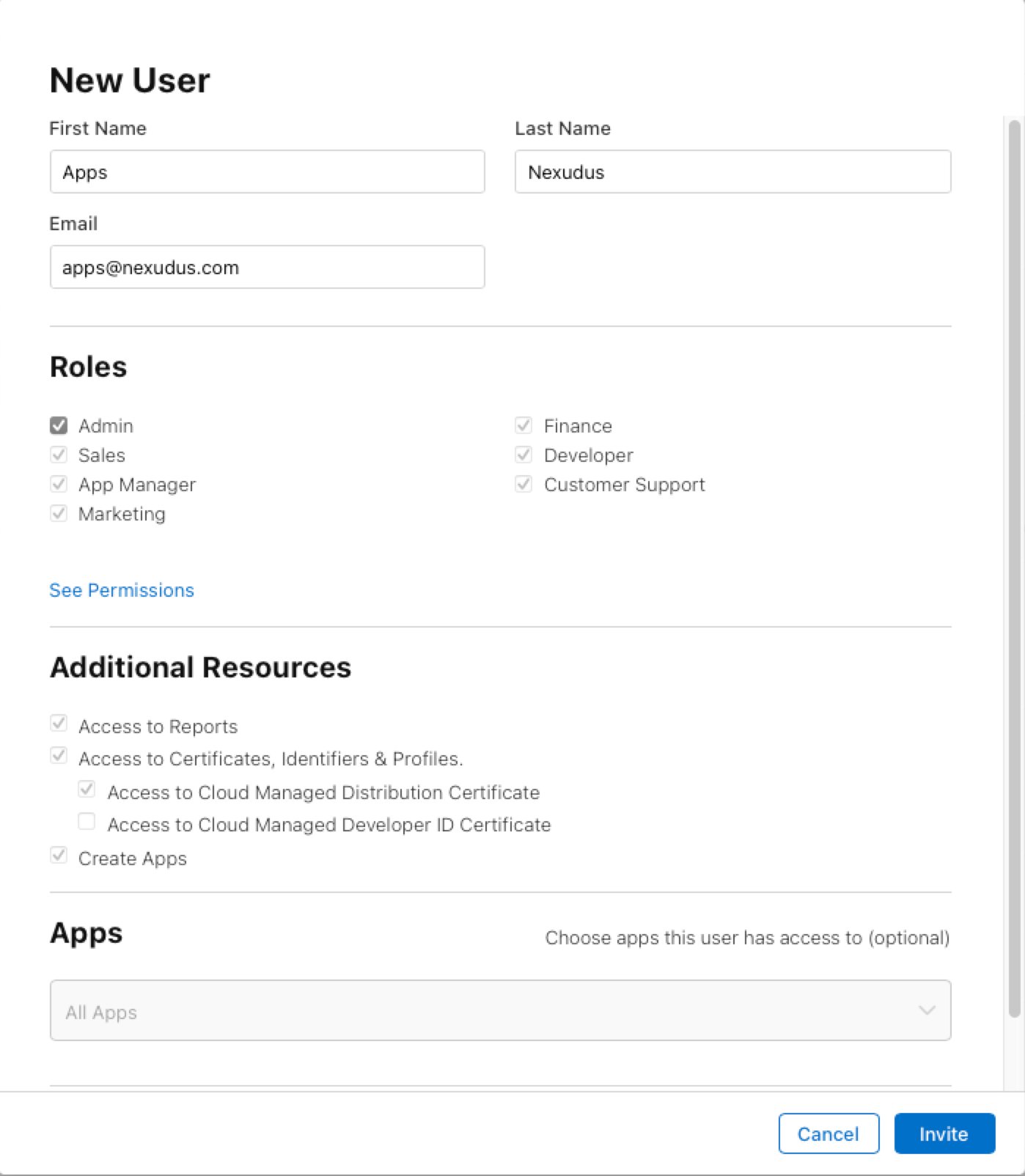
- Once enrolled, invite
[email protected]as an Admin on your App Store Connect account. This allows the Nexudus team to submit and manage your app on your behalf.
2
Preparing Your App's Assets and Details
Gather the following information and assets before submitting your white-label app request. These will be used for your app store listings and in-app branding.

Logo
The App Icon & Splash Logo must be a single 1024×1024px square PNG with no rounded corners or transparency. It serves both as your app’s splash screen artwork and as the icon on app stores and your customer’s phone home screen. The app stores and platforms will apply their own icon treatment automatically.Important: Ensure your artwork is centred with comfortable safe padding so it remains legible on iOS rounded-square masks and Android adaptive icon shapes. Your visible artwork should fit safely within the central 70–80% of the canvas width — no important pixels, letters, or marks should touch the canvas edges.
Splash Screen
A splash screen is shown briefly while the app launches. It displays your logo centred on a solid background colour that you choose (Splash Background Color).3
Send White-label App Request to Support
Once you have your Apple Developer account and assets ready, submit a white-label app request to the Nexudus support team.Requirements:
- You must be a full unrestricted admin on your Nexudus account.
- Include your Apple team name and Team ID (both found in App Store Connect under Account > Membership > Team ID). We need the team name to identify your account and the Team ID for app configuration.
- Attach or provide a link to your assets folder.
4
Development
After receiving your request and assets, the Nexudus team will begin development of your white-label app.Timeline: Approximately 2–4 weeks from asset approval to app store submission.You will receive updates via your support ticket as development progresses.
5
Start Using Your App
Once development is complete, your app will be submitted to the App Store and Google Play for review.
- App Store review typically takes 1–3 business days.
- Google Play review typically takes 1–7 business days.