

What you need to make a cancellation request
-
A support code
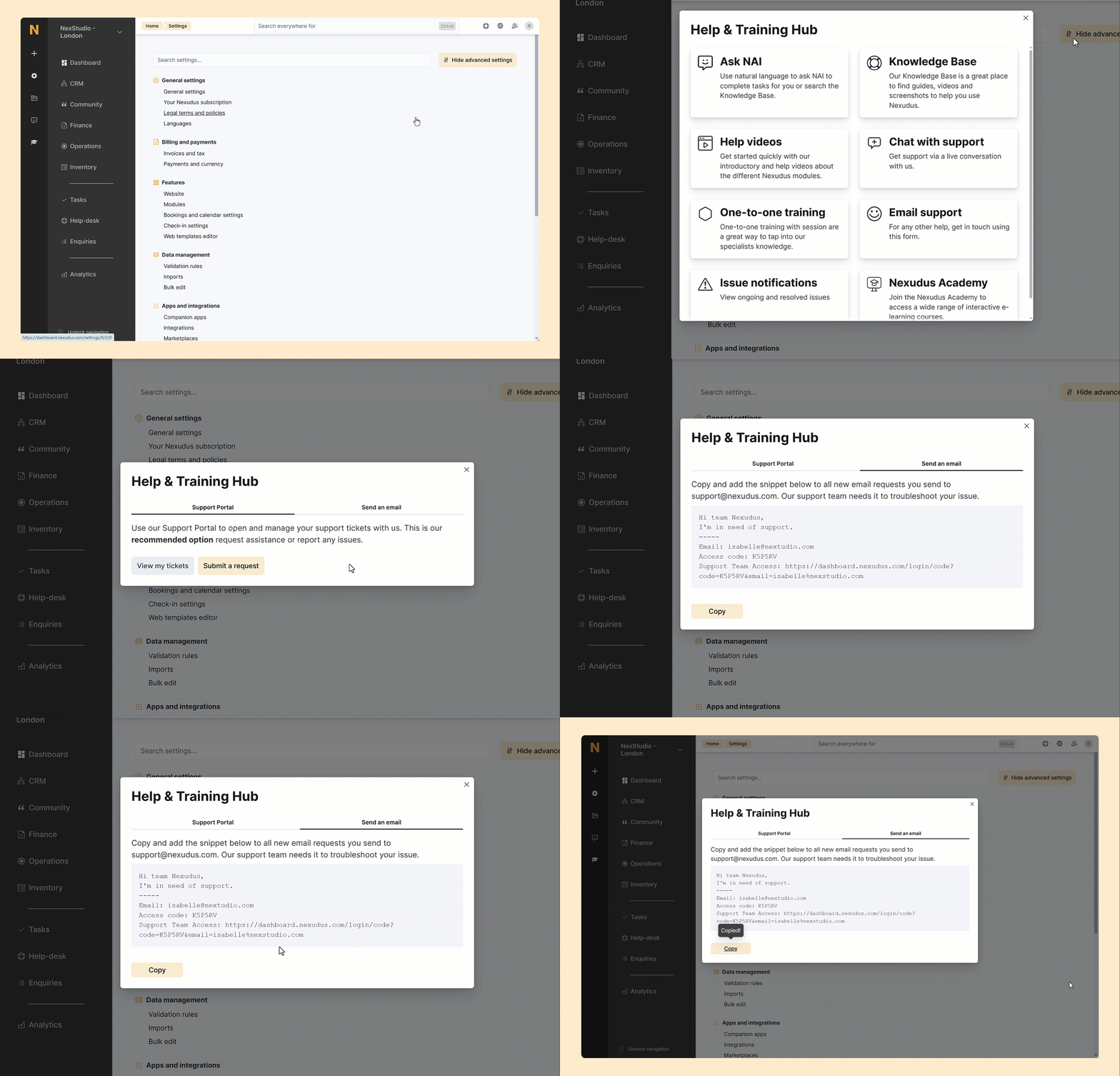
- Click on the lifesaver icon in the top-right corner of any page on the Admin Panel.
- Select Email support.
- Click on the Send an email tab.
-
The names and IDs of the locations you’re cancelling
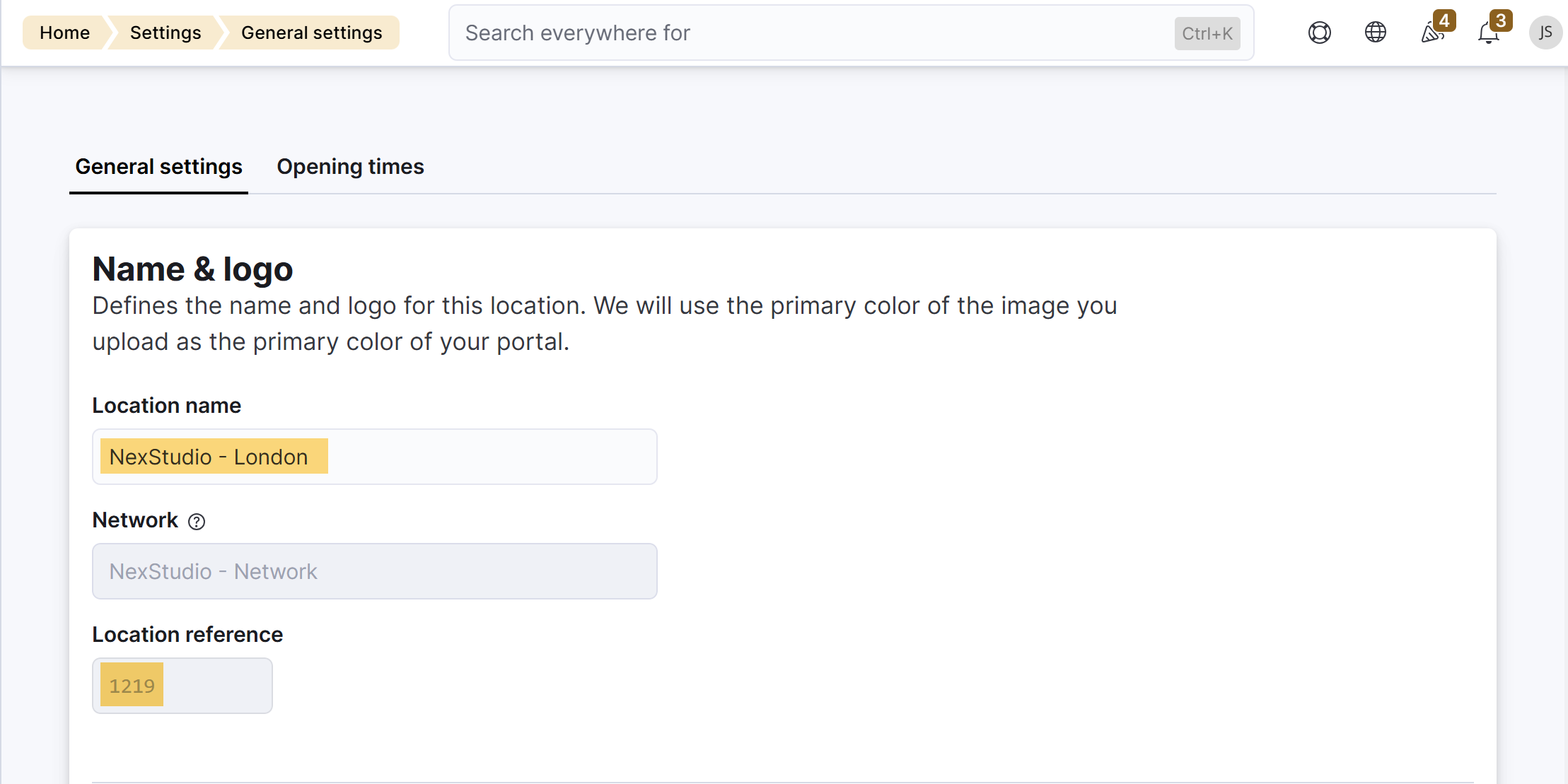 If you’re cancelling several locations, make sure you copy and save the name and ID for each relevant location.
Making your cancellation request
Once you have your support code, along with the location names and IDs, you’re ready to complete your cancellation request.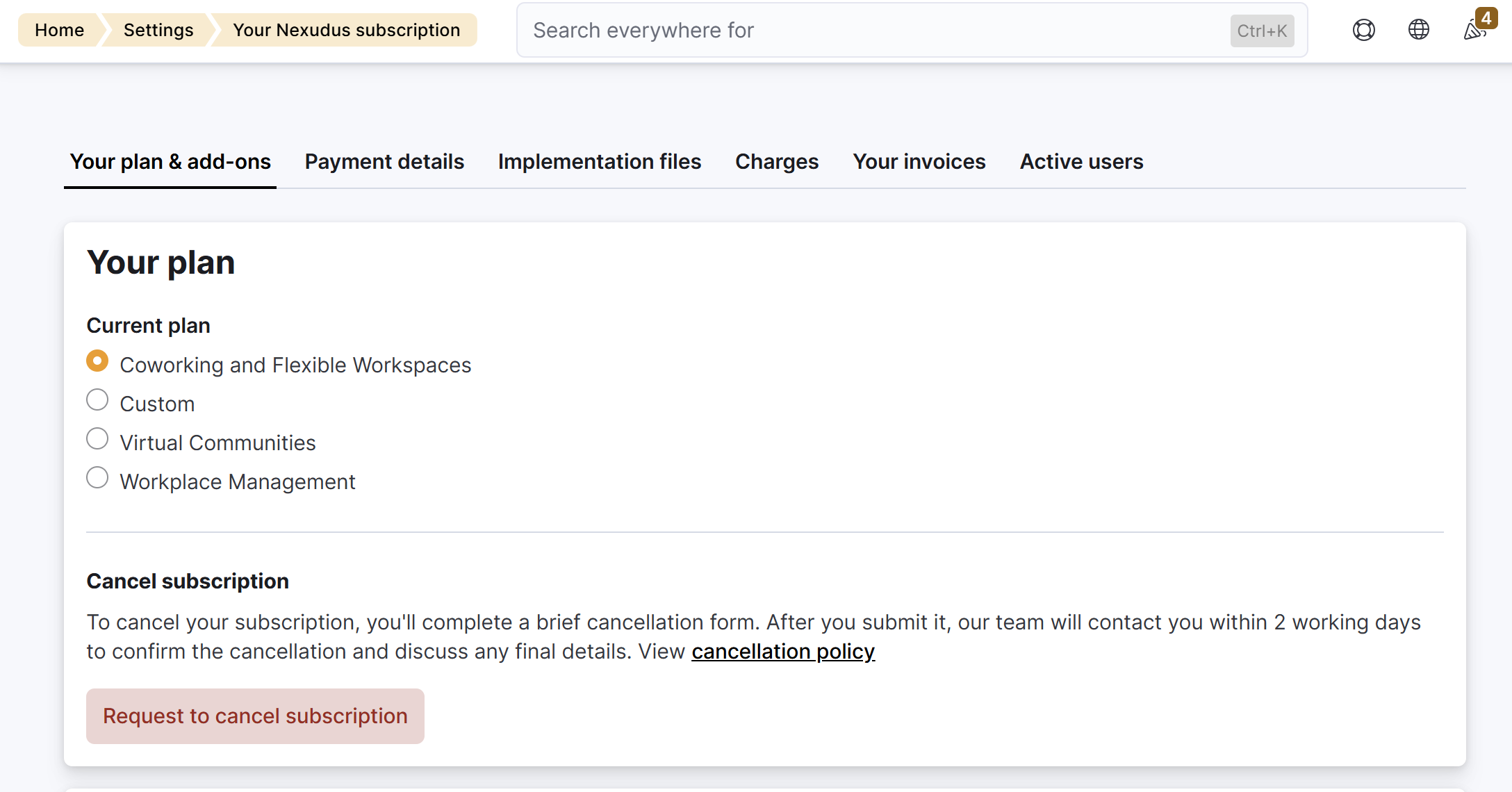
- Log in to dashboard.nexudus.com if you aren’t already.
- Click Settings > Your Nexudus Subscription.
- Click on Request to cancel subscription.
- Subject
- Description
- Locations to Cancel
- Location IDs to Cancel
- Reason for location cancellation?
- Cancellation Effective Date
- Support Access Code
- Attachments(optional)