
Documentation Index

Fetch the complete documentation index at: https://learn.nexudus.com/llms.txt

Use this file to discover all available pages before exploring further.

Store

The store page is a browsable catalogue of all products available for purchase — memberships, time passes, add-on services, and physical goods.
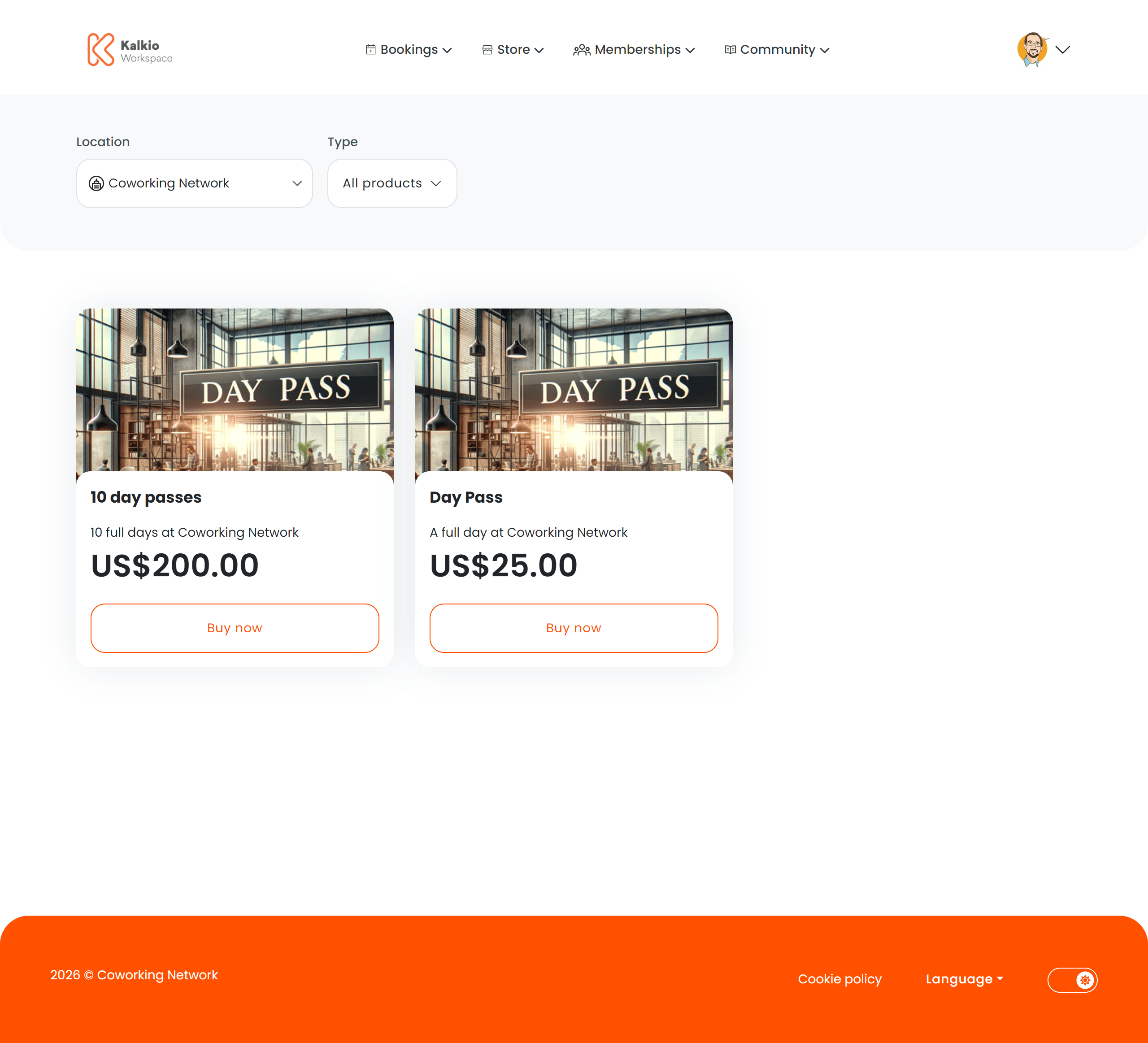
Store page

What members see

Products are displayed in a responsive grid. Each product card shows:
  • Product image
  • Product name and description
  • Price (in the location’s currency)
  • Out-of-stock badge when inventory is depleted
Clicking a product card navigates to the individual Product Checkout page.

Filtering

FilterDescription
Product typeFilter by category — memberships, passes, products, add-ons, etc.
LocationFilter by business location (multi-site setups)
The store URL supports type-based routing (/store/all, /store/:type) so you can link directly to a filtered view.

Key features

  • AI-assisted recommendations — an optional AI prompt suggests products based on the member’s needs.
  • Authentication awareness — unauthenticated visitors see login/signup prompts. Non-members see relevant guidance.
  • Dynamic pricing — prices respect location billing settings and hide when billing is not enabled.
  • Responsive grid — card sizes adapt to screen width with configurable minimum widths and gaps.

Configurable sections

SettingDefaultEffect
Show filtersOnDisplay the filter bar
Show product typesOnShow the product type dropdown
Show location selectorOnShow the location filter
Show descriptionOnShow product descriptions on cards
Show priceOnShow pricing on cards
Show imageOnShow product images
Grid gap1.5remSpacing between cards
Min card width300pxMinimum card width for the responsive grid

Products use a single image that is requested at different sizes depending on context.
Where it appearsRequested sizeAspect ratio
Store listing cards600 × 540 px~1.11 : 1
Product detail page600 × 540 px~1.11 : 1
Checkout confirmation600 × 540 px~1.11 : 1
Basket thumbnail220 × 220 px1 : 1
For the best results, upload a product image of at least 600 × 540 px (nearly square). This covers the largest requested size without cropping. Keep the subject centred so it looks good when cropped to square for basket thumbnails.