
Documentation Index

Fetch the complete documentation index at: https://learn.nexudus.com/llms.txt

Use this file to discover all available pages before exploring further.

Articles

The articles section gives your space a content marketing channel directly inside the portal. Publish articles about community news, industry insights, or space updates.
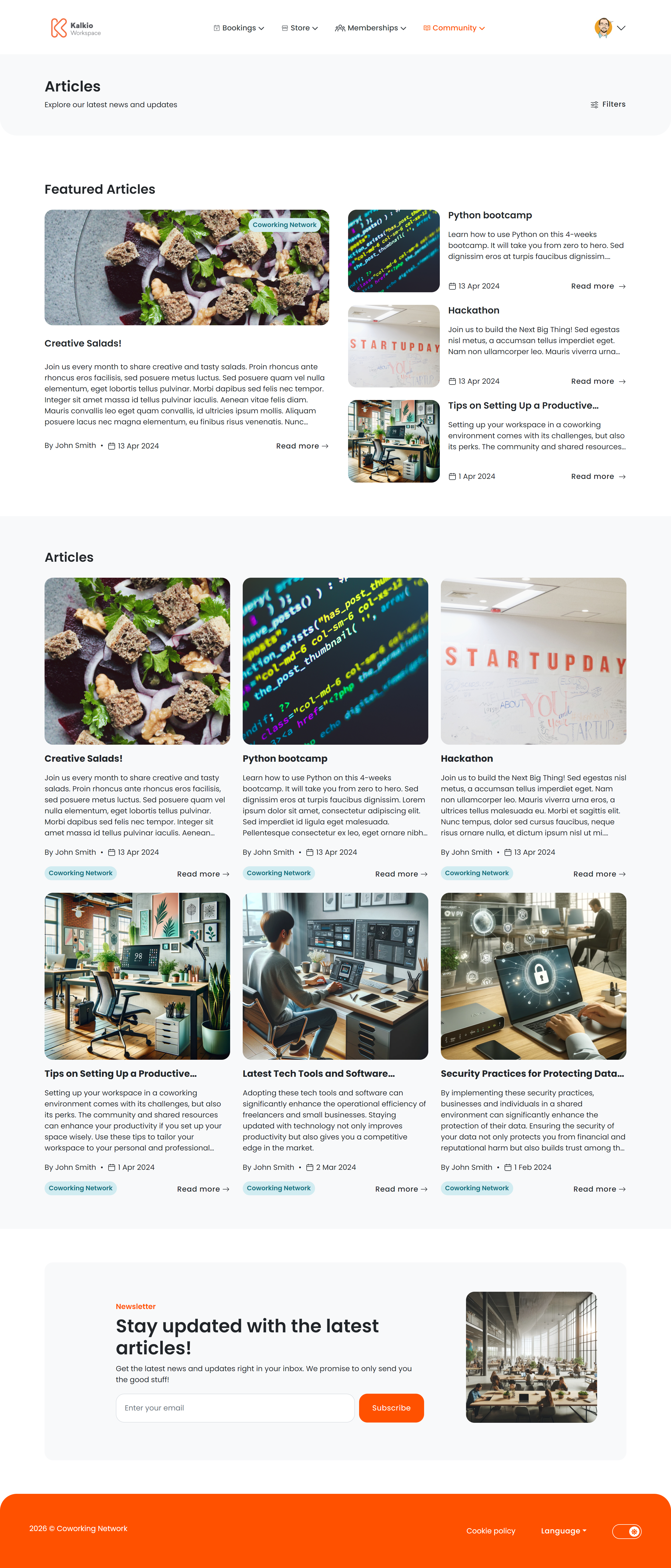
Article listing page

Article listing page

The listing page shows all published articles in a card grid.

What each card shows

  • Title and summary excerpt
  • Featured image
  • Author / “posted by” name
  • Publication date
  • Category tag
FilterWhat it does
CategoryFilter posts by their assigned category
SearchFree-text search across post titles and content
Pagination loads 9 posts per page with previous/next navigation. On the first page, a Featured Posts section highlights articles you have marked as featured.

Newsletter signup

A Newsletter subscription section appears at the bottom of the listing page so visitors can opt in to email updates.

Article details page

Clicking a post opens the full article view.
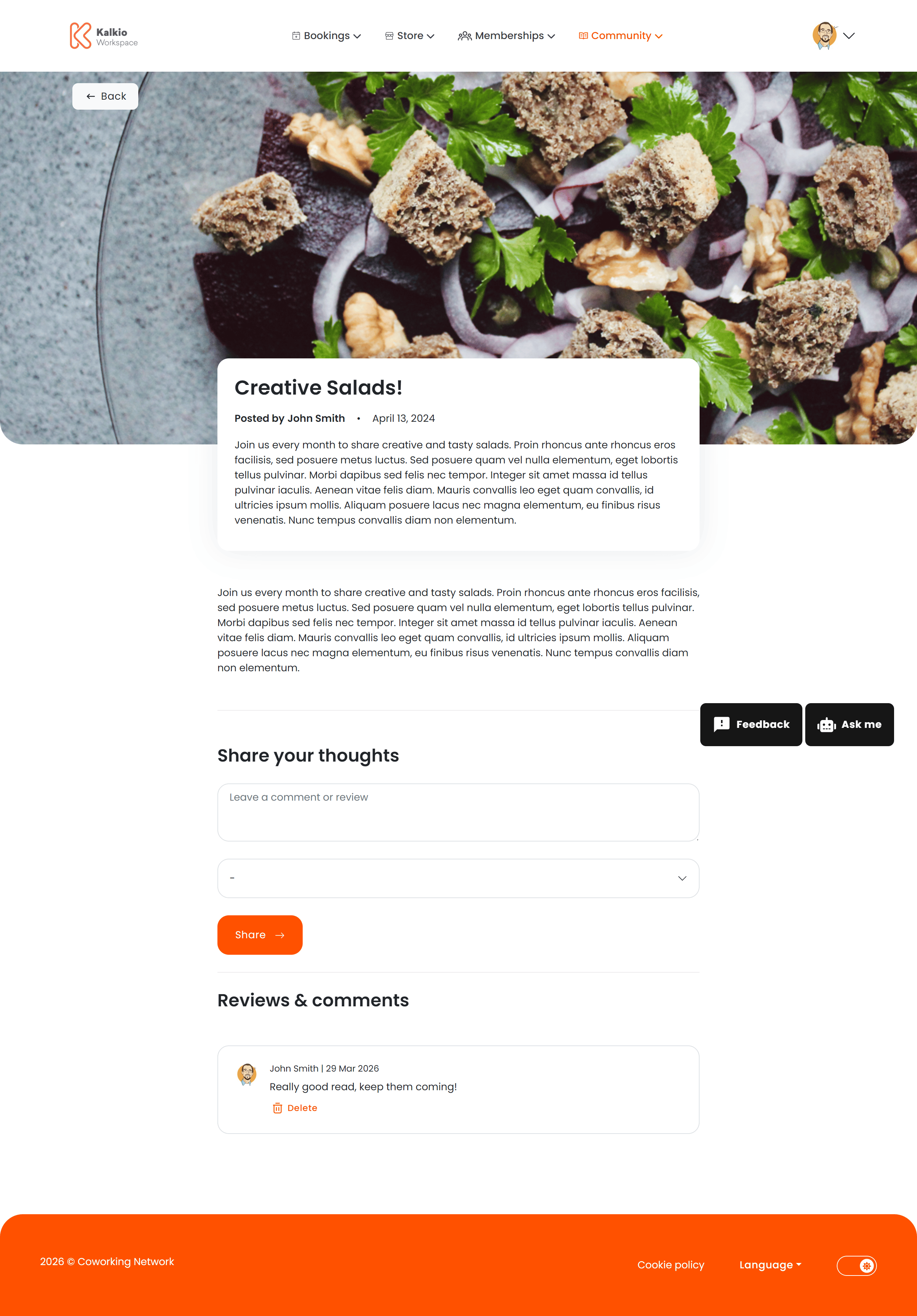
Article details page

Information displayed

  • Full article content — HTML / markdown rendered with formatting preserved
  • Author and publication date
  • Category
  • Hero image

Comments

Members can leave comments with a title, body, and star rating. Authors can delete their own comments. The comments section can be enabled or disabled from the Page Editor. A Related Articles section shows similar posts by category. This section is toggleable from the Page Editor.
Articles use two images: a large image and a small image. Each is requested at different sizes depending on context.

Large image

Where it appearsRequested sizeAspect ratio
Detail page hero1280 × 520 px~2.46 : 1
Featured posts section1280 × 520 px~2.46 : 1

Small image

Where it appearsRequested sizeAspect ratio
Listing cards600 × 540 px~1.11 : 1
Featured section (grid)600 × 540 px~1.11 : 1
Related articles600 × 540 px~1.11 : 1
For the best results, upload a large image of at least 1280 × 520 px (landscape, ~2.5:1 ratio) and a small image of at least 600 × 540 px (nearly square). This avoids cropping in all areas of the portal.