

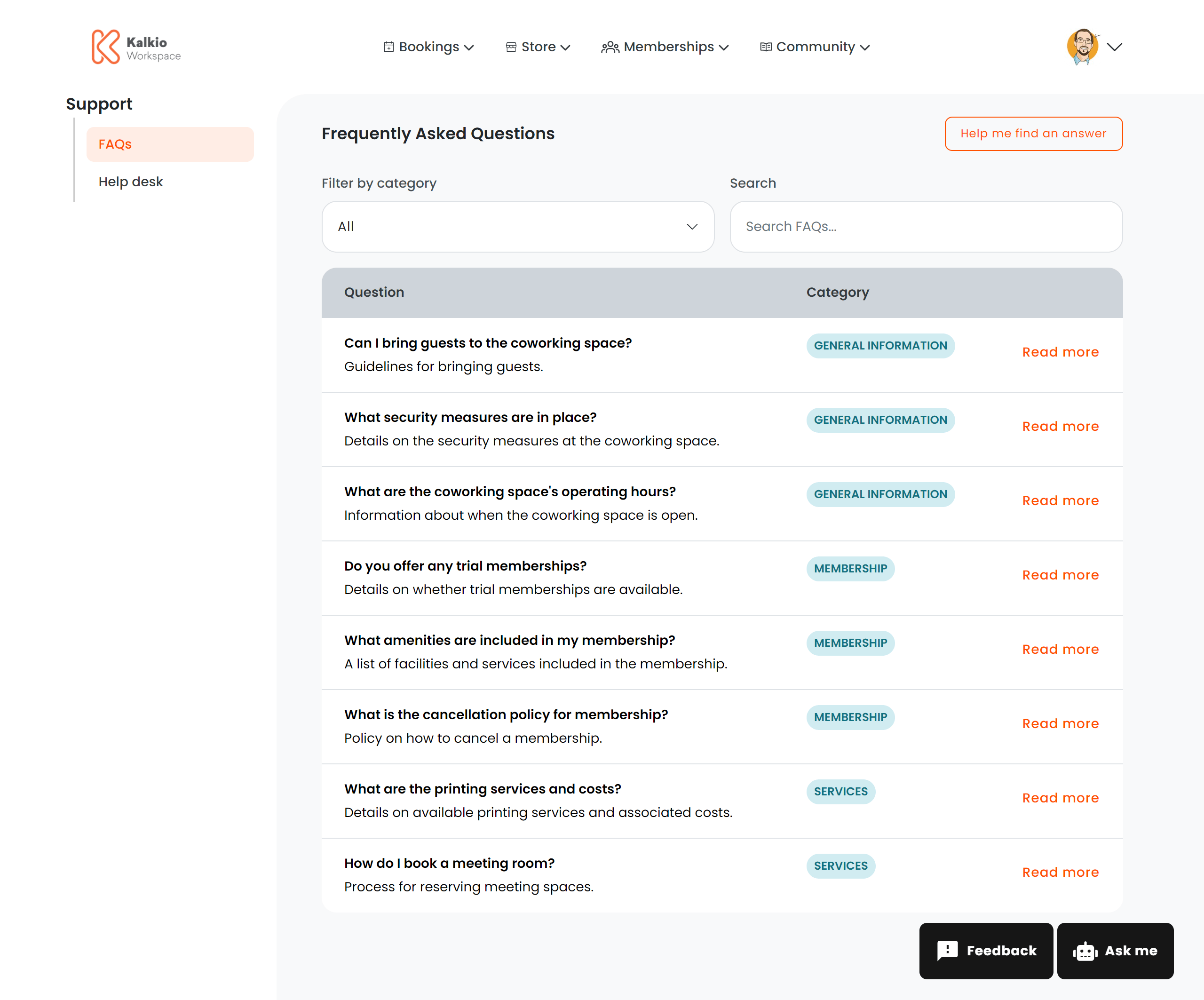
What members see
A table of FAQ articles with the following columns:Full article view
Clicking “Read more” opens a modal with the complete answer rendered from HTML, displayed at a comfortable reading size.Supported HTML formatting in FAQ articles
FAQ articles support rich HTML formatting. When creating or editing an FAQ article, you can use the following HTML elements and attributes:Allowed HTML tags
Basic text formatting:<p>, <br>, <strong>, <b>, <em>, <i>, <u>, <s>, <code>, <pre>, <h1> – <h6>, <blockquote>, <ul>, <ol>, <li>, <dl>, <dt>, <dd>, <table>, <thead>, <tbody>, <tfoot>, <tr>, <th>, <td>, <hr>, <div>, <span>
Rich media: <a>, <img>, <video>, <iframe>
Allowed attributes
Links (<a>): href, title, target, rel
Images (<img>): src, alt, title, width, height, style
Videos (<video>): Standard HTML5 video attributes
Embedded content (<iframe>): src, width, height, allow, frameborder, allowfullscreen, style (YouTube videos are supported)
Filtering & search
Key features
- Direct linking — append
?faq_id=123to the URL to open a specific article automatically. - AI integration — can trigger an AI chat assistant for answers not covered in the FAQ.
- Empty state — shows a “No results” message when no articles match the current filters.