

Personal Dashboard
Overview
The Personal Dashboard is the first thing your members see when they log into their portal. It acts as a personalized home page that helps members stay organized and engaged with your coworking space. The dashboard automatically shows relevant information based on each member’s activity and your space’s services.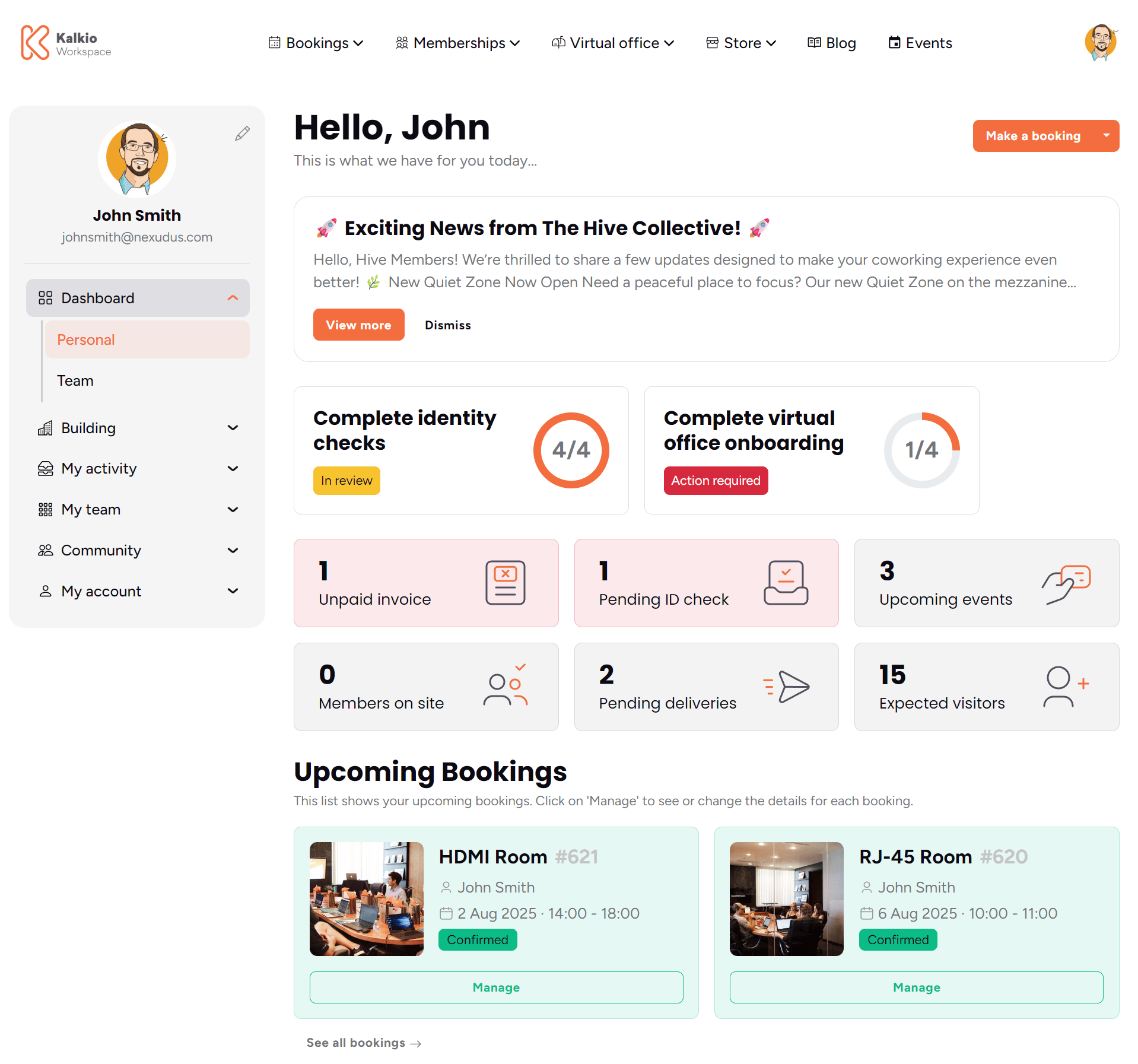
Page Components
Personal Header Section
The header welcomes members by name and provides quick access to make bookings without navigating through multiple pages.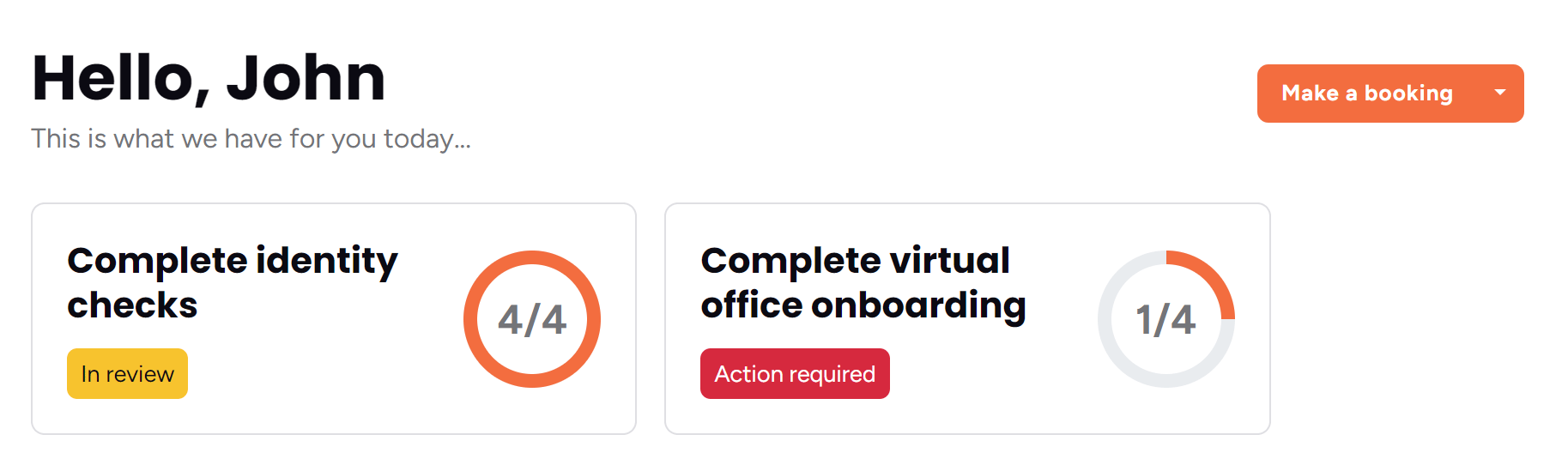
- Personal welcome message with their name
- One-click access to book desks, meeting rooms, and other spaces
- Quick visitor registration for guests
- Easy access that works on phones, tablets, and computers
- Smart menu that only shows services they have access to
Announcements Banner
Keep your community informed with important announcements that appear prominently on the dashboard.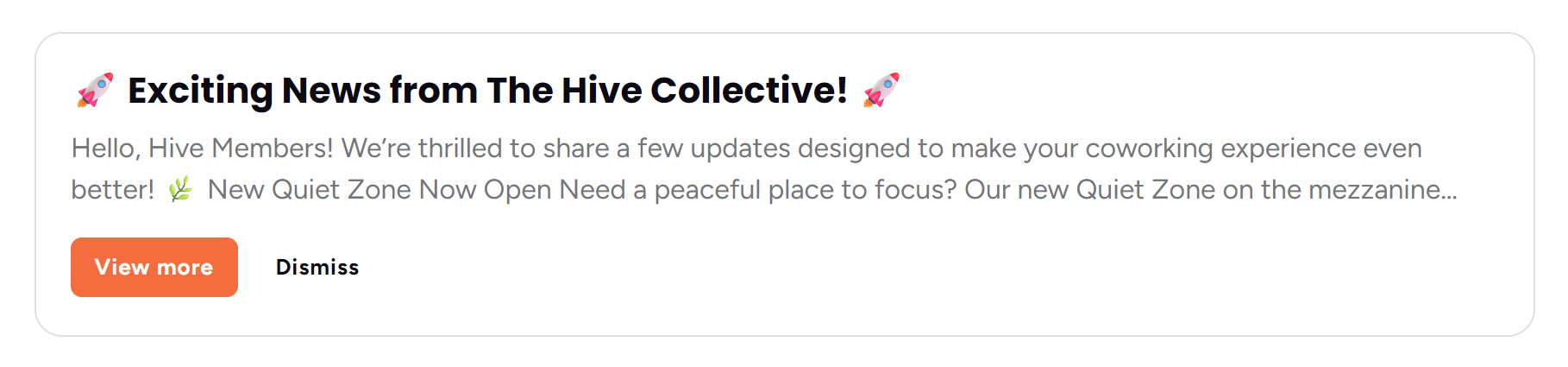
- Share important updates, events, or policy changes
- Track which members have seen your announcements
- Set announcements to automatically disappear after a certain time
- Get detailed views when members click for more information
Statistics Section
Quick-access tiles that help members stay on top of their account and show real-time information about your space.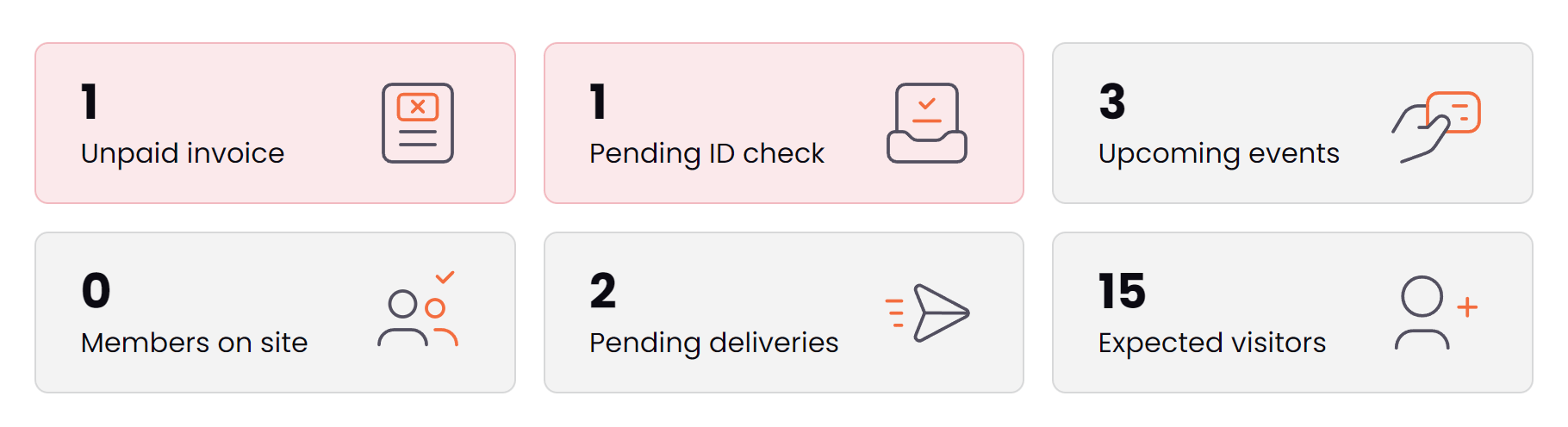
- Unpaid Invoices: Shows outstanding bills with direct link to pay online
- Pending Identity Checks: Reminds members to complete required verification
- Upcoming Events: Shows events they’ve registered for (when you offer events)
- Members On-Site: Real-time count of who’s currently in your space (builds community awareness)
- Pending Deliveries: Shows packages waiting for pickup
- Expected Visitors: Upcoming guests they’ve registered
- Visual and clear: Each tile uses icons and colors to quickly communicate status
- Action-oriented: Members can click to immediately address any items
- Smart filtering: Only shows tiles relevant to your space’s services
- Real-time updates: Information stays current throughout the day
- Builds community: Seeing other members on-site creates a sense of activity and connection
Onboarding Tasks Section
Help new members get fully set up with clear, step-by-step guidance for any remaining requirements.
- Identity verification: Guide members through required ID and document uploads
- Virtual office setup: Special assistance for virtual office customers
- Document submission: Help complete any missing paperwork
- Profile completion: Ensure all required information is filled out
- Improved compliance: Ensures all members complete required verification
- Better member experience: Clear guidance reduces confusion and support requests
- Progress tracking: Members can see exactly what’s left to complete
- Organized presentation: Tasks are grouped logically and prioritized
- Reduced administrative burden: Members can self-serve most onboarding requirements
Upcoming Bookings Section
Shows the next 4 upcoming bookings so members can quickly see and manage their reserved spaces.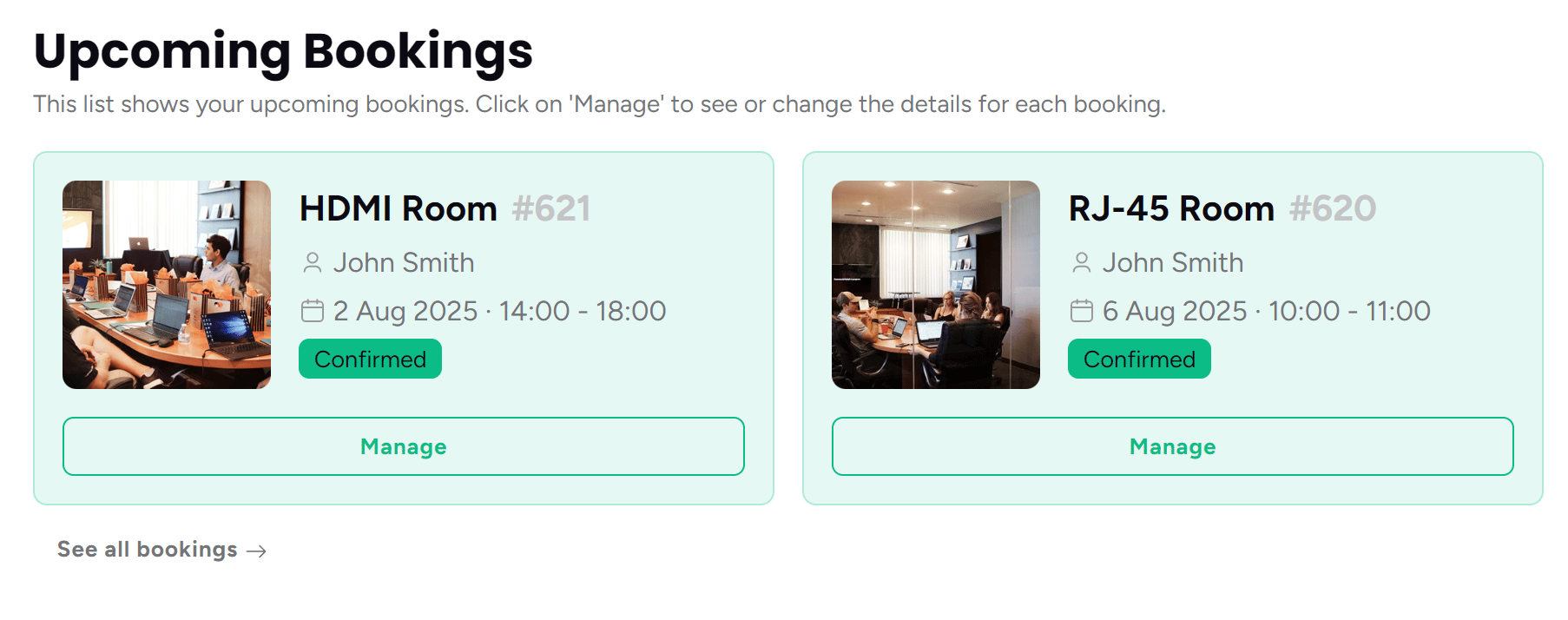
- Visual space identification: Photos of the actual rooms or desks they’ve booked
- Complete booking details: Date, time, space name, and booking reference
- Booking status: Clear indicators if payment is pending or booking is confirmed
- Quick management: Direct links to modify, cancel, or view booking details
- Reduces no-shows: Members can easily see and remember their bookings
- Decreases support requests: All booking information is readily available
- Encourages usage: Visual reminders help members make the most of their reservations
- Professional presentation: High-quality space photos showcase your facilities
Upcoming Events Section
Showcase your next 2 upcoming events to keep members engaged with your community programming.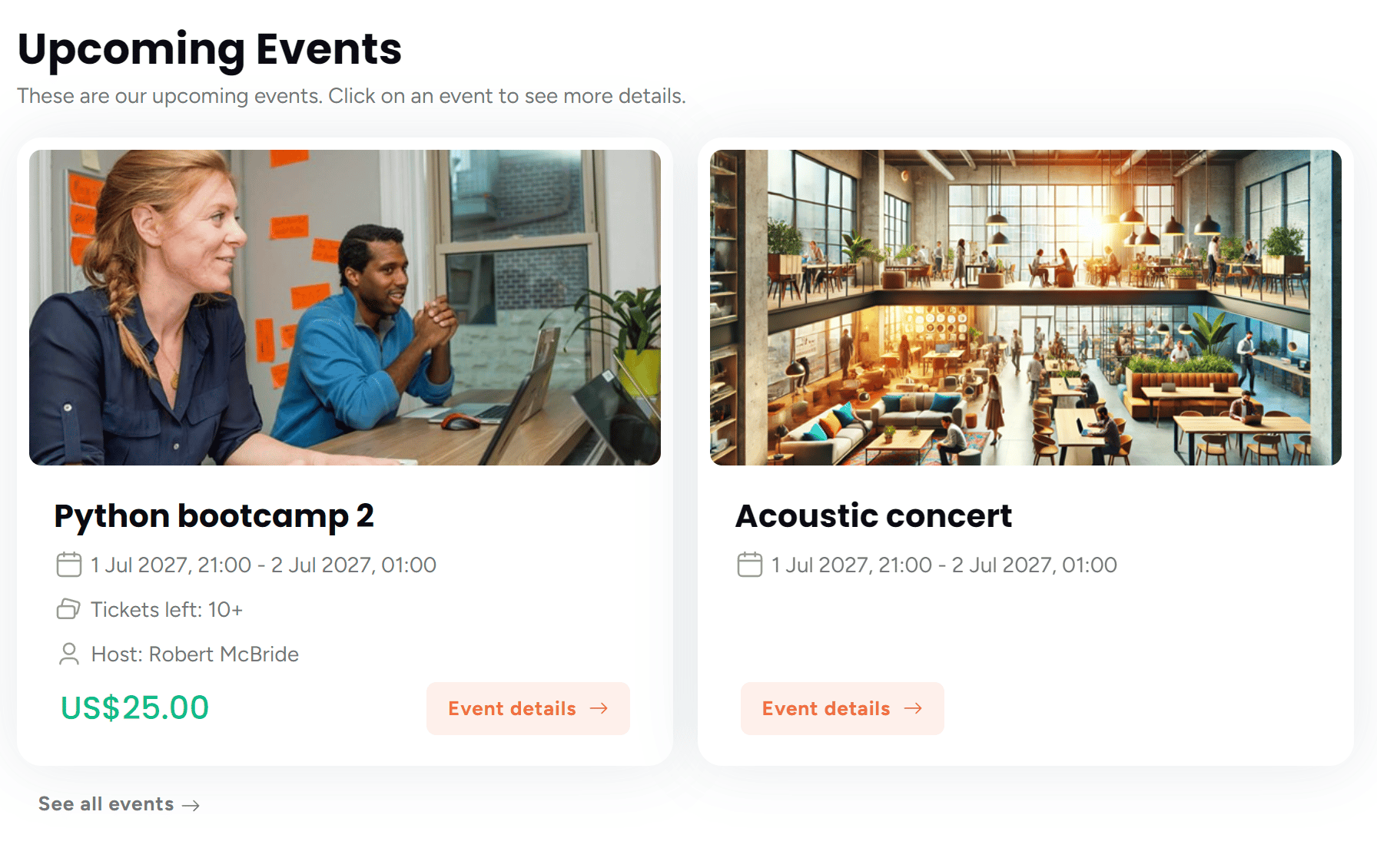
- Attractive event photos: Eye-catching images that promote your events
- Complete event details: Date, time, description, and host information
- Ticket availability: Shows how many spots are left (creates urgency)
- Pricing information: Clear pricing starting from the lowest-cost option
- Easy registration: Direct links to event details and ticket purchase
- Increased event attendance: Prominent placement drives more registrations
- Community building: Regular events help members connect with each other
- Additional revenue: Easy access to paid events and workshops
- Professional presentation: High-quality event promotion builds excitement
Customizing Your Dashboard
You can control which sections appear on your members’ dashboards through your Nexudus admin settings. This lets you tailor the experience to match the services your coworking space offers.Events Section
Where to configure: Features → Website → FeaturesSetting: “Enable the events and tickets section.”
- When enabled: Members see upcoming events and can purchase tickets
- When disabled: Events section is completely hidden
- Best for: Spaces that regularly host workshops, networking events, or community programming
Bookings Section
Where to configure: Features → Website → FeaturesSetting: “Enable the bookings section.”
- When enabled: Members can view and manage their space reservations
- When disabled: Bookings section is completely hidden
- Best for: Spaces offering meeting rooms, hot desks, or other bookable resources
Member Check-in Counter
Where to configure: Features → Website → Home pageSetting: “Show a list of currently checked in customers.”
- When enabled: Shows real-time count of members currently in your space
- When disabled: Member count tile is hidden
- Benefits: Creates a sense of community activity and helps members know when the space is busy or quiet
Best Practices for Your Space
Photo Quality Matters
The dashboard uses high-quality images to showcase your spaces and events:- Space photos: Use clear, well-lit 300x300px photos of your meeting rooms and work areas
- Event photos: Create engaging 600x300px promotional images for your events
- Member photos: Encourage members to upload 400x400px profile pictures to build community
Keep Information Fresh
The dashboard automatically updates when members return to the page, ensuring they always see current information about:- Who’s currently in your space
- New announcements you’ve posted
- Updated booking statuses
- New events and ticket availability
How This Connects to Other Portal Sections
The Personal Dashboard serves as a central hub that connects members to other important areas of their account:- Team Dashboard - For businesses managing multiple team members
- Personal Information - Profile management and account settings
- My Bookings - Complete booking history and upcoming reservations
- My Events - Event participation and ticket management
- Visitor Management - Register and manage guest access
- Delivery Tracking - Package and mail management
- Identity Checks - Verification and compliance processes