What the AI shows
Day pass products
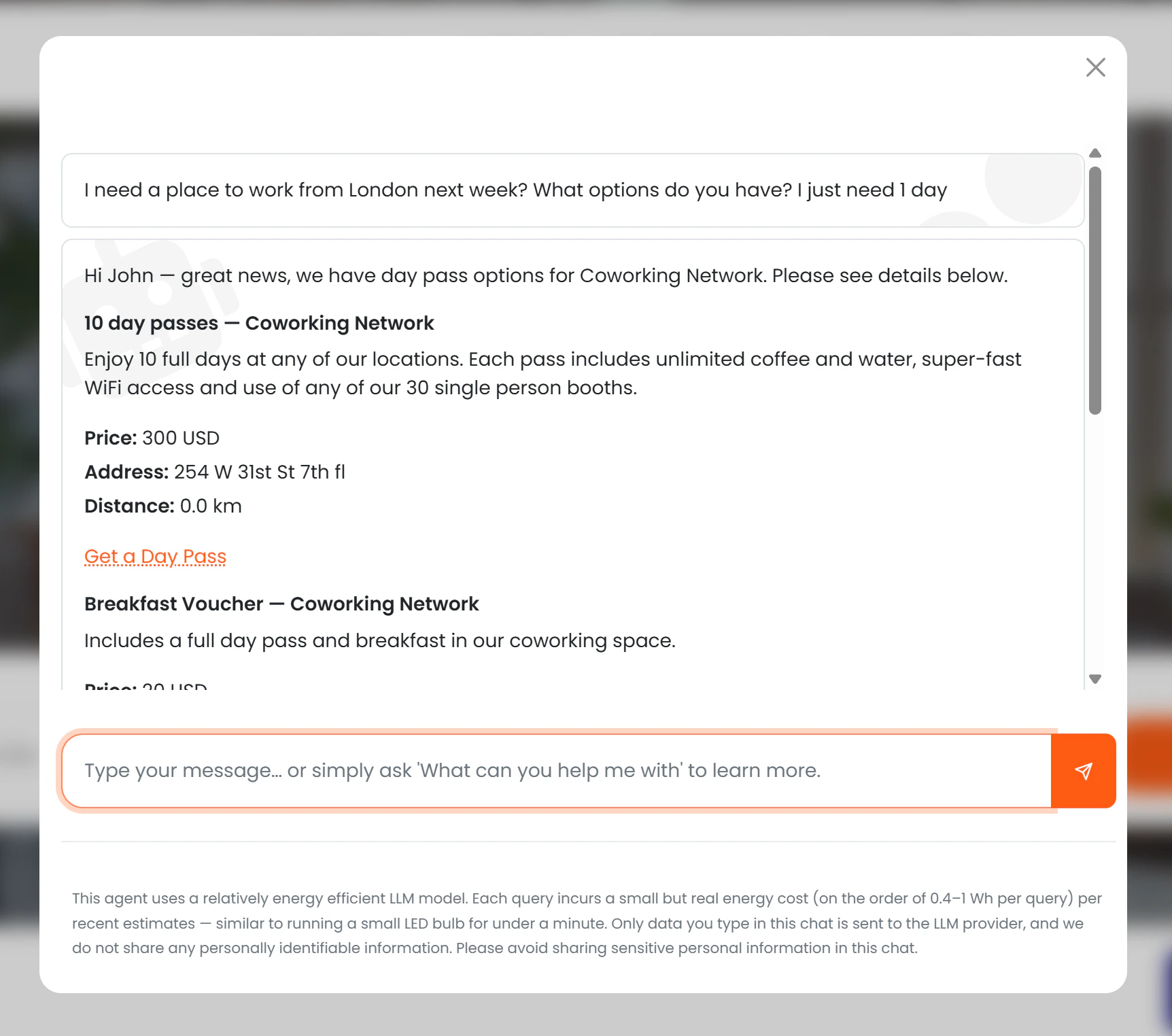
For each eligible day pass product, the AI presents:- Name and description
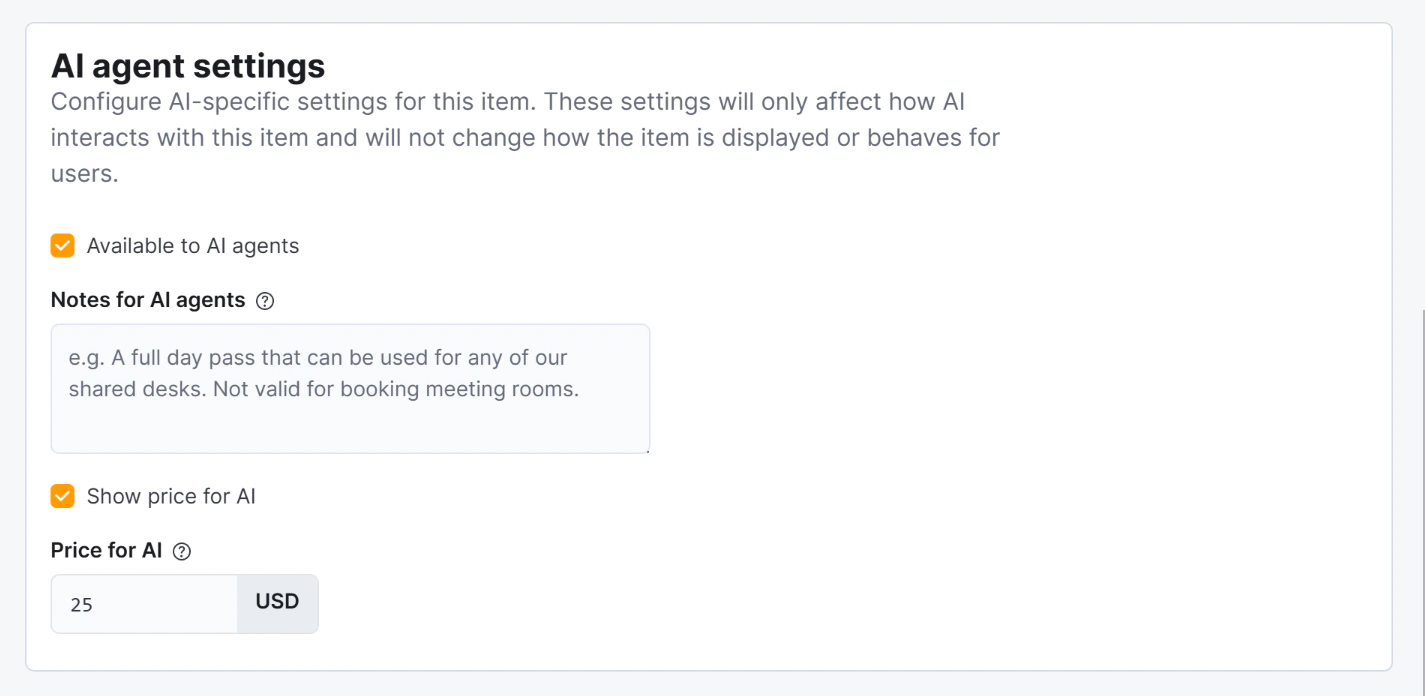
- Price (if Show price to AI is enabled)
- Location name and address
- Distance from the user (if location permission granted)
- A “Get a day pass” button linking directly to the purchase page
Bookable resources
In addition to day pass products, the AI also shows bookable resources of the following types:- Day Pass — bookable day pass desks or areas
- Day Office — private offices available for day use
- Hot Desk — flexible hot-desking spots
- Name and type
- Capacity (number of people)
- Location name and address
- Distance from the user (if location permission granted)
- Features (e.g. monitor, standing desk, quiet zone)
Visibility rules
Notes for AI are used by the AI to enrich its description of the pass — they are not shown word-for-word but are incorporated naturally into the response.
Archived passes are never shown regardless of other settings.
Conversion tracking
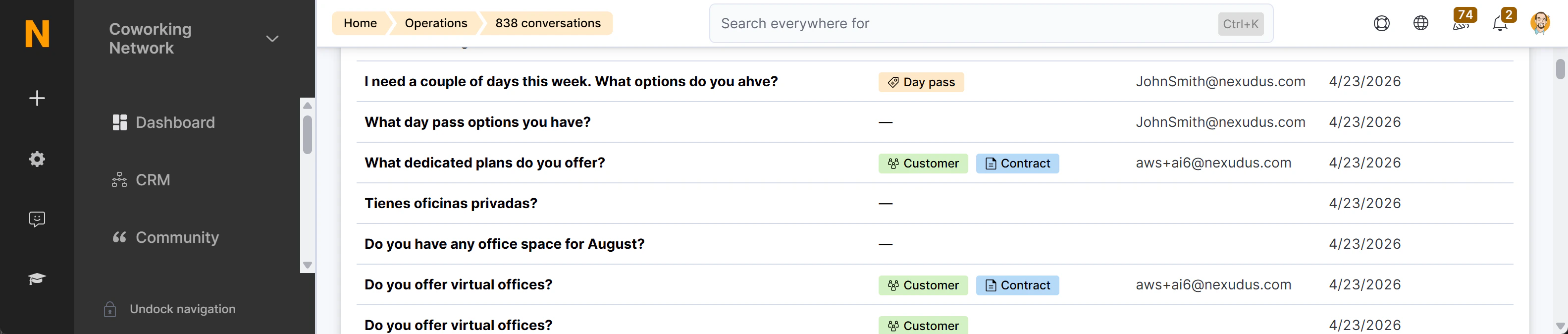
The purchase link generated by the AI contains the session ID of the current conversation. When the member or visitor completes the purchase, Nexudus records the link between the day pass sale and the chat session. This conversion appears as a “Day pass purchased” badge (peach colour) in the AI Conversations list, with a direct link to the CoworkerProduct record.