

Overview
Doordeck is mobile, cloud-based door access. The integration gives customers access to Doordeck doors based on what they have in Nexudus — their passes, resource bookings, and assigned desks and offices. The integration costs £50 a month per location (shown in your currency). You need a Doordeck account with your doors installed — contact Doordeck to set one up — and your passes, resources, desks and offices set up in Nexudus.Setting up Doordeck
1
Create a Doordeck app
Follow Doordeck’s guide to authenticating your users to create an app. Use your default members portal URL as the Auth Domain — it’s case-sensitive. Generate a JSON web key with RSA as the Key Type and RS256 as the Algorithm, including both the private and public key pairs, and copy it.
2
Connect
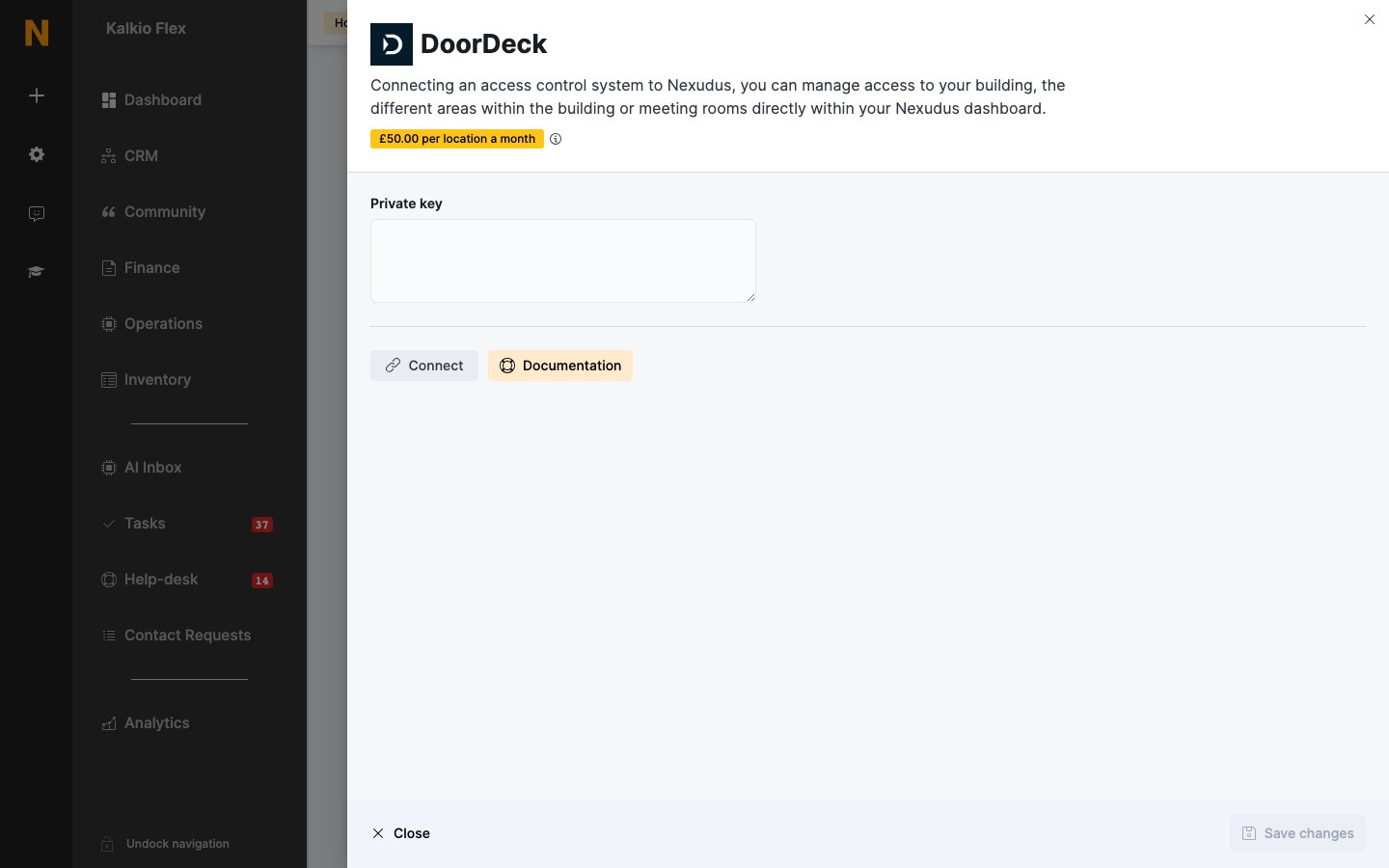
Go to Settings → Integrations → DoorDeck, turn on Enable DoorDeck integration, paste the key into Private key, and select Connect.
3
Share your doors
Copy the user ID shown under Share your DoorDeck locks with the user ID below. In the Doordeck web app, select Share, choose every door Nexudus should control, add the user ID, and make it an administrator of those doors.
4
Link doors to your inventory
Back in Nexudus, choose the Doordeck doors for each of your Resources, Passes and Desks / Offices, then save.
How access works
Customers open doors with the Doordeck app, or by scanning an automation tile set to Unlock DoorDeck door.
Link every door a customer needs to get to the space — the building entrance as well as the room. Test with a test customer before going live.
Related
- Access control — how access control works in Nexudus