

Overview
Perks are discounts, freebies, or other benefits your location offers in partnership with other businesses — a gym next door, a local café, a barber. Each perk is published to your members portal and app, where customers can read about it and claim it with a single button. The claim button sends them to a URL you set, so the actual redemption happens with the partner directly.How to access
Navigate to Community → Perks in the dashboard. Perks are listed by title and summary, with a claims count showing how many times customers have used the claim button. You can group perks under a heading (for example “Food & Drink”) and drag them to reorder how they appear.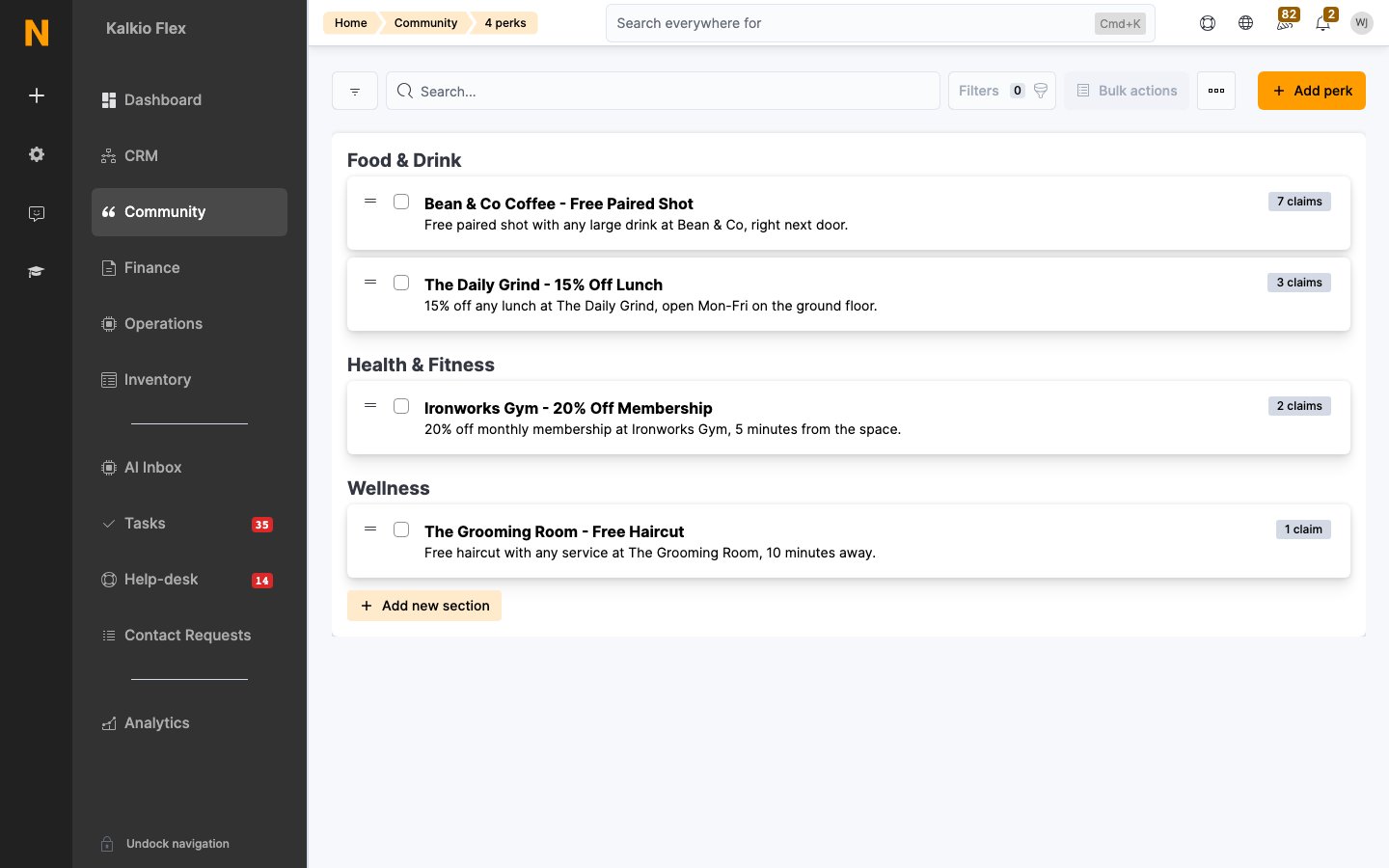
Creating a perk
1
Open Perks
Go to Community → Perks and click Add perk.
2
Choose the location
Pick the Location the perk is published in. Choosing a network location makes it available at every location in that network.
3
Describe the benefit
Add a Title, a short Summary text (shown in the listing), and Full text with the details and terms.
4
Set the claim action
Enter a Claim URL. Customers see a claim button; clicking it takes them to this URL — typically the partner’s booking page or offer page.
5
Add images
Upload a large image for the perk’s detail page (1145px wide or larger) and a small square image for the listing (200×200px or larger).
6
Publish and target
Tick This perk is published to make it live, optionally feature it on the home page after users log in, and set who it’s available to (all customers, contacts, or specific members/plans).
Managing perks
- Reorder and group. Drag perks into the order you want them shown, and give them a group heading so related offers sit together.
- Track claims. The claims count tells you which perks are actually being used — a good signal for what to keep, rotate, or drop.
- Retire perks whose partnerships have ended by unpublishing them rather than leaving stale offers live.
Related
- Articles — announcing new partnerships
- Announcements — highlighting a featured perk