

Overview
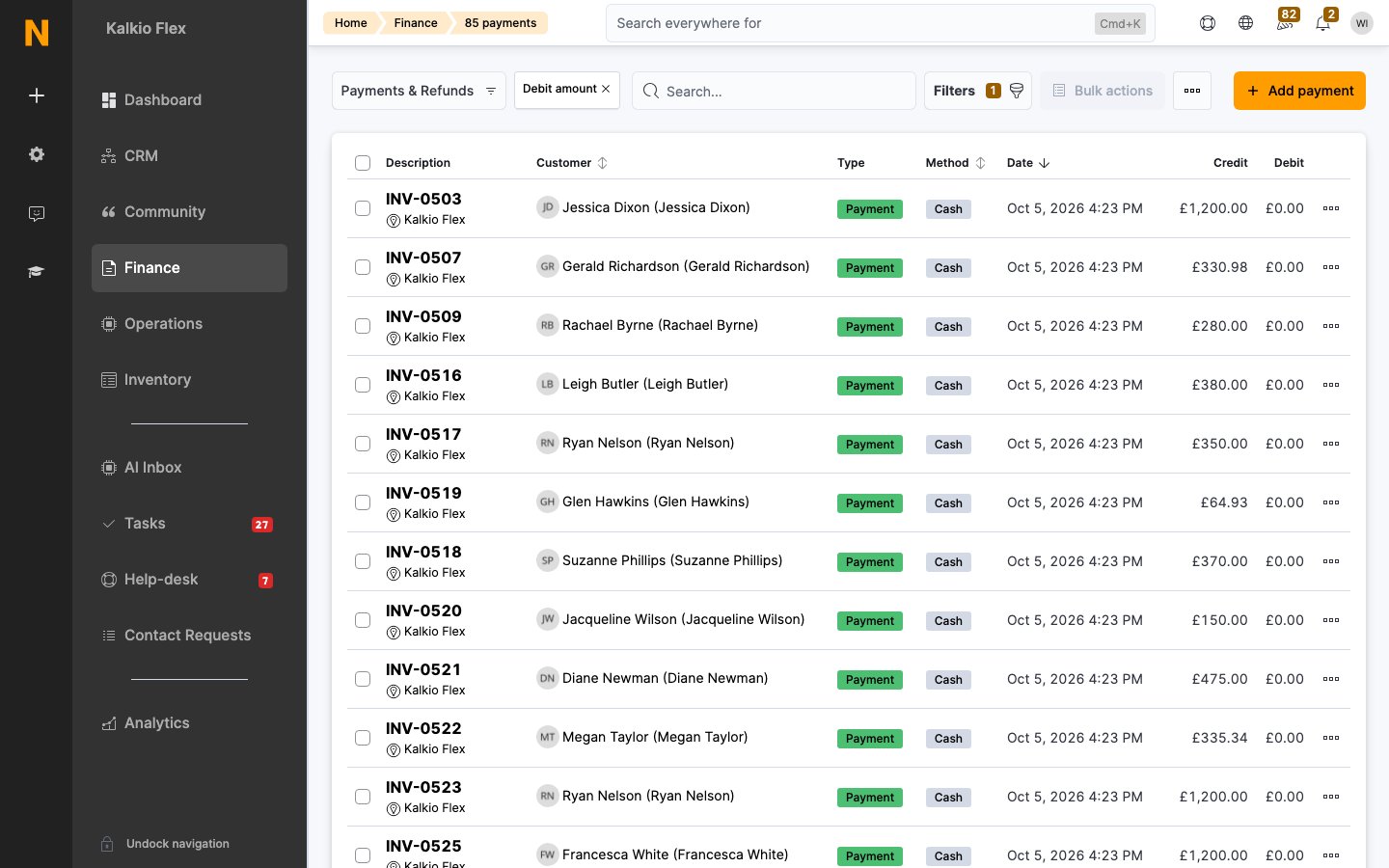
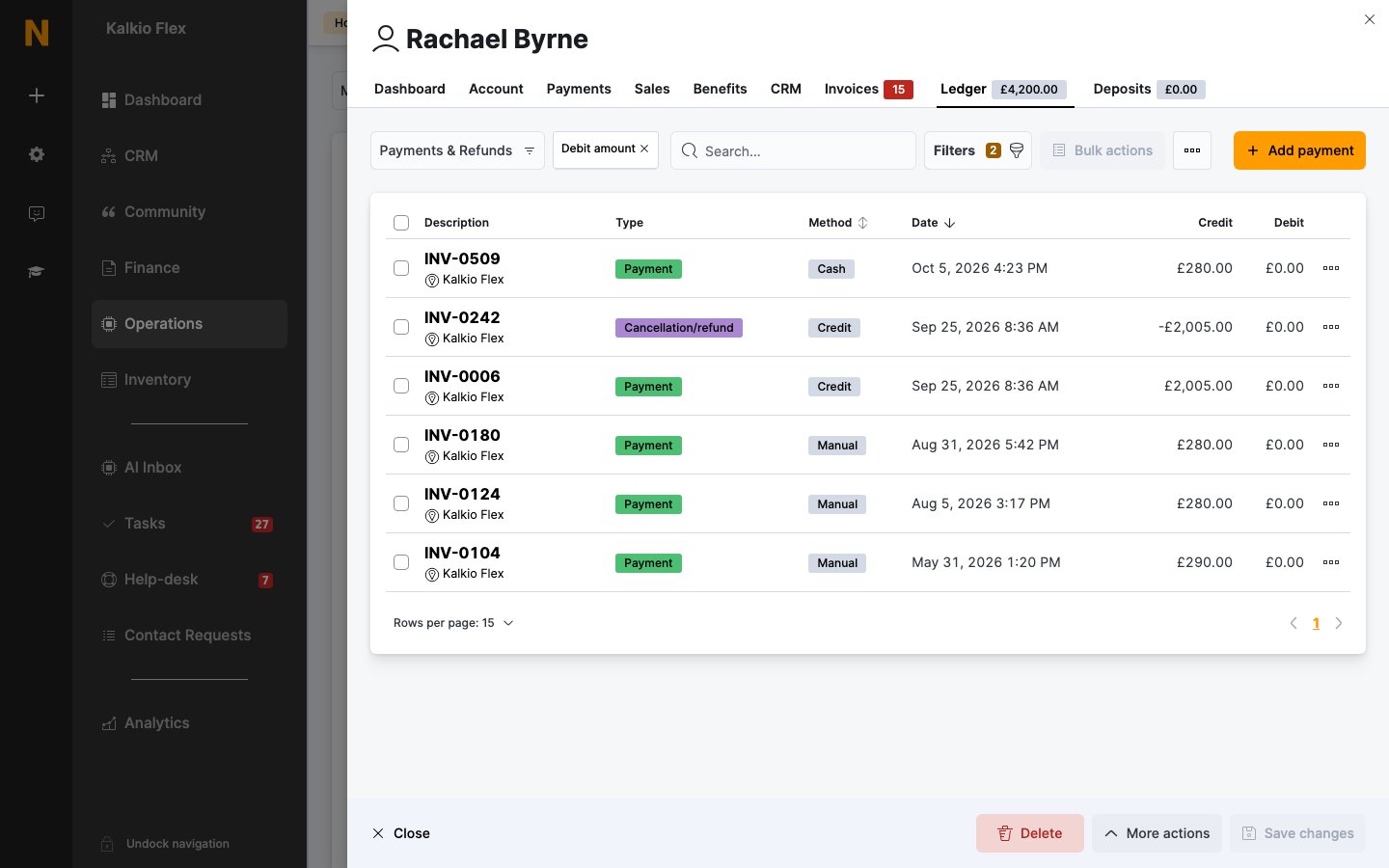
The ledger is the financial history of a customer’s account. Every invoice, credit note, payment and refund is recorded as a ledger entry, and together they give the customer’s balance: how much they owe you, or how much credit they have.- Invoices are debits: they add to what the customer owes.
- Payments and credit notes are credits: they reduce what the customer owes.
- Refunds reverse a payment.
How to access
- All customers: go to Finance → Ledgers.
- One customer: open the customer and go to their Ledger tab. The tab shows the customer’s current balance.
- One invoice: open the invoice and look at its Payments section.
Record a payment
Record payments taken outside Nexudus, such as bank transfers, cash or checks, so the customer’s balance and invoices are correct.1
Open the form
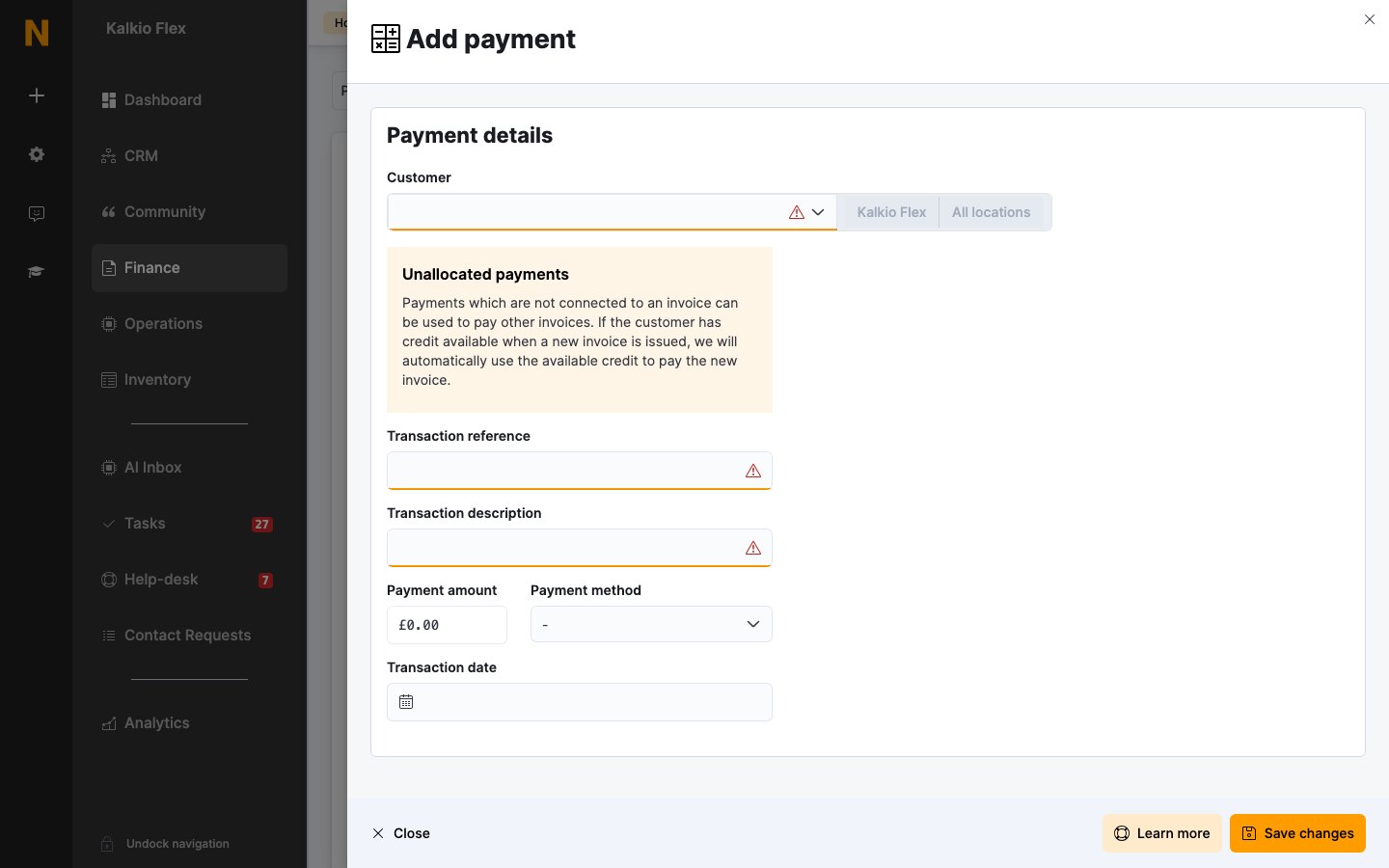
In Finance → Ledgers, select Add payment. Or open the customer’s Ledger tab, or the invoice, and select Add payment.
2
Choose the customer and invoice
Select the Customer, then the Invoice the payment is for.
3
Enter the payment
Enter a Transaction reference and Transaction description, the Payment amount, the Payment method and the Transaction date.
4
Save
Save the payment. The invoice is marked as paid once its payments cover its total.
Unallocated payments
If you don’t choose an invoice, the payment is unallocated. It becomes credit on the customer’s account, which is used automatically to pay their next invoices. You can’t add payments to voided invoices, or payments dated in a locked period. Some locations don’t allow cash payments.Edit a payment
Open the payment from the ledger. You can change its Transaction reference, Transaction description and Transaction date. The customer, invoice, amount and payment method can’t be changed once the payment is saved: delete it and record it again instead.Delete entries
Tick the entries in the ledger and delete them from Bulk actions. Deleting can’t be undone, so consider exporting first.- Payments: the invoice is recalculated, so it goes back to unpaid if the remaining payments don’t cover it.
- Credit used to pay an invoice: the invoice goes back to unpaid, and the credit is returned to the credit note it came from.
- Invoices can’t be deleted from the ledger. To correct an invoice, cancel, credit or refund it. See Credits, refunds and cancellations.
- Entries dated in a locked period can’t be deleted or changed.
Export the ledger
To export the ledger for all customers, go to Finance → Ledgers. For one customer, use their Ledger tab. Tick the entries and export them from Bulk actions. The export includes customer names and IDs, transaction amounts, dates, references and IDs, payment gateway codes, the email address of the admin who recorded each payment, invoice references and ledger balances.Related
- Invoices: the invoices behind each debit
- Credits, refunds and cancellations: how credit notes and refunds are recorded
- Payment gateways: payments taken automatically
- Financial accounts: how charges and payments are categorised