

Overview
Financial accounts group your income into categories, such as membership revenue, meeting room revenue or deposits. Every line on an invoice carries a financial account. Nexudus’s financial reports are based on them, and accounting integrations use them to post invoices to the right accounts. You create your accounts once, then assign them to everything you sell in the chart of accounts.How to access
Go to Settings → Billing and payments → Invoices and tax and open the Accounts tab.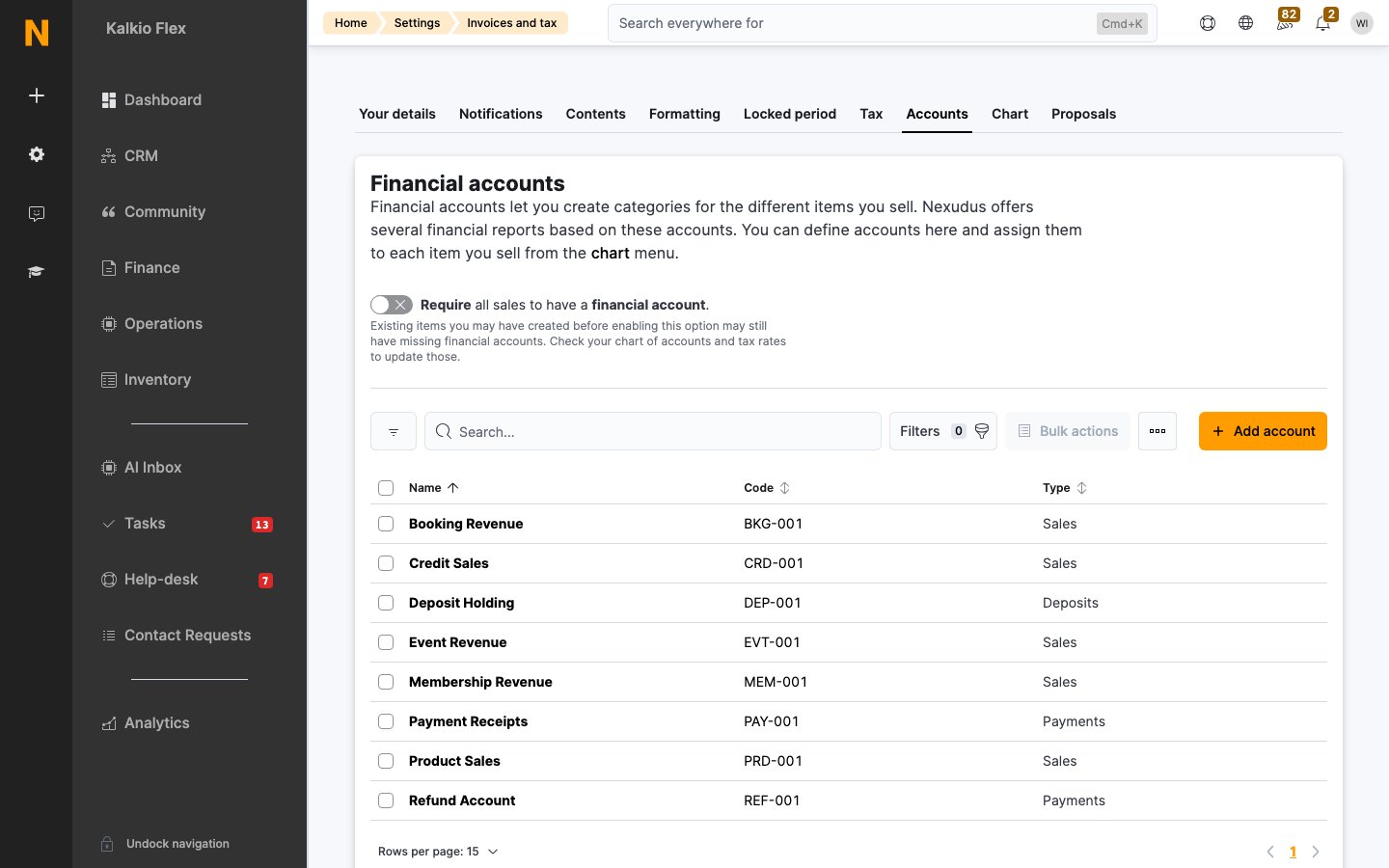
Add a financial account
- On the Accounts tab, select Add account.
- Enter a Name, a unique Code and, optionally, a Description.
- Choose the Account type:
- Sales: income from anything you sell.
- Payments: money received through Nexudus or a payment provider.
- Deposits: deposits you hold.
- Save.
Require an account on every sale
Turn on Require all sales to have a financial account to stop anything being sold without one. Items created before you turn this on may still be missing an account, so check the chart of accounts.Edit or delete accounts
Editing an account applies to every item that uses it, but not to invoices already issued. You can’t delete an account while items still use it. Assign those items to another account in the chart of accounts first.Accounting integrations
To send your invoices to an accounting system, connect it from Settings → Integrations. Set up your financial accounts and tax rates to match the accounting system first. Each integration has its own guide:- Xero
- QuickBooks Online
- Moloni
- E-invoicing, including VERIFACTU in Spain
Related
- Chart of accounts: assign accounts to everything you sell
- Tax rates: the tax on each invoice line
- Ledger: your record of charges and payments
- Deposits: money held against a deposits account