

Overview
Nexudus includes two distinct AI-powered features that work together to improve both your members’ experience and your operational efficiency:- Conversational AI — A customer-facing AI assistant available in the Members Portal that answers questions about plans, bookings, events, and your space.
- Proactive AI Agents — An operator-facing intelligence layer in the Dashboard that monitors patterns in your space and automatically proposes actions for your review.
What Proactive AI Agents Do
Proactive AI Agents are automated monitoring rules that watch for specific situations in your coworking space — like an overdue invoice, a contract approaching expiry, or a member who hasn’t checked in for two weeks — and then propose the right action at the right time. Each agent works through the same four-step cycle:- Monitor — The agent continuously watches for patterns defined in its criteria (e.g., invoices past due date, contracts within 30 days of expiry).
- Evaluate — When a pattern is detected, the agent calculates a confidence score based on how strongly the situation matches the criteria.
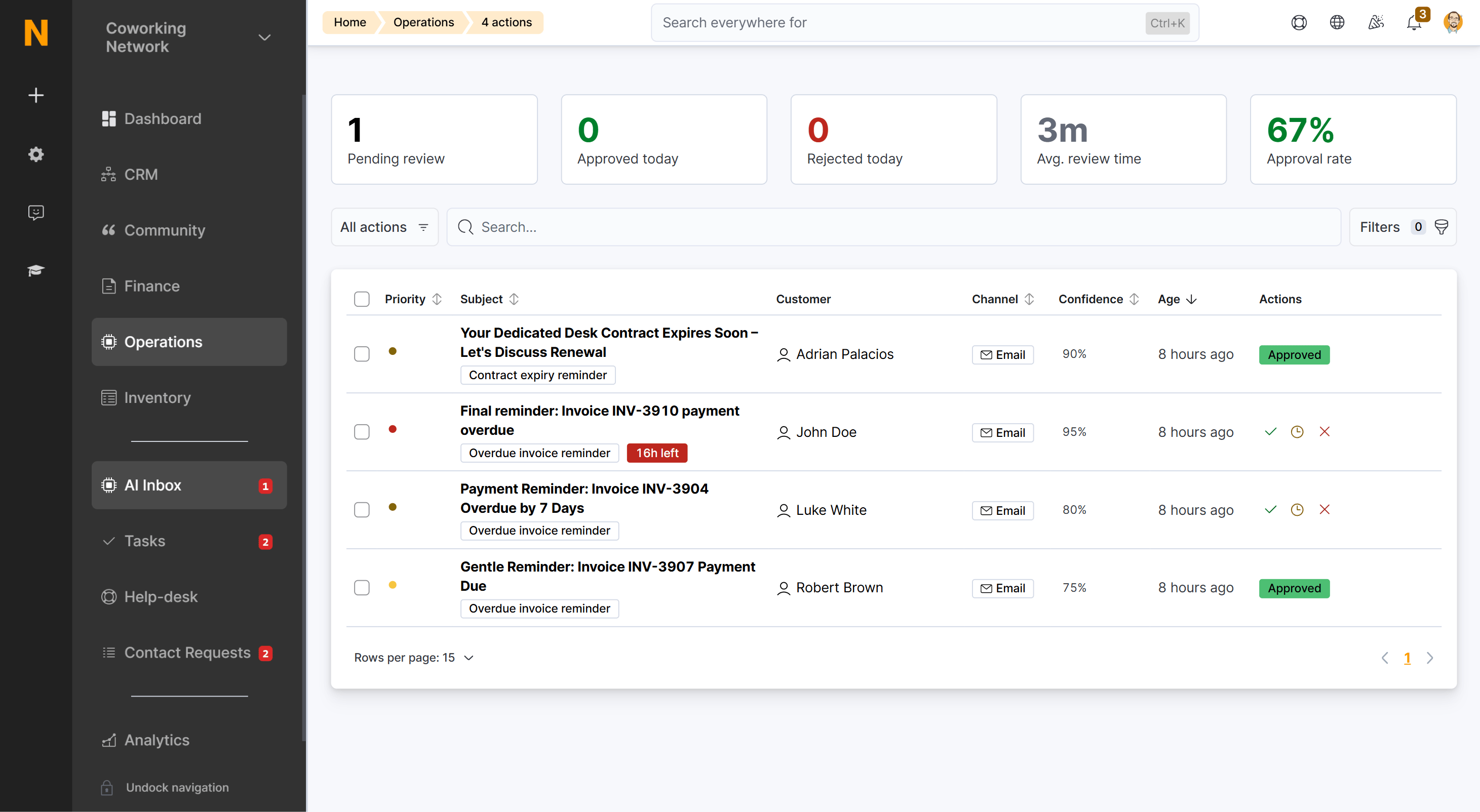
- Propose — A proposed action appears in your AI Inbox with a suggested message or note. You review it and decide whether to approve, edit, or reject.
- Execute — Once approved, the action is sent through the configured channel (email, WhatsApp, voice call, or internal note). If auto-execute is enabled, high-confidence actions are sent automatically. When the action is an email, WhatsApp, or voice message, the customer can reply or respond — starting a two-way conversation that appears in AI Conversations.
Proactive Agents
How proactive agents work and access the configuration interface.
Agent Types
Detailed reference for all available agents and their settings.
Configure Agents
Step-by-step guide to enabling and customizing agents.
AI Inbox
Review and approve proposed actions before sending.
Agent Categories
Agents are organized into categories that reflect the area of your business they monitor:
Some agents are available now; others are marked as coming soon. The full list is on the Proactive Agents page.
How It All Connects
The proactive agents system sits alongside the conversational AI assistant, and the two are connected bidirectionally:- Conversational AI handles real-time customer questions in the Members Portal.
- Proactive Agents use the same conversation data (along with booking, invoice, and contract data) to detect patterns like unanswered questions or dormant leads.
- When a proactive agent identifies an opportunity, it proposes an action through the AI Inbox for your review.
- Once an email, WhatsApp, or voice action is sent, the customer can reply — starting a two-way conversation that appears in AI Conversations.
- Replies from customers are handled by the same conversational AI, and the conversation stays linked to the original proposed action so you can see the full context.
Key Concepts
Proactive Agents
Learn about all available agents and how to access the configuration page.
AI Inbox
Understand how to review, approve, and manage proposed actions.
Configure Agents
Step-by-step guide to enabling agents and customizing their behavior.