

Overview
Once a payment gateway is enabled, every customer has a default payment method that Nexudus uses to collect their invoices. You set a default for new customers at location level, and you can change it for any individual customer. Customers who pay by direct debit also need a mandate, which they set up from a request email or the Members Portal.How to access
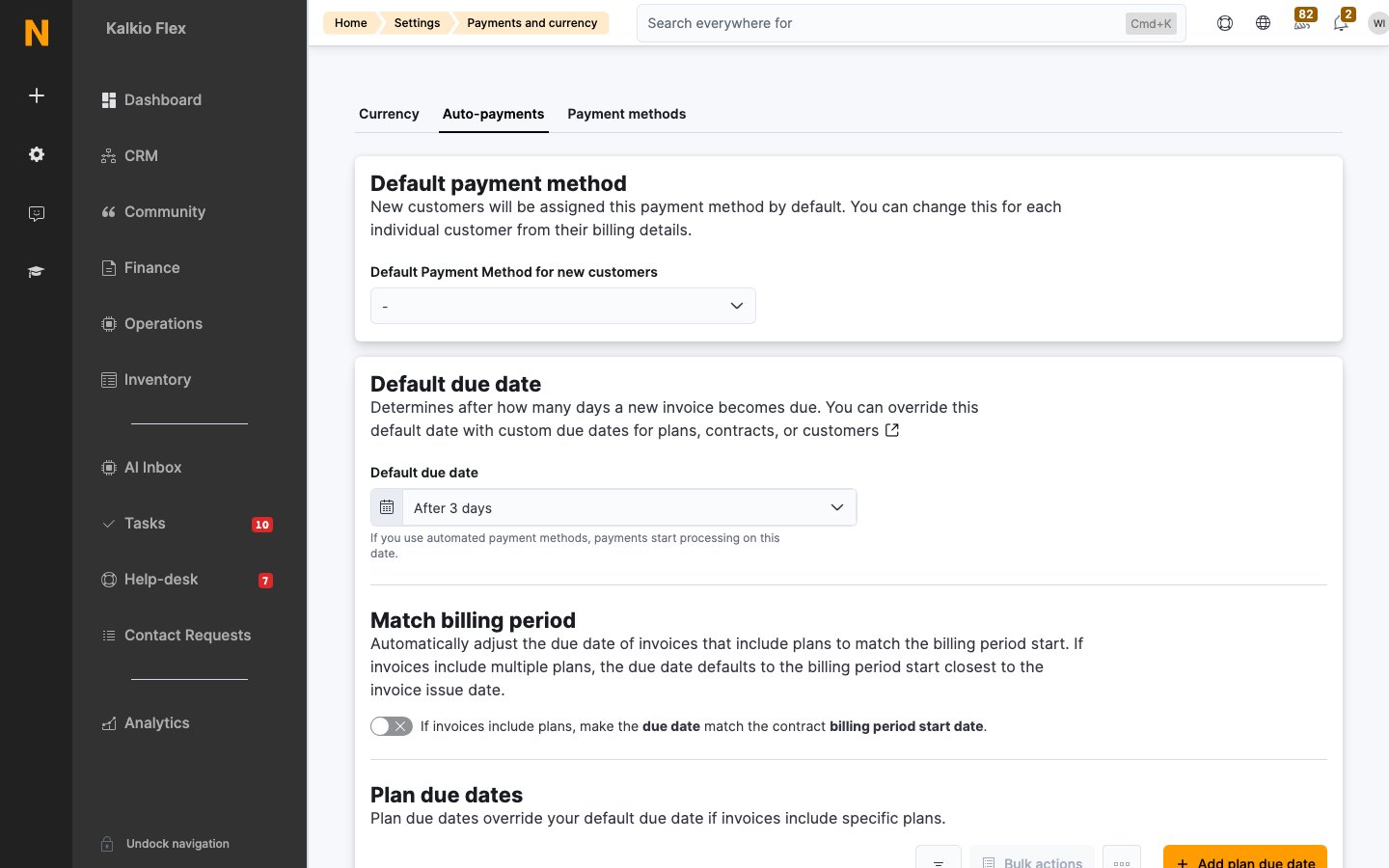
- Default for new customers: Settings → Billing and payments → Payments and currency → Auto-payments, under Default payment method.
- One customer: Operations → Members & contacts, open the customer, then open the Payments tab.
Key concepts
Set the default payment method for new customers
- Go to Settings → Billing and payments → Payments and currency → Auto-payments.
- Under Default payment method, choose a method in Default Payment Method for new customers.
- Select Save changes.
Change a customer’s payment method
- Go to Operations → Members & contacts and open the customer.
- Open the Payments tab.
- Choose the Default payment method.
- Tick or untick Automatically collect payment for due invoices if payment details are available.
- Save the customer.
When GoCardless or Stripe BACS is enabled for a customer, Nexudus uses only that method to collect their payments automatically. To switch the customer to another method, select Disable GoCardless or Disable Stripe BACS first.
Send direct debit requests
After you enable GoCardless or Stripe Direct Debit, ask your customers to set up a mandate.- Go to Operations → Members & contacts.
- Tick every customer who should receive the request.
- From the bulk actions menu, select Send Direct Debit request email and confirm.
Add a location-specific payment method
A customer can hold several mandates for the same provider, one per location. You can’t mix providers for one customer: for example, a customer can have two GoCardless mandates, but not one GoCardless mandate and one Stripe Direct Debit mandate. When a customer approves a mandate through the request email or the Members Portal, Nexudus stores it automatically for the location that sent the request. To add one yourself:- Open the customer, then open Payments → Payment methods.
- Select Add payment method.
- Choose the Location and the Provider.
- Fill in the provider’s details:
- Save.
Tips
- Set the default due date with direct debit settlement times in mind. See When payments are collected.
- Test the mandate flow with your own bank account before you send requests to customers.