

Overview
Printing credit is a balance customers use to pay for printing. It works with a print management integration such as PaperCut or Ezeep: when a customer prints, the cost is taken from their Nexudus printing credit. As with time credit, you create a printing credit once, then include it in your plans and products.How to access
Navigate to Inventory → Resources and select Printing credits.Creating a printing credit
Click Add printing credit and fill in:
Below these, set the credit’s tax rate and financial account, as for products.
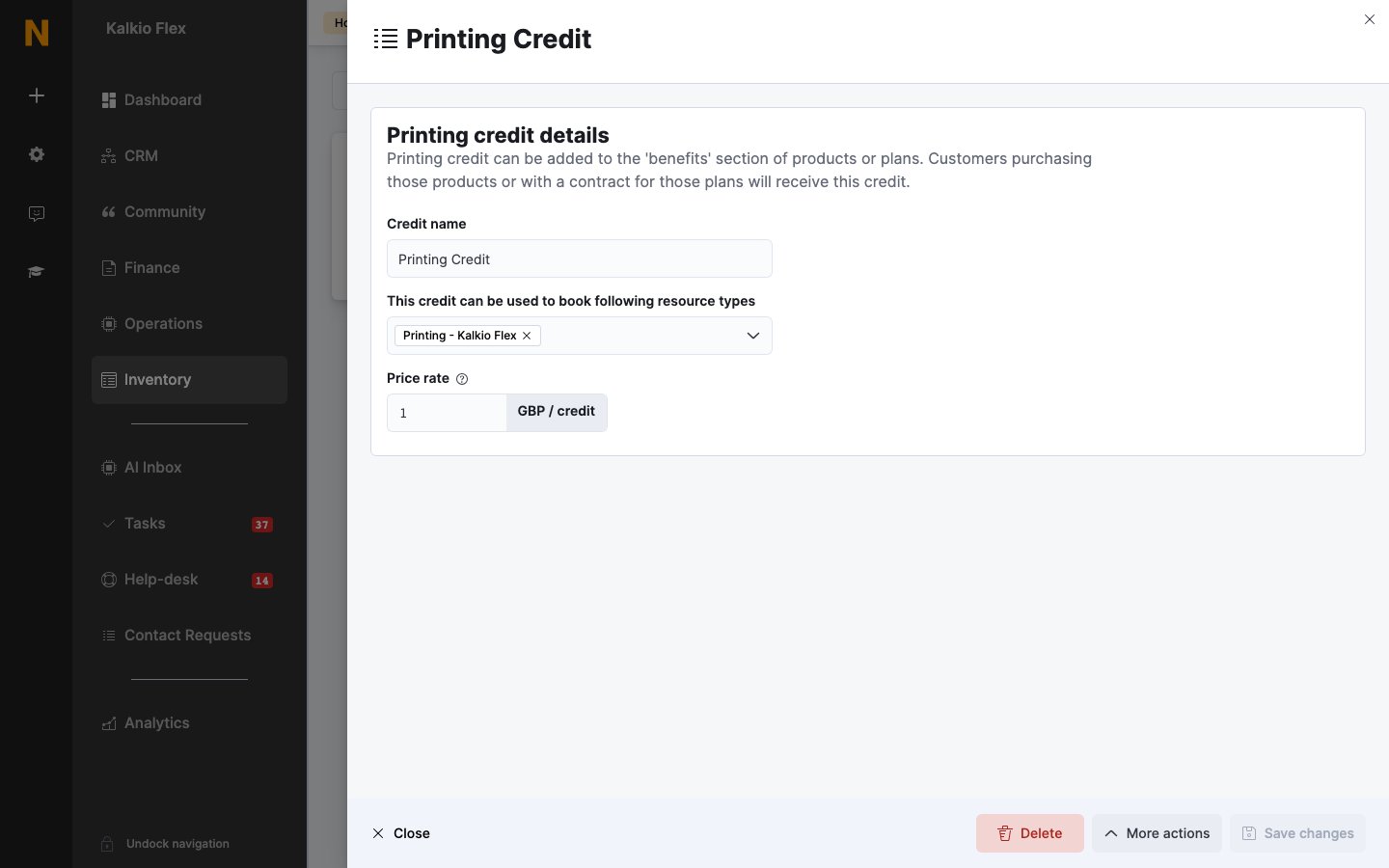
Giving printing credit to customers
- In a plan — open the plan’s Benefits → Printing credit tab, click Add printing credit, and choose the credit, the Credit amount, and when it expires and is replaced: Every week, Every calendar month, Every time the contract is invoiced, or Every year.
- In a product — open the product’s Benefits → Printing credit tab and add the credit and amount, then whether This credit never expires. or This credit expires after: a set period. Customers get it when they buy the product, for example a Printing Credits (500 pages) bundle.
- Directly — add it from the customer’s Benefits → Printing credit tab. Credit added this way is free and doesn’t renew, so keep it for exceptions. See Credits.
Related
- Credits — the three kinds of credit
- PaperCut — connecting PaperCut to Nexudus
- Credits and benefits — adjusting a customer’s balance and reviewing usage