

Overview
The Benefits tab on a customer record shows every credit, pass and discount the customer holds, where it came from (a plan, a product or added by hand) and how much is left. From here you can add credit, correct a balance, and see exactly how each credit was spent.How to access
Go to Operations → Members & contacts, open the customer and open the Benefits tab.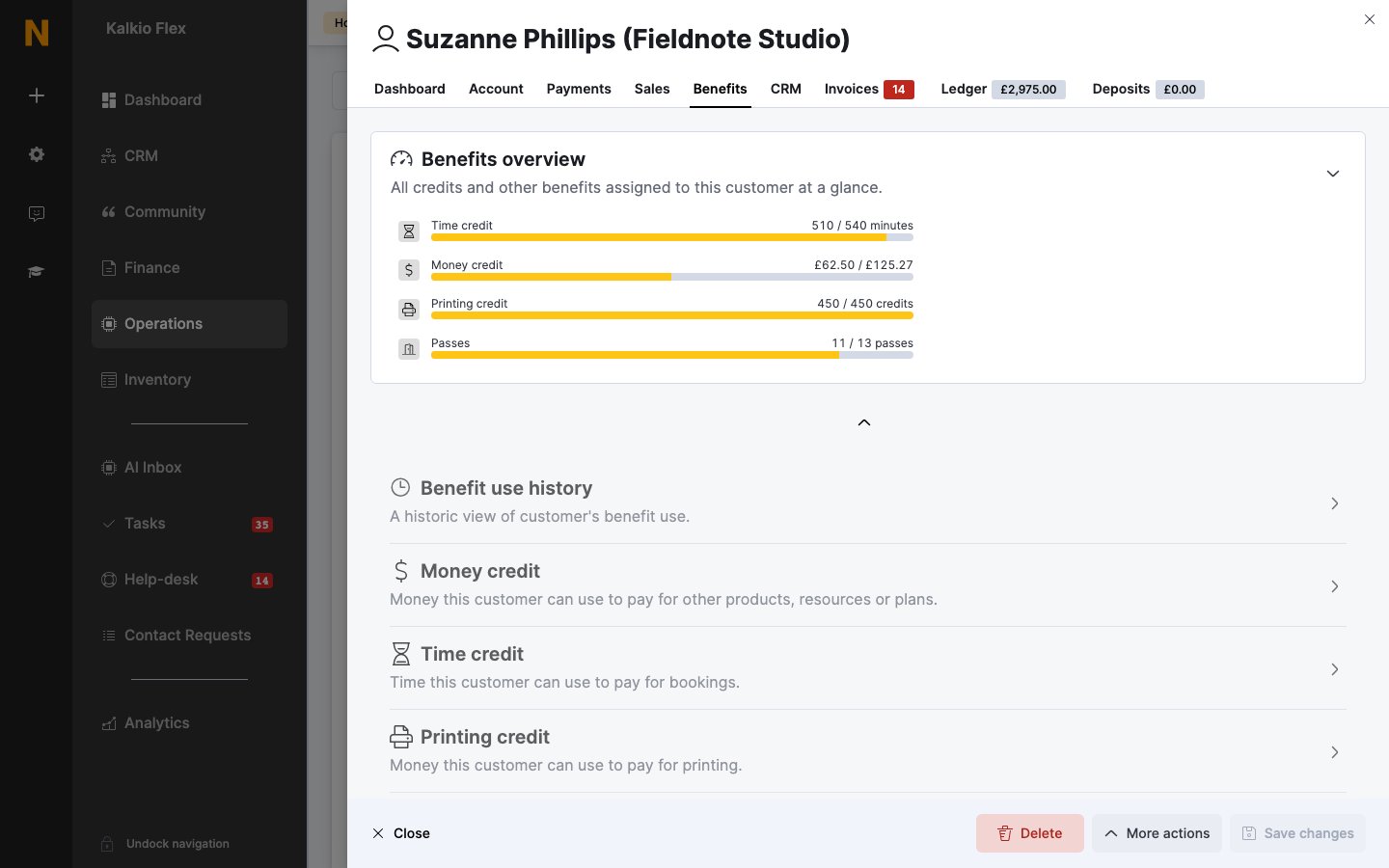
What’s on the Benefits tab
Each credit shows how much is left out of the total, when it’s valid from and when it expires, and its Source: Plan, Product or Manual. The credit lists show Current credit by default. Change the view to see expired credit.
Add credit
To give a customer new credit, open Money credit or Time credit and select Add money credit or Add time credit. Enter the amount, the Valid from and Expires on dates, and what the credit can pay for. Credit you add here shows Manual as its source.Adjust a customer’s credit
Use these steps to correct a balance, for example to give back credit for a cancelled booking.Money credit
- On the Benefits tab, open Money credit.
- Open the actions menu next to the credit and select Adjust remaining credit.
- Enter the Adjustment amount: a positive number adds credit, a negative number removes it. For example, enter
10to add 10 or-10to remove 10. - Enter A description or reason for this adjustment.
- Select Yes, do it.
Time and printing credit
- On the Benefits tab, open Time credit or Printing credit.
- Open the actions menu next to the credit and select Use time credit.
- Enter how many minutes or uses to take off the balance. A positive number uses credit, a negative number gives it back. For example, enter
30to use half an hour or-60to give an hour back. - Select Yes, do it.
Review credit usage
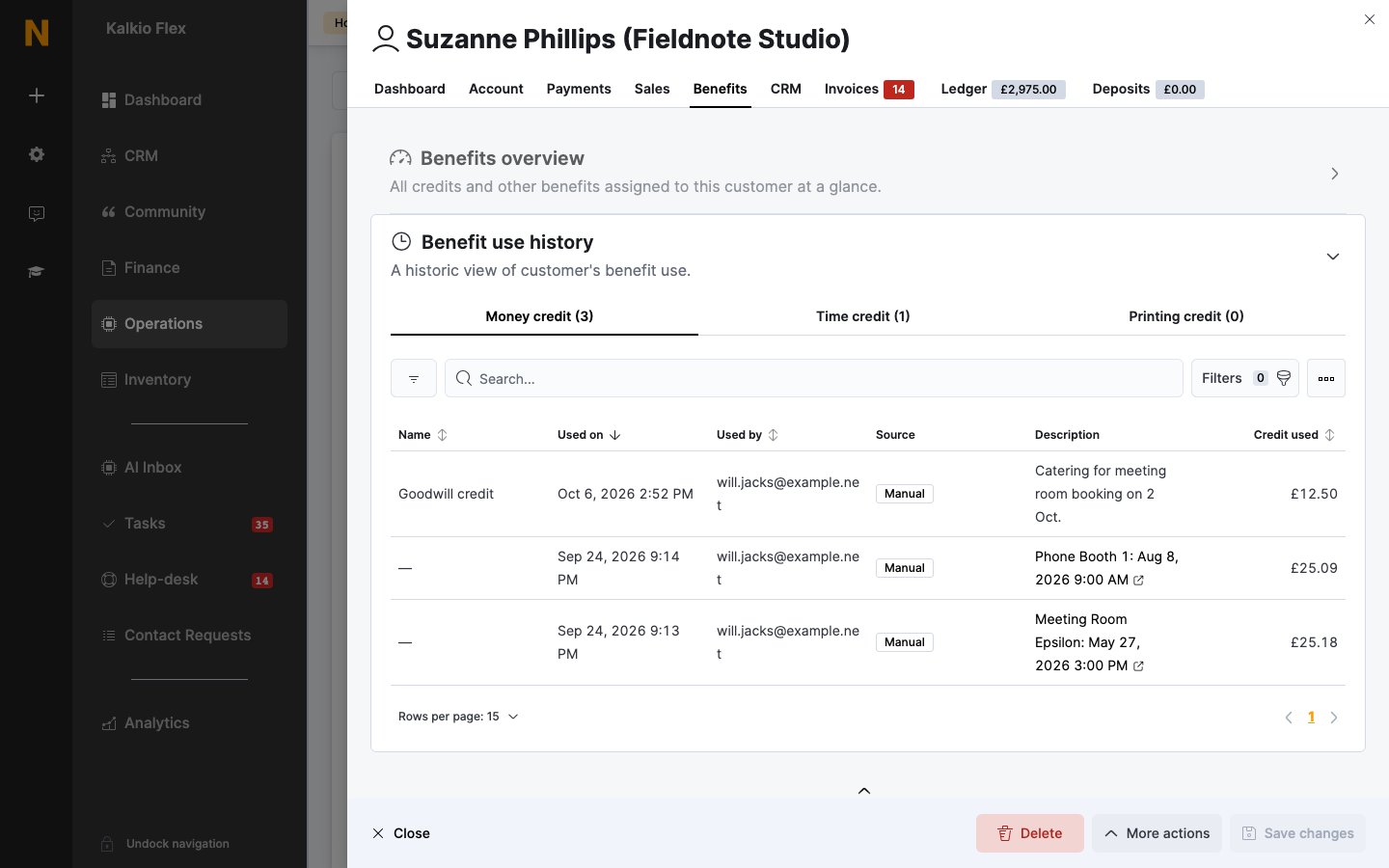
All usage by credit type
- On the Benefits tab, open Benefit use history.
- Choose Money credit, Time credit or Printing credit. Each shows how many uses it has.
Usage of one credit
- On the Benefits tab, open Money credit, Time credit or Printing credit.
- Open the credit and go to its Use history tab.
- Name: the credit’s name.
- Used on: when it was used.
- Used by: the customer, or the admin who adjusted it.
- Source: where the credit came from.
- Description: the booking it paid for, or the reason for an adjustment.
- Credit used: how much was used.