

Overview
Attendees are the people registered for your events. Anyone who buys a ticket on the portal or app is added automatically, and you can also add people manually. Tickets are always purchased by a customer, but can be assigned to someone else — such as an external guest — by name and email. Each registration carries its own ticket, price, and status.The attendee list
Open an event from Community → Events and go to the Attendees tab. Each row shows: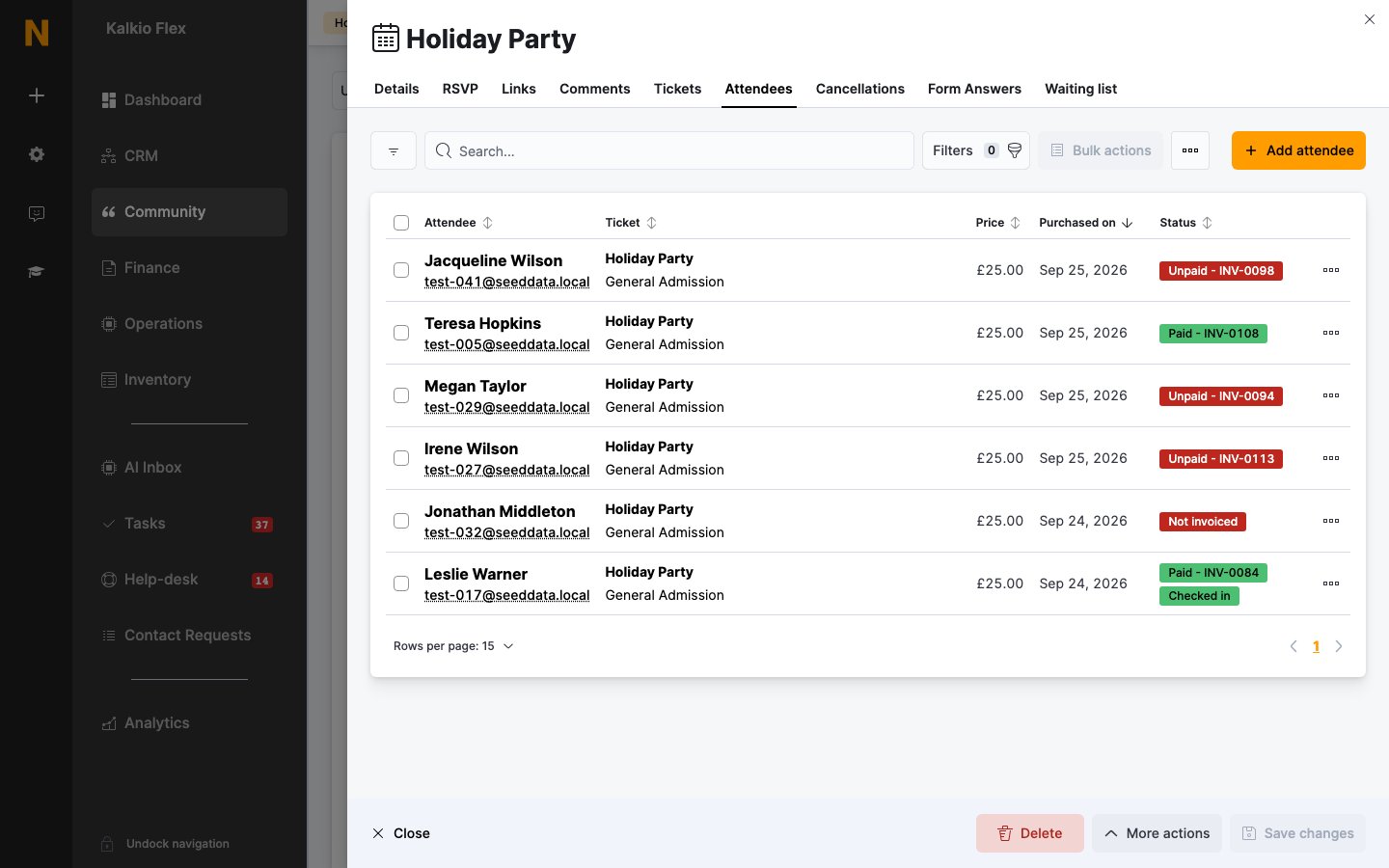
Adding attendees manually
Click Add attendee to register someone without them buying through the portal:- Choose the Customer the ticket belongs to. Their Full name and Email are filled in automatically — change them to assign the ticket to a guest instead.
- Check the Event (pre-selected when you add from an event’s page) and pick a Ticket. If the event has only one ticket, it’s selected for you.
- If you manage several locations, the Location is also shown.
Cancellations
Cancelled registrations move to the event’s Cancellations tab, keeping them out of the main attendee count while preserving the history. The tab shows each attendee’s ticket, price, status, Cancelled on date, and Cancellation reason; open a row to view the details (they can’t be edited).Waiting list
When an event’s wait list is enabled and tickets sell out, customers who join the wait list appear on the Waiting list tab with the date they were Added on. As tickets free up, they’re notified and can take a spot. You can also add someone to the list manually with Add attendee.Form answers
If the event sends a pre-event form (set in the event’s publishing settings), completed submissions appear on the Form Answers tab, showing each Customer, Question, Answer, and when it was Sent on. Changing the form after it’s been sent only applies to new attendees — existing ones keep the version they received.Related
- Events — creating and publishing events
- Event tickets — pricing, availability, and capacity
- My events — where customers manage their tickets
- Forms — pre-event forms