

Overview
Bookings can wait for your approval before they’re confirmed, and you can cancel any booking, with or without a credit note or refund. Nexudus keeps a record of every cancelled booking.Approve tentative bookings
To make online bookings wait for approval, go to Settings → Features → Bookings and calendar settings → General and turn on Bookings made by members must be confirmed first by an administrator, Bookings made by contacts must be confirmed first by an administrator, or both. You can also require approval for a single resource on its limits. Tentative bookings hold their slot, but aren’t charged. They’re grey on the calendar, and listed in the Tentative view of the bookings list. To approve bookings:- One booking: open it and turn off This booking is not yet confirmed / tentative, then save.
- Several bookings: tick them in the bookings list and choose Confirm booking from Bulk actions.
When a customer changes a tentative booking, it needs approving again.
Start a booking
Select Start booking on a booking to mark it as started. If you use Require attendees to check in using NexBoard and cancel bookings if they don’t do so in the first 15 minutes of a booking, a started booking isn’t cancelled automatically.Transfer a booking to another customer
Select Transfer booking on a booking and choose the Customer to move it to. You can’t transfer a booking that’s already been charged: remove its charges first.Cancel a booking
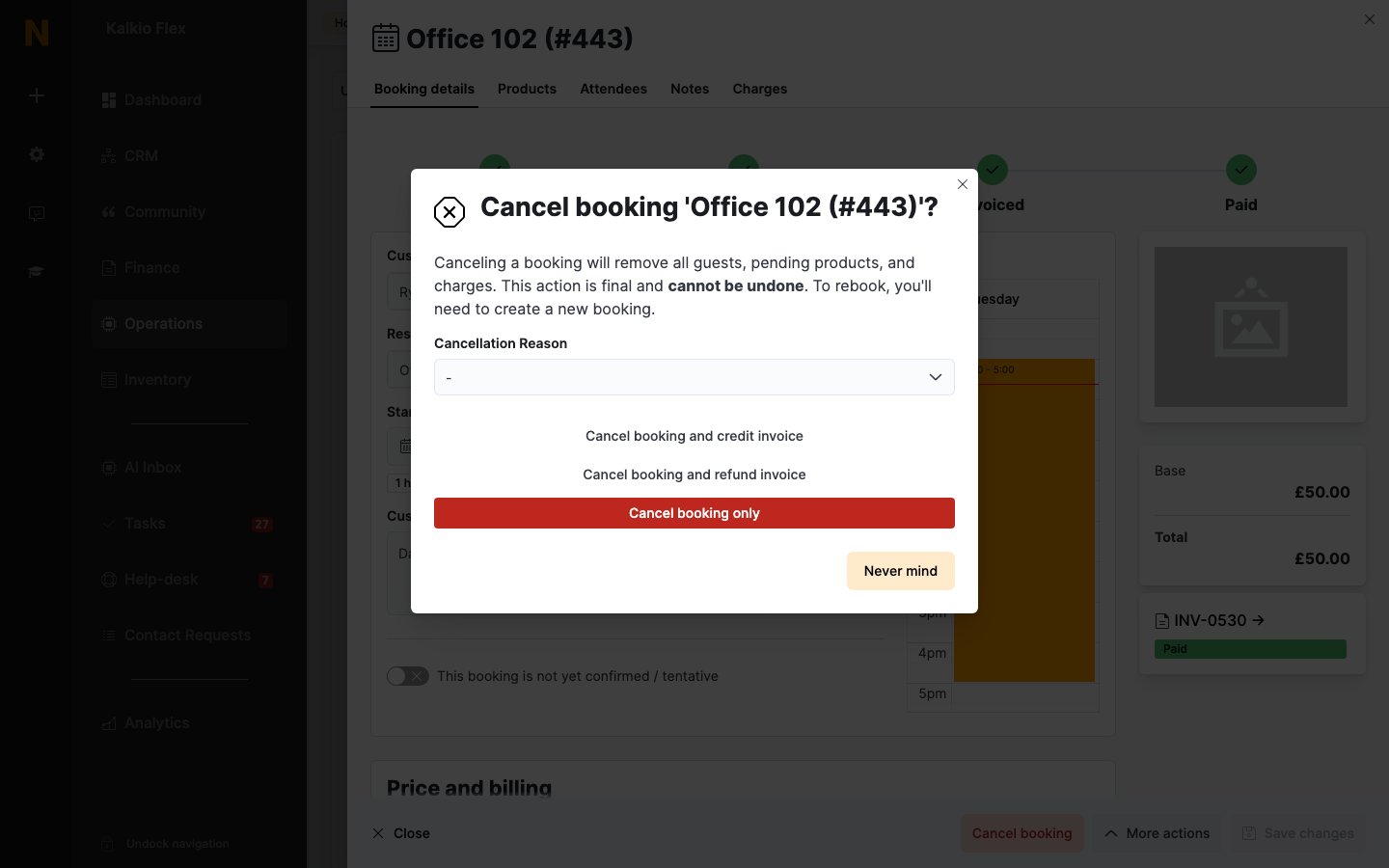
- Open the booking and select Cancel booking, or tick several bookings in the list and choose Cancel booking from Bulk actions.
- Choose a Cancellation Reason: No longer needed, Too expensive, Bad previous experience, Rebooked for a different time, Failed to pay upfront, Integration (Office 365 or GCal) or Other.
- If a late cancellation fee applies, the dialog shows the amount. Under Cancellation fee, choose Charge cancellation fee to charge it, or Void cancellation fee to waive it. When you cancel several bookings at once, choose Charge cancellation fee if applicable or Void cancellation fee.
- If the booking is part of a series, choose which bookings to cancel: Cancel only this booking, Cancel this booking and all following bookings, Cancel all bookings in this series or Cancel all bookings in this series which have not yet been charged to the customer
- Choose how to cancel. The options depend on the booking’s status.
What happens to the money
If a late cancellation fee applies, the credit note or refund is for the booking’s value minus the fee, and the fee is invoiced separately.
A credit note on an unpaid invoice reduces what the customer owes. It only becomes credit they can spend if the invoice was already paid. See Credits, refunds and cancellations.